billh45562497
Participating Frequently
June 6, 2018
Answered

Trying to understand iOS navigation bar sizing in mockup vs actual

  • June 6, 2018
  • 1 reply
  • 765 views

Hi!

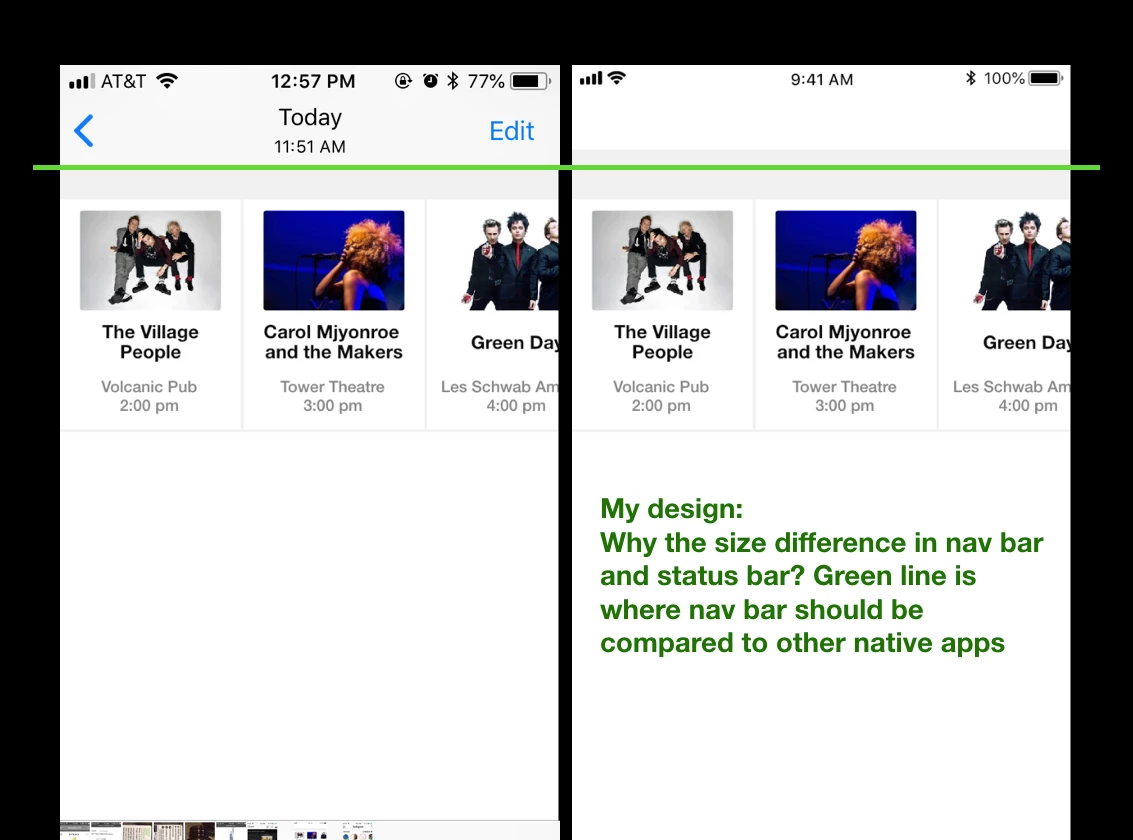
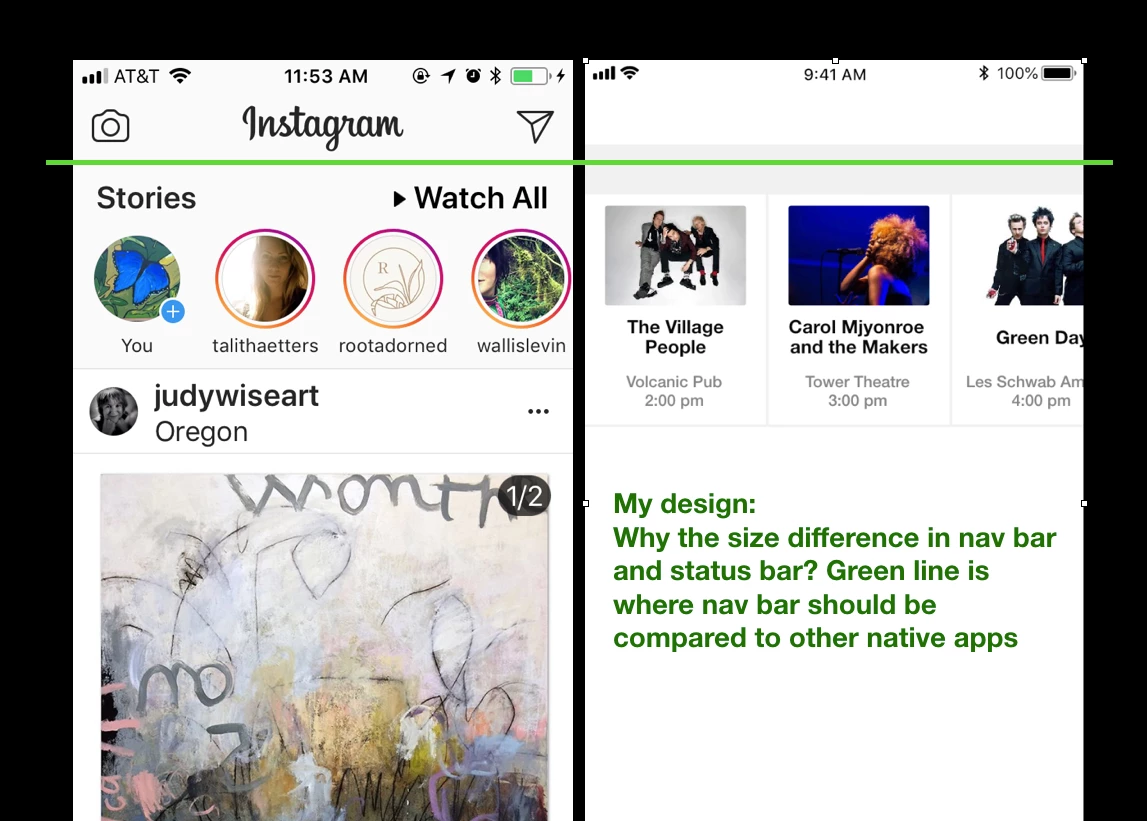
I'm using XD to design an app. I've selected a nav bar from the Apple UI kit as a place holder. What I can't figure out is why the nav bar and screen appear smaller than the actual navigation bar when viewing other apps. For example, I'm designing a screen for iPhone 7/8. Using a nav bar that is 375 w x 64 h. When I compare my design to other iOS apps that use the same standard size bar the design seems more zoomed in and larger than my mockup. I'd love to know why this is so I can design in the same view. It seems like the design is upscaled. All photos below are phone screenshots. Any help would be awesome .

I'm using XD

Canvas is 375 x 667
See comparison screenshots from iPhone 6
    This topic has been closed for replies.
    Correct answer Dan Rodney

    I believe the screenshot on the left has Display Zoom turned on (which makes everything bigger), and the screenshot on the right is for an iPhone for it turned off (which makes everything smaller).

    You can read more about display zoom here: Explaining Display Zoom on the iPhone 6 and 6 Plus - CNET

    1 reply

    Dan Rodney
    Community Expert
    Dan RodneyCommunity ExpertCorrect answer
    Community Expert
    June 13, 2018

    I believe the screenshot on the left has Display Zoom turned on (which makes everything bigger), and the screenshot on the right is for an iPhone for it turned off (which makes everything smaller).

    You can read more about display zoom here: Explaining Display Zoom on the iPhone 6 and 6 Plus - CNET

    Adobe Certified Expert & Instructor at Noble Desktop | Web Developer, Designer, InDesign Scriptor
    billh45562497
    Participating Frequently
    June 13, 2018

    Thanks so much......That's exactly what it was. I had no idea about the feature. I spent hours trying to figure it out. Thanks!!