
Unable to activate missing font in Adobe XD
I use Noto Sans and Segoe UI in my XD project and on my god, I don't understand how to fix missing fonts
in the project's library they are marked as missing, but there's no a bookmark "missing fonts"!
I activated them in my creative cloud but they are still missing! I uninstalled them from my windows and installed again, but they are still missing! I activated them and deactivated like 10 times and they are still missing!
and there's the same situation in mobile version of the prototype and in the cloud and PC file. Is it bug? Is it my mind playing games? But why fixing missing fonts is such pain in all adobe products?
Ah, and when the bookmark Missing fonts appeared (like two times), I tried to replace noto sans to open sans but it was missing again!
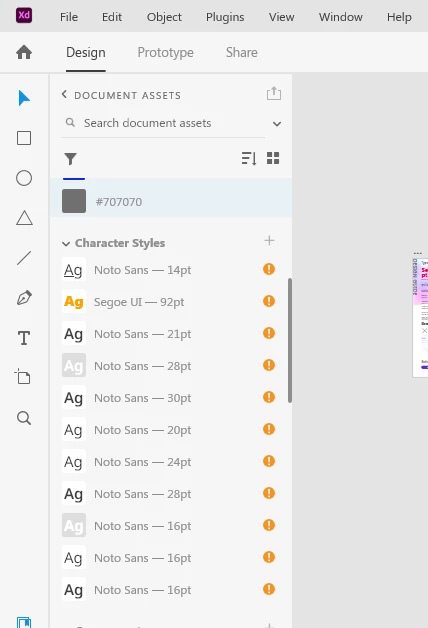
{Renamed By MOD}


 AdChoices