
Participant
November 17, 2021
Question

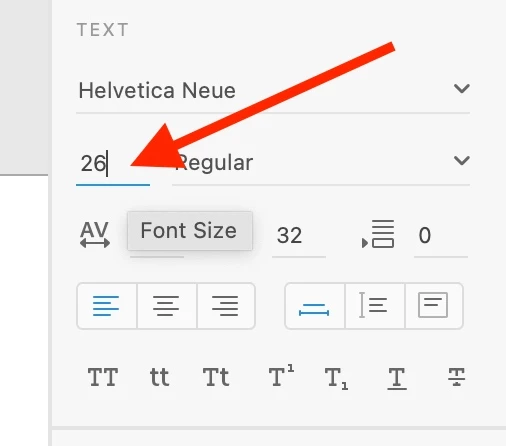
Unable to enter Text value in adobe xd

  • November 17, 2021
  • 2 replies
  • 615 views


Hello.


I have the latest version of XD 45.1.62.3  . Running on Macbook Pro 13-inch late 2013. 8 gb ram intel core i5. I have to type in text vales and scaling values rather than being able to scrub in the value box as shown in many tutorials this seems to be a feature that does not work for me. Ive seen a few simialr issue posted but no real answers that have solved my issue. Any help would be much appreciated.

Thank you


{Renamed By MOD}


    This topic has been closed for replies.

    2 replies

    Participant
    January 14, 2022

    It's not working for me either. Can't find anything online to see whether it's something that needs to be turned or or something. Makes no sense since this can be done in other Adobe apps like Photoshop.

    Rishabh_Tiwari
    Community Manager
    Community Manager
    January 14, 2022

    Hi there,


    We're so sorry to hear about the trouble. Please share a few more details like:


    1. The version of XD & OS.
    2. Is this happening on a specific file or multiple files?
    3. Is this happening with a specific font or multiple fonts?
    4. Will it be possible for you to share a small video of the issue?


    We're here to help, just need more information.


    Regards

    Rishabh

    AkinGn
    Community Expert
    Community Expert
    November 21, 2021

    Hi, I personally prefer using arrow keys on the keyboard to increase and decrease the values to see the change real time in design but if you want to vote for the feature here's the link in the user voice: https://adobexd.uservoice.com/forums/353007-adobe-xd-feature-requests/suggestions/13052064-scrub-values-by-dragging-mouse-in-the-property-ins