

DanielBlazquez
Inspiring
November 5, 2020
Answered

Unable to import SVG file from Illustrator to XD

  • November 5, 2020
  • 2 replies
  • 1851 views

I have upgraded to the latest version and copying from Illustrator and pasting to XD is a nightmare


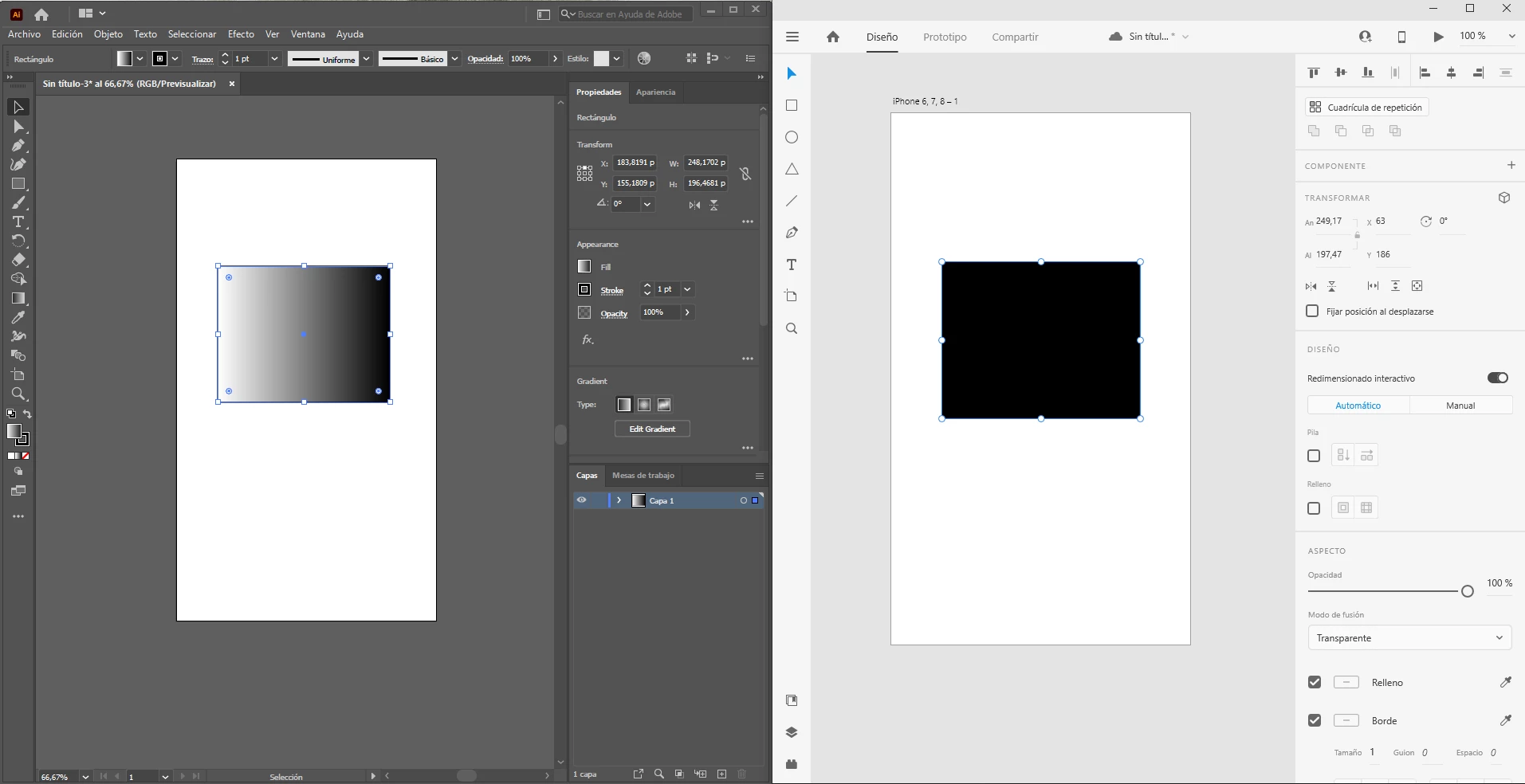
Can't paste gradients. Even the simplest ones.
 

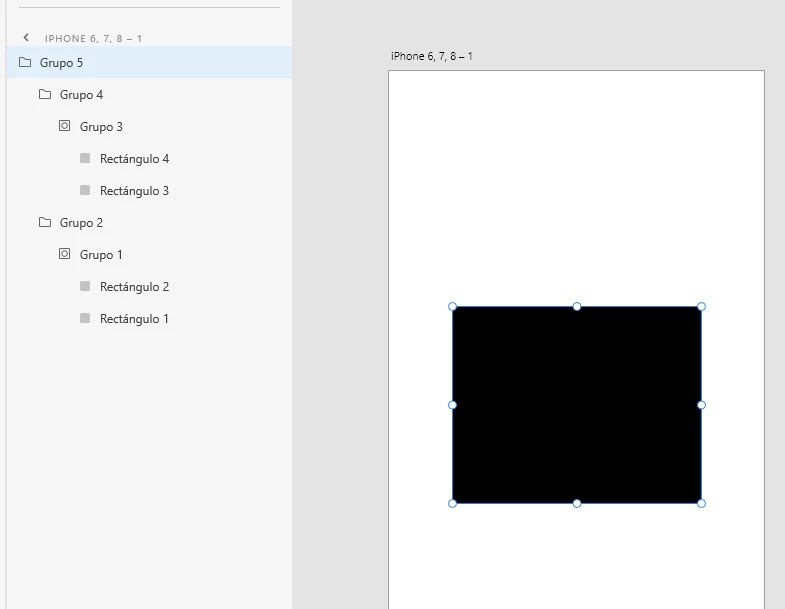
It generates a lot of useless elements
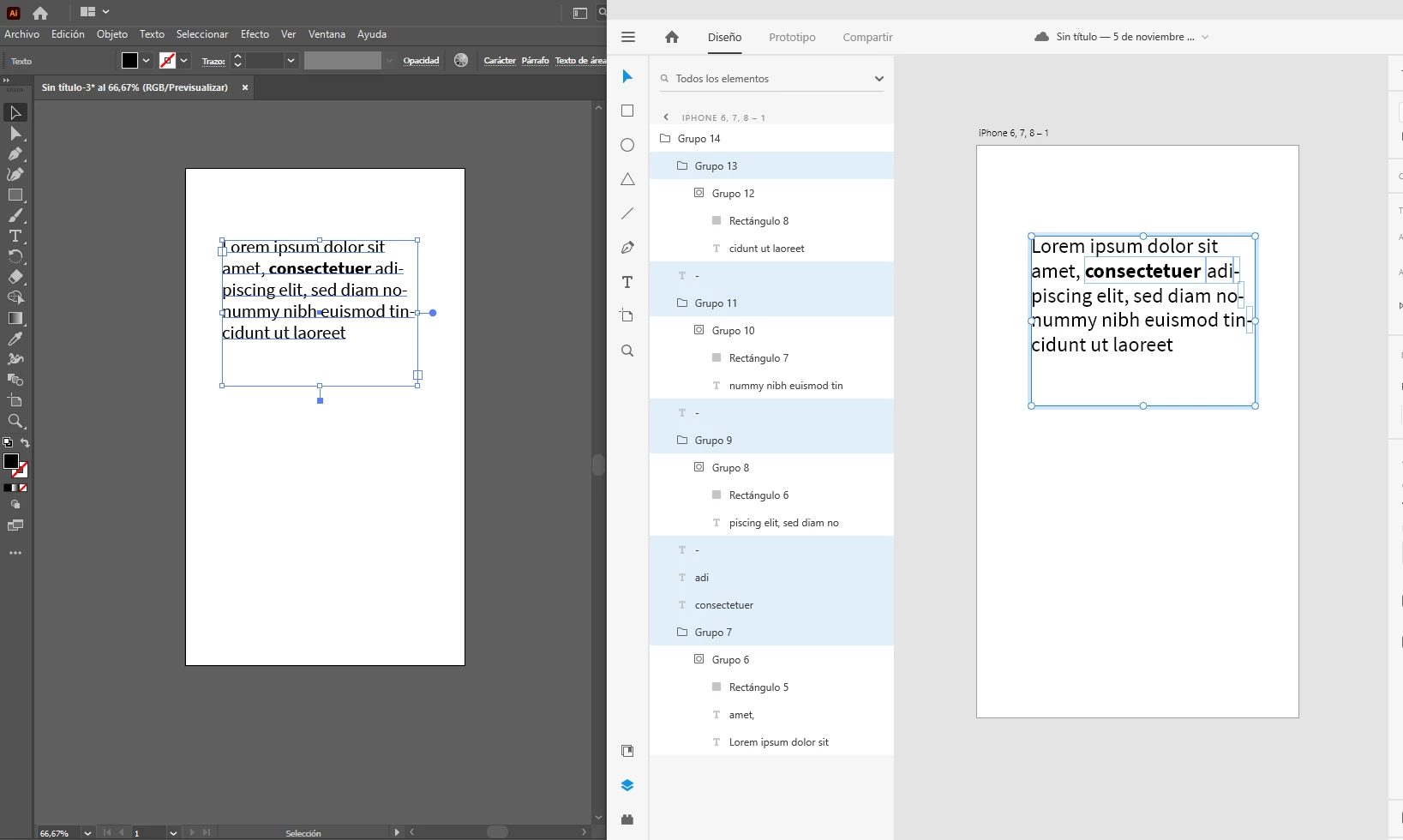
The text boxes are broken
 

Illustrator 25.0, XD 34.2.12

This topic has been closed for replies.
Correct answer EdvinA.

Hi @DanielBlazquez ,


Sorry for the trouble this caused you. We've prepared a fix and it will be rolled out in XD 35.1.


Thanks,

2 replies

DanielBlazquez
Inspiring
November 8, 2020

More and more bugs...


Illustrator 25. Left a box with a simple gradient. Right the same box in the library.


Adobe XD import (not copy&paste). This used to work perfectly.


I have lost a week of work because of these bugs. 😞


EdvinA.Correct answer
Adobe Employee
November 23, 2020

Hi @DanielBlazquez ,


Sorry for the trouble this caused you. We've prepared a fix and it will be rolled out in XD 35.1.


Thanks,

Inspiring
July 20, 2022

Hi, we are now 2 years later and gradients are STILL a problem.


This is an Adobe Illustrator issue, not an Adobe XD issue, because when I copy/paste the same icon but uploaded in svg format from tools like Frontify, they import perfectly.

But if I try to copy/paste directly from Illustrator to Adobe XD, it creates an nightmarish mess where every single path is in a folder, itself masked, and the gradient is on a rectangle shape while my actual shape is the mask itself...


The reason we went with Adobe XD instead of Figma for example was interoperability. No tedious exports to make, just easy copy/paste from Illustrator to XD and it was supposed to work seamlessly. The worse is : it USED to work. Been using XD since 2018.


Please go shake your illustrator team. Nobody gives a flying F about features like the new 3D system, if you aren't even able to handle gradients properly.

Rishabh_Tiwari
Community Manager
Community Manager
November 5, 2020

Hi Daniel,


Sorry to hear about the trouble. Could you please try the suggestion shared in this similar discussion: https://community.adobe.com/t5/adobe-xd/import-from-illustrator-gradients-doesnt-work/m-p/10482614?page=1#M13976


Let us know if this helps or if you need any further assistance.


Regards

Rishabh

DanielBlazquez
Inspiring
November 6, 2020

Hello Rishabh. I tried that solution and it doesn't work. 

It stopped working when I installed Illustrator v25. It happens with any kind of shape, including the simplest ones:

Mihnea Ovidenie
Community Manager
Community Manager
November 6, 2020

Hi,


Is the problem isolated to the copy/paste from AI to XD? What happens if you open/import an AI file from local file system?


Cheers,

M.