

Known Participant
July 18, 2022
Answered

Unable to import svg file in XD

  • July 18, 2022
  • 1 reply
  • 2595 views

Hello,
I have a problem dragging and dropping an uploaded svg file.
It was working very well before. For 1 week, I have an error message telling me that I can no longer import an SVG file. How to solve the problem ?
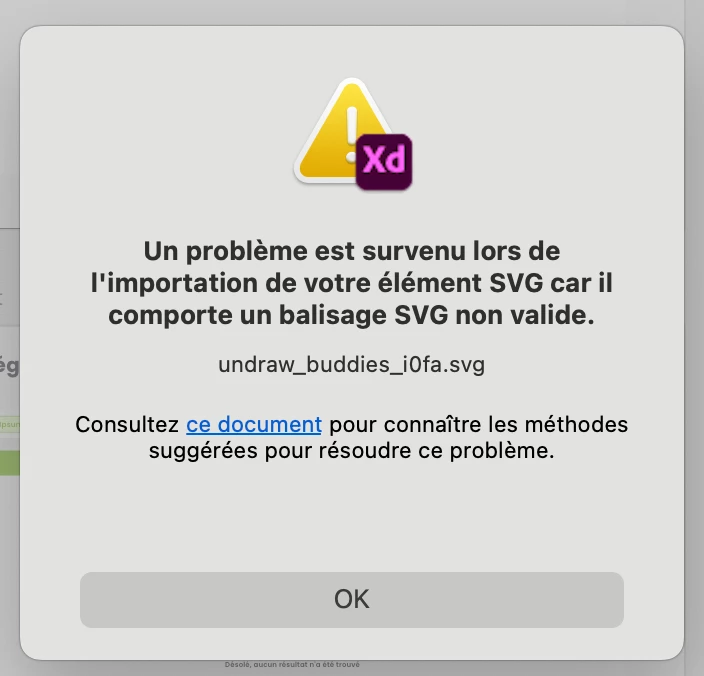
 

<Title renamed by moderator>

This topic has been closed for replies.
Correct answer HARSHIKA_VERMA

Hi @Mouchet0D4C,


We are sorry for the trouble. In addition to what our expert has suggested, please check if you've any Unsupported Features within the SVG file in XD, which might be causing the issues.


Let us know if you need further assistance.


We would be happy to help.


Thanks,

Harshika

1 reply

AkinGn
Community Expert
Community Expert
July 18, 2022

Hi @Mouchet0D4C , as I see in this conversation: https://community.adobe.com/t5/adobe-xd-discussions/unable-to-import-svg-assets-since-last-update-in-adobe-xd/m-p/11890919#M46649 , you might have a similar issue of the file's restriction change etc issue, so I'd make sure the file is still fully accessible on your computer, if it's on a network, like suggested there, I'd create a local copy of it and I'd also try to open it in other apps like AI to see if everything's ok there, and would also export it again as another SVG on AI to try with that other copy. Hope this helps! 

HARSHIKA_VERMA
Community Manager
HARSHIKA_VERMACommunity ManagerCorrect answer
Community Manager
July 18, 2022

Hi @Mouchet0D4C,


We are sorry for the trouble. In addition to what our expert has suggested, please check if you've any Unsupported Features within the SVG file in XD, which might be causing the issues.


Let us know if you need further assistance.


We would be happy to help.


Thanks,

Harshika