
lokmanbd
Participant
October 3, 2018
Question

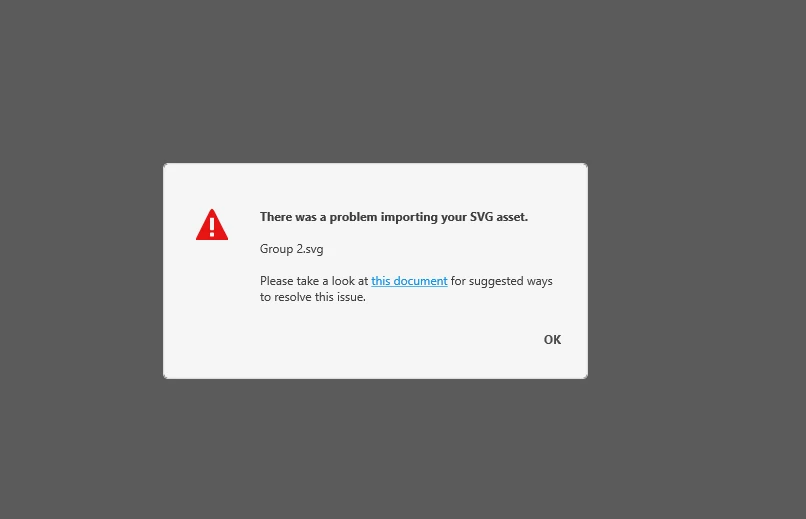
Unable to import SVG file in XD after latest windows update.

  • October 3, 2018
  • 9 replies
  • 8788 views

Hi XD team!

A few hours ago I have updated my windows 10 PC. After that, I am not able to import any SVG file in XD.

Also, Copy-pasting of vector objects from Adobe Illustrator to Adobe XD artboard is not working as well

Would you please check this issue?

Latest OS Build: 17763.1

Version: 1809

Thanks.
This topic has been closed for replies.

9 replies

Thomaslab
Participating Frequently
March 2, 2021

Hi, have a sloution! In Ai go and save as or save as copy and when the SVG options window apears click on the SVG code and copy that and paste the SVG code direcly in to XD. Worked greate for me.


/thomas

Thomaslab
Participating Frequently
March 2, 2021

Ha ha! Pretty old issue but did not see that, sorry about that. Never the less I got this problem to day so for me it was a relief to find a solution.

/thomas

Rishabh_Tiwari
Community Manager
Community Manager
March 3, 2021

Hi there,


Thanks for reaching out and sharing the solution, I am sure it will help other community members. In addition to the steps shared above, I also found a helpful article, which shares more information on importing files from Adobe Illustrator: https://helpx.adobe.com/xd/how-to/import-assets-from-illustrator.html


Regards

Rishabh

Participant
October 9, 2018

I have the solution, just roll back your windows version,
Windows - Settings - Update & Security - Recovery - Go Back to a Previous Build

Participating Frequently
March 24, 2022

That is not a solution.

joaoa27575405
Participant
October 5, 2018
for me not to be stopped I downloaded on the site of xdguru the icons of the material in an .xd file. 
Then just copy from one file to another that gives to continue the work.


https://www.xdguru.com/adobe-xd-icons-material/

I hope they solve this bug soon.

Participant
October 5, 2018

same problem... my work has stopped...what to do? roll back windows to old version?

GusTButt
Participant
October 5, 2018

Same problem, do you have a date for the next release please? This just stopped me dead in my tracks :-(

joaoa27575405
Participant
October 5, 2018
I'm also having the same problem. I spent all day trying to solve it without being 
able to work. Good luck in solving and thank you! =)

Participant
October 4, 2018

I ran into this problem too, it is a nightmare. I need to work, to carry out orders, and here such problems. It is not clear when they are going to fix this problem? It is desirable as quickly as possible!

Atul_Saini
Community Manager
Community Manager
October 4, 2018

Hi Lokmanh/Cергейс,

As M. mentioned in post# 2, the team is aware of this and it will be fixed in the next release. Thanks for your patience and cooperation.

Thanks,

Atul_Saini

Mihnea Ovidenie
Community Manager
Community Manager
October 4, 2018

Hi,

We are aware of the problem and it will be fixed in the next XD version.

Kind regards,

M.

Participant
October 8, 2018

Please make this fixed as soon as possible, because this feature it's so crucial

Atul_Saini
Community Manager
Community Manager
October 3, 2018

Thanks for sharing the screenshot Lokmanh, as you are unable to import SVG, I would request you to try the steps mentioned here: - Files didn't import into Adobe XD  and share the results.

Please update this discussion in case you need further assistance.

Thanks,

Atul_Saini

lokmanbd
lokmanbdAuthor
Participant
October 4, 2018

Hi Atul Saini

I can't import any kind of SVG. For example, before the windows update, I have used icons from https://material.io/tools/icons/.  After the update, I can't import any SVG icons from there.

I have also many SVG icons on my computer and I have imported and used those icons in XD many times. After the windows 10 update SVG import is not working in XD.

Thanks.