rexs731
Participant
July 15, 2018
Question

Unable to Nudge

  • July 15, 2018
  • 1 reply
  • 656 views

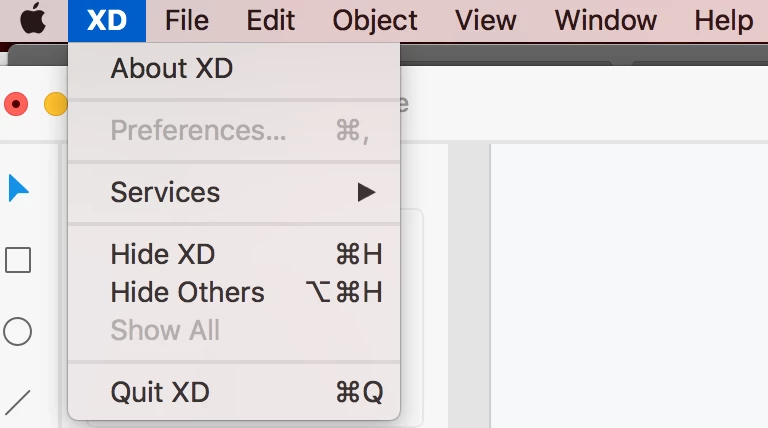
I am trying to nudge this line up but, it is not allowing me to. It makes my design look totally like a junior mistake. I am hesitant to even show this to my client. I also don't want to pass this over to the dev team looking like this. I read in an older thread that you could change it in preferences the same way that you can in Adobe Illustrator, but for whatever reason my preferences in Adobe XD is grayed out. This is so frustrating. Thinking about just using doing it in photoshop and dragging it over into XD. Please fix this. Its a huge impediment.

This topic has been closed for replies.

1 reply

Atul_Saini
Community Manager
Community Manager
July 17, 2018

Hi Rexs731,

Thanks for sharing the screenshot. As per the description, we are trying to join the two lines and they are overlapping for some reason. Could you please share the properties of these lines? I'd be more than happy to assist you further with this.

I would also like to know the version of Adobe XD and OS version that you are using. After fixing these lines we'll get on to "Preferences" as well.

Thanks,

Atul_Saini

rexs731
rexs731Author
Participant
July 17, 2018

Version of Adobe XD:

Version 9.1.12.3, Creative Cloud Sync 3.0.3.6

Atul_Saini
Community Manager
Community Manager
July 17, 2018

Thanks, could you please share properties as well, like, width, height and X,Y from the panel?