
Participating Frequently
January 9, 2023
Answered

Unable to open shared file error: sorry we can't open this document in XD

  • January 9, 2023
  • 1 reply
  • 647 views

Hello,

I've been using XD to create layouts for a client who also uses XD. We've been trying to share our files with each other but without much success. I think we've managed it on two occasions early last year but nothing since. For example, recently he has sent me an invitation to edit a file and when I click to open I keep getting the same error message. So frustrating as it's hindering our workflow.
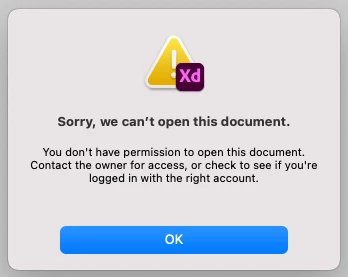
Neither of us can figure out where we're going wrong. We're both using the same version of XD. He's on PC, I'm using a Mac.

Can anyone offer any help please?


<Title renamed by moderator>

This topic has been closed for replies.
Correct answer HARSHIKA_VERMA

Hi @VickyC112,


Thank you for reaching out. We would request you to try the steps suggested in this article: Fix issues with Adobe XD cloud documents that might help you.


Please also ensure that your XD is up to date as mentioned in this link: Update apps to the latest release of Adobe Creative Cloud.


Let us know if that helps.


Thanks,

Harshika

1 reply

HARSHIKA_VERMA
Community Manager
HARSHIKA_VERMACommunity ManagerCorrect answer
Community Manager
January 9, 2023

Hi @VickyC112,


Thank you for reaching out. We would request you to try the steps suggested in this article: Fix issues with Adobe XD cloud documents that might help you.


Please also ensure that your XD is up to date as mentioned in this link: Update apps to the latest release of Adobe Creative Cloud.


Let us know if that helps.


Thanks,

Harshika