


Participant
May 29, 2020
Question

unable to revert to an earlier version of cloud document

  • May 29, 2020
  • 2 replies
  • 1740 views

Hello,

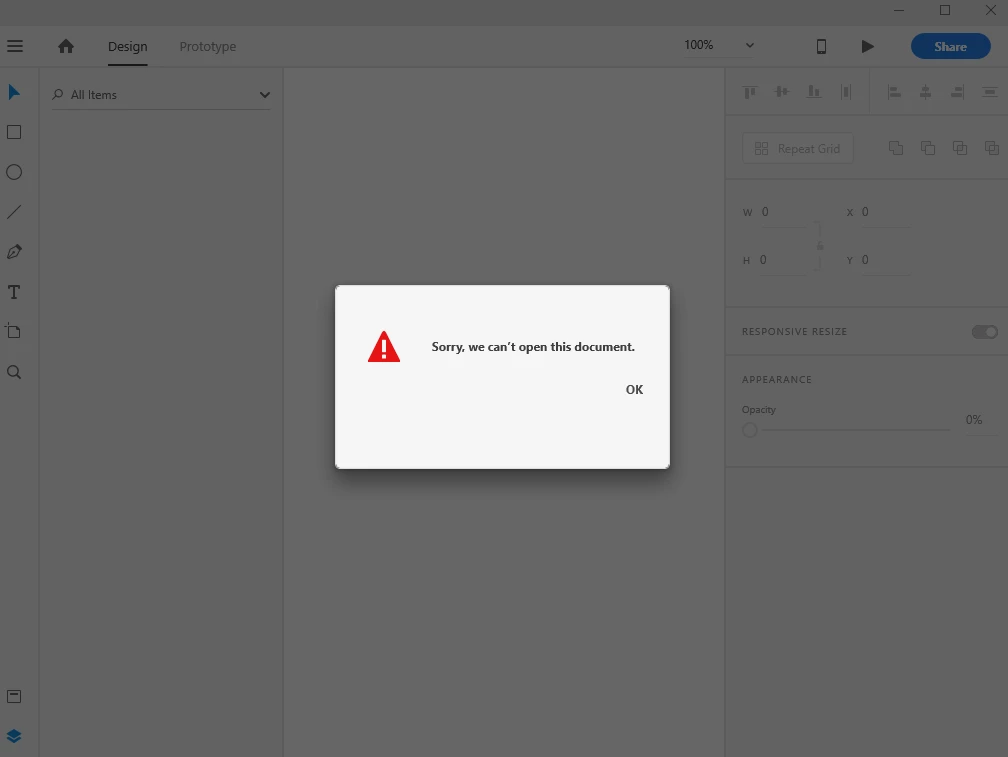
Yesterday I created a file, and today I'm unable to access it. I get a pop up "Sorry, we can't open this document." 
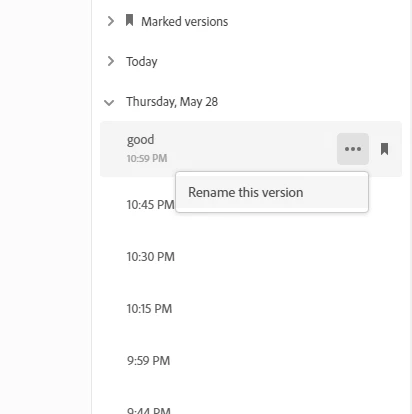
I went to CC->Files-> Cloud documents. I wanted to revert to some earlier version of the document, but no success; the option "Revert"is absent, and all I can do is rename.
 

Also I checked earlier threads, and the user was recommended to contact the support team.

I reached out to the support team through chat, but the chatbot responds with, "We didn't find a supported product in your account."


 Help would be much appreciated. I would like to know whether it's possible to recover the file, or not, so that I can continue my work asap.


This topic has been closed for replies.

2 replies

elainecc
Participating Frequently
May 29, 2020

Unfortunately, XD does not support revert at the time, only to open a previous version of the document and Save As. However, to resolve your initial problem, try rebooting your system and then access the document again. We had a service outage earlier this week that affected people's ability to open cloud documents, and a clean system reboot seems to have resolved the document access issues afterward. Let us know if that works!

catce57Author
Participant
May 30, 2020

The reason I wanted to try reverting to a previous version is because I can't open one of my files (when I try opening it,  I get a message instead, saying "Sorry, we can't open this document" ) . So I thought  that by reverting to an earlier version, I can access to and recover at least some part of my data. 


I tried rebooting my system and opening the file again, but it didn't work.

I can acces my other files just fine, and never had this problem before. I have this problem with only one of my documents.


But thank you for your suggestion, and I'm sorry about your service outage. 


elainecc
Participating Frequently
June 1, 2020

You should be able to select the version and click "Open in XD" in the upper right (above the list). Does that work? You can Save As a new document from there.

Ares Hovhannesyan
Community Expert
Community Expert
May 29, 2020

Please create a new one, save in cloud documents make changes and save again. Close open it in CC Docs and inform if earlier versions are available for that document?

Thansk

catce57Author
Participant
May 30, 2020

Nope, it doesn't work for new documents either. I still don't have the revert option.


Plus, the latest comment says that XD doesn't support Revert right now.