
Participant
March 17, 2017
Answered

Unable to save work in Adobe XD

  • March 17, 2017
  • 3 replies
  • 3121 views

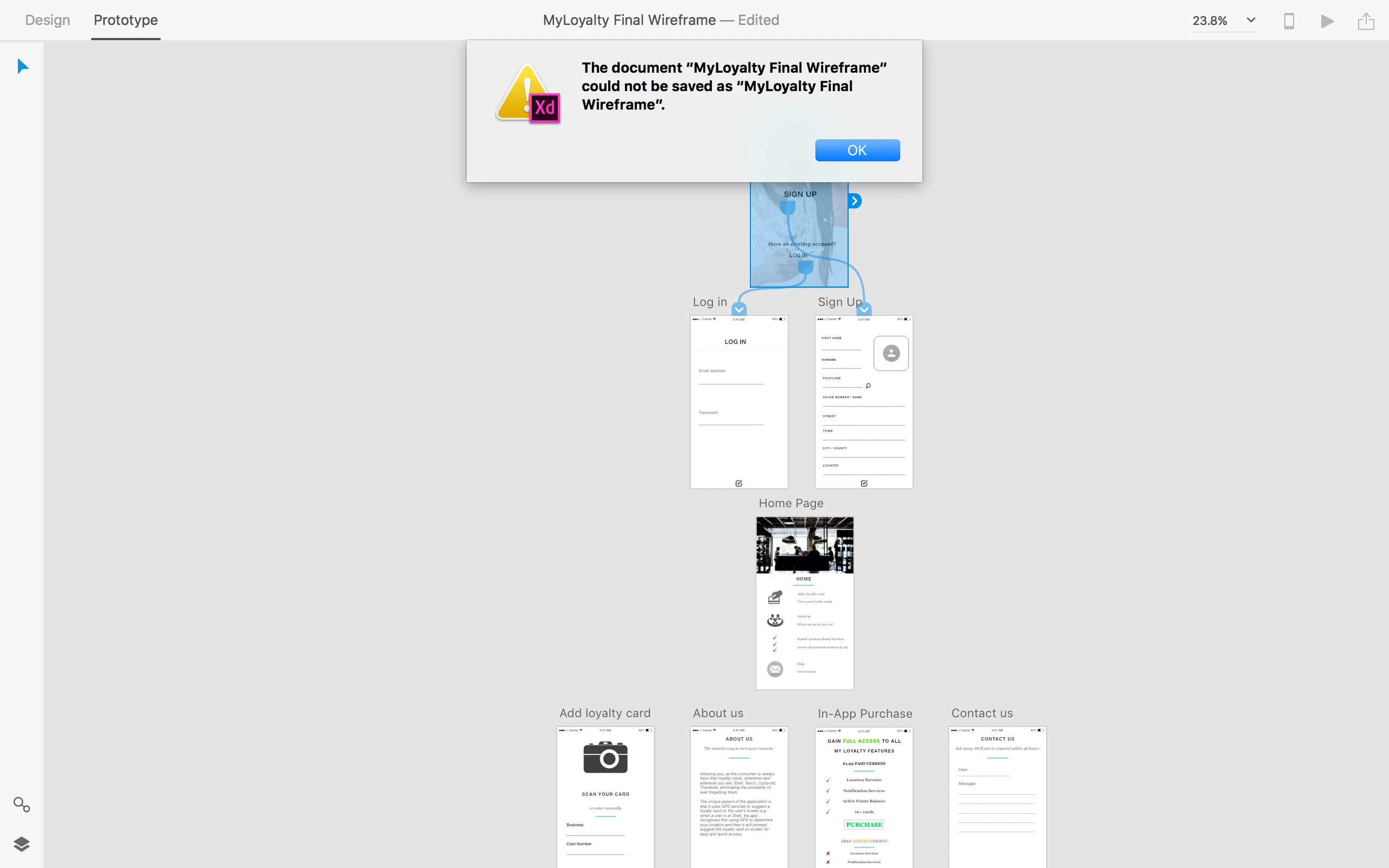
Hello. I am unable to save changes to my work I am creating in Adobe XD. I have tried various file names however I repeatedly get this error message when I try to save. I am running the latest version of Adobe XD on the latest version of OS X.


Please see attached screenshot.

Any help or solutions on this would be much appreciated.

Kind Regards

Matt
This topic has been closed for replies.
Correct answer elainecc

Unfortunately, the version you're using has a known bug that we fixed in 0.6.18, which is the latest version. You should be able to save consistently on the new version - check your Creative Cloud desktop application and update!

-Elaine

3 replies

anak16671340
Participant
May 29, 2020

I have updated numerous times I just update lastest version. I also unistalled the app and re-installed it.  It still saves only one option on icloud or creative cloud not desktop.

Dan Rodney
Community Expert
Community Expert
March 20, 2017

Are you saving the file as filename.xd with the .xd file extension? I've never had trouble saving my files.

— Adobe Certified Expert & Instructor at Noble Desktop | Web Developer, Designer, InDesign Scriptor
Participant
March 20, 2017

Yes I am saving it with the .xd file extension.

Dan Rodney
Community Expert
Community Expert
March 20, 2017

Is it just this file or all files?

Can you create a new file and save it?

Is it specific to the place you were saving or can you not save to any location on your Mac?

— Adobe Certified Expert & Instructor at Noble Desktop | Web Developer, Designer, InDesign Scriptor
elainecc
Community Manager
Community Manager
March 18, 2017

Can you please confirm which version of the beta you have? Go to the Apple Menu > About Adobe XD and send us the version number.

Thanks,

-Elaine

Participant
March 19, 2017

Version 0.6.16.7 Beta

elainecc
Community Manager
elaineccCommunity ManagerCorrect answer
Community Manager
March 20, 2017

Unfortunately, the version you're using has a known bug that we fixed in 0.6.18, which is the latest version. You should be able to save consistently on the new version - check your Creative Cloud desktop application and update!

-Elaine