


Bingles1041
Participant
February 19, 2019
Question

Unable to see Prototype in fullscreen mode

  • February 19, 2019
  • 3 replies
  • 1574 views

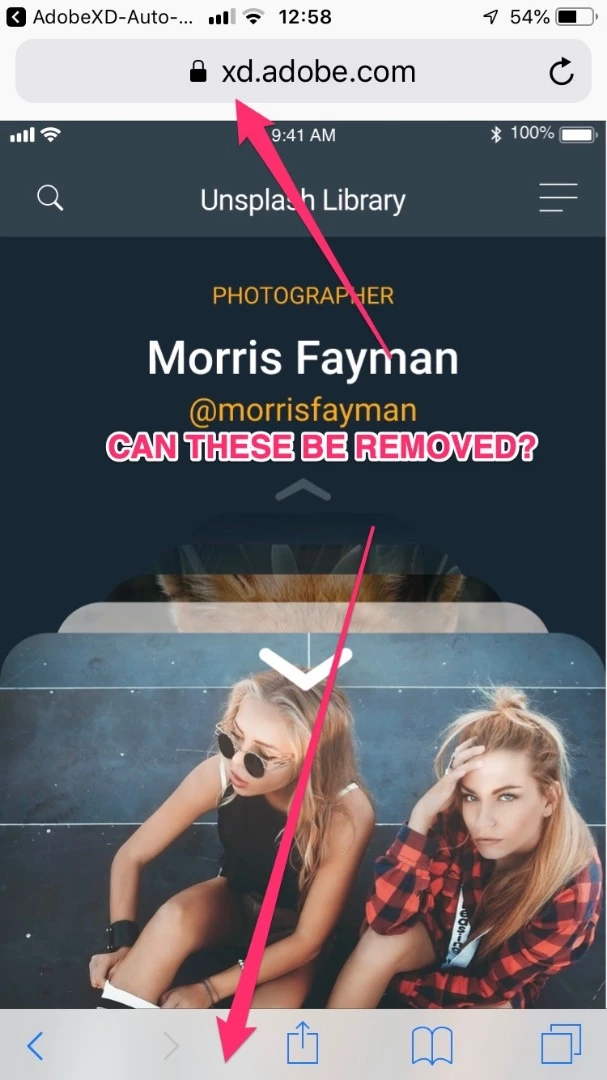
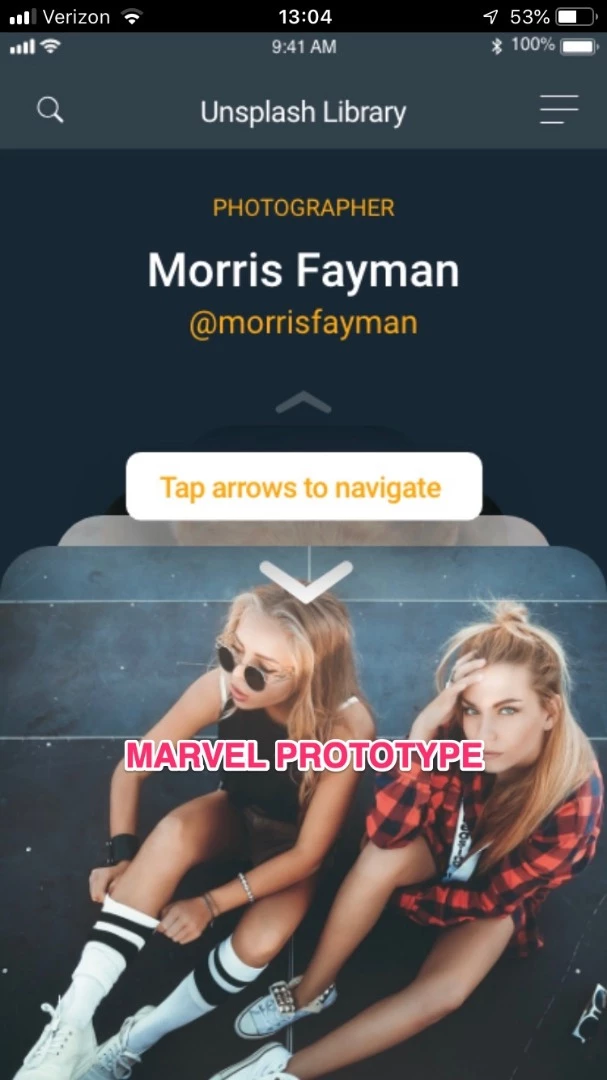
Right now when a prototype is shared for review and viewed on a mobile device with the "Open in fullscreen" option checked it still renders within the browser "chrome". Is there a way to have it truly appear in fullscreen, similar to what Marvel and InVision have done? I would very much like to use XD as a primary prototyping and user testing tool, but not having the app simulate the "real thing" is a deal breaker. Please, if anyone has any info on this, it would be greatly appreciated.


And yes, I'm aware that it works fullscreen in the dedicated XD mobile app. I am looking for a solution in which I can send a client or potential user a link and have them use it sans any additional barriers.


Adobe XD
 

Marvel
 

{Renamed By MOD}

This topic has been closed for replies.

3 replies

Participant
December 28, 2020

I too have tried checking the share in Fullscreen and I tried Presentation mode which is the same thing but in Safari on an iPhone 12 Pro Max, the header and footer of the Safari Browser is still showing.

Phillip Wildhirt
Participant
May 5, 2020

This is total oversight by Adobe. It's Covid-19. I have to test remotely with users and there must be a way to not have them download apps and get usernames and still test in fullscreen. An XD viewer.

Rishabh_Tiwari
Legend
May 5, 2020

Hi Phillip,


We're so sorry to hear about the trouble. Could you please confirm if you published the link with the option to "open in full screen"? If not, please try that and let us know if this helps.


Regards

Rishabh


Participant
October 16, 2020

Hi Rishab


i came here looking for the same problem. i tried your solution by checking on open in full screen, still not showing the rpototype in a full screen mode.


any other fix??

Preran
Legend
February 20, 2019

A couple of things:

- If you are using Safari, the Safari Chrome cannot be completely dismissed.

- On Chrome, can you try scrolling up the artboard? Doesn't work if you have the desktop prototype. But going by your screenshot, this solution should help.

Let us know your observations.

Thanks,

Preran