


martins3632322
Participating Frequently
January 17, 2022
Question

Unable to see the rotated elements in Preview Mode in XD 47 on mac

  • January 17, 2022
  • 1 reply
  • 1825 views

Hey there


I just found a strange bug when I was previewing my design.


I placed a text element onto my artboard (red text in the screenshot). So far so good. The text is showing in the preview mode.
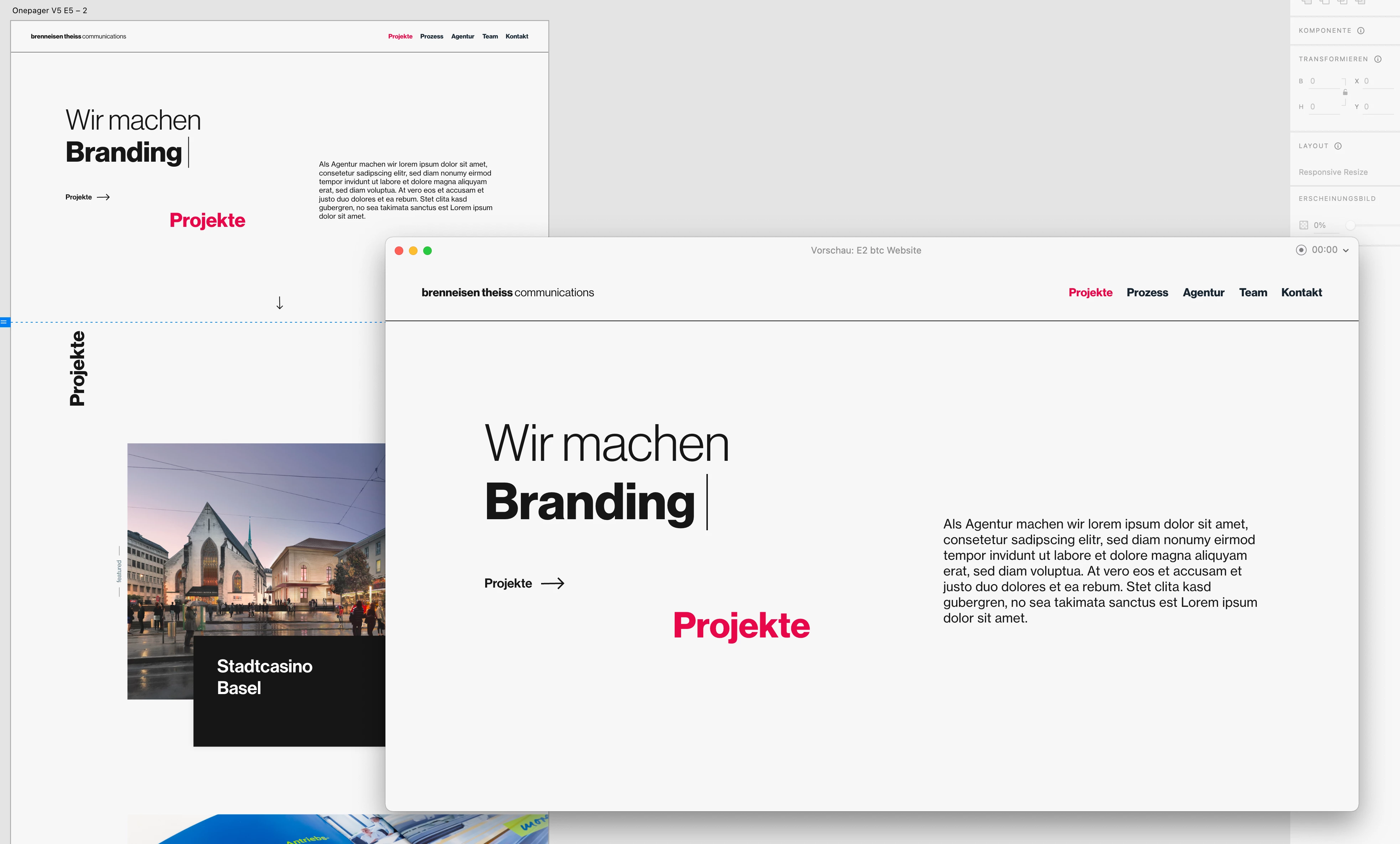


But as soon as I rotated the element to -90 degrees and reopened the preview window the text just disappeard in the preview.
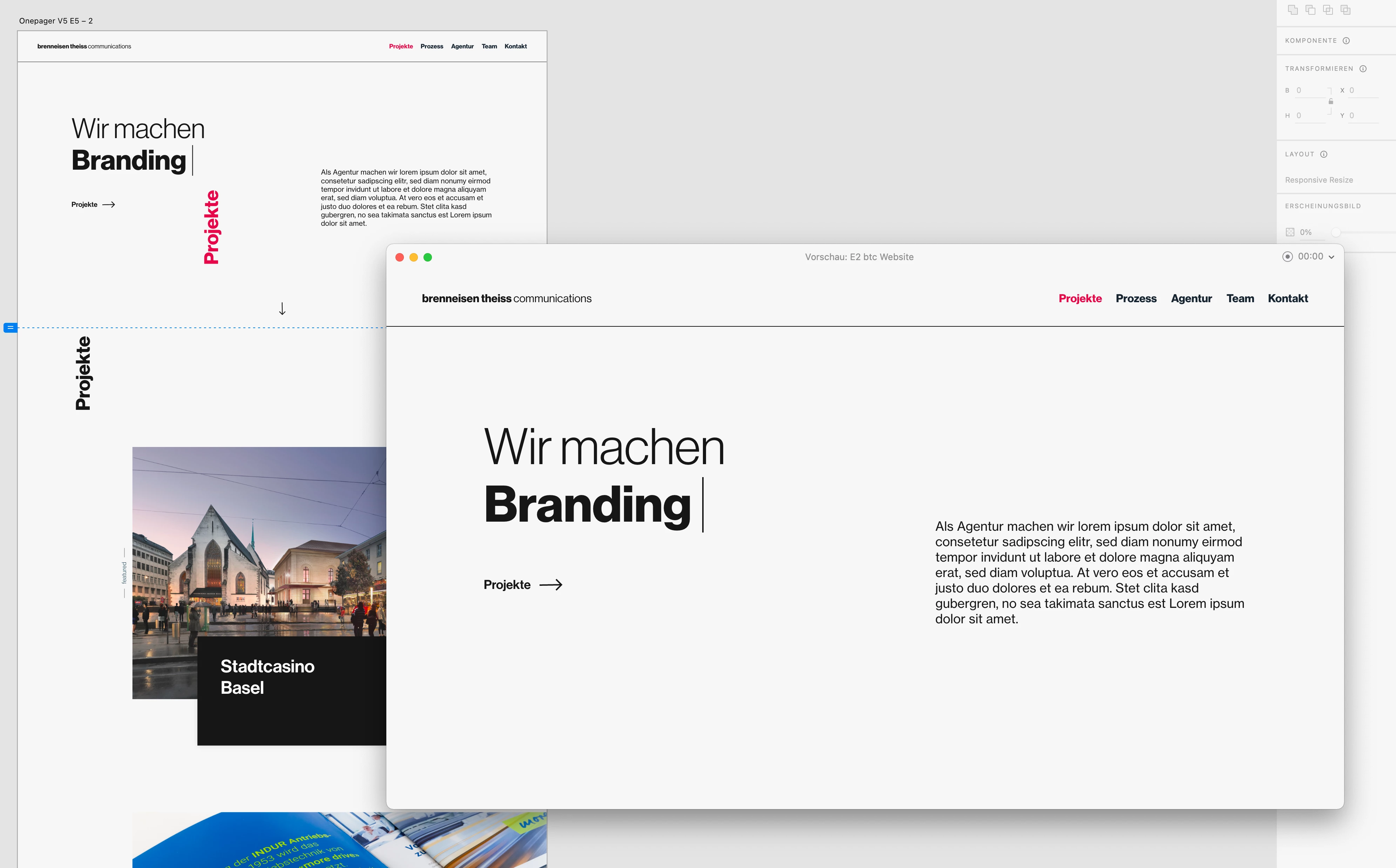
 

I can reproduce the bug with all kinds of elements like images, shapes etc..

There seems to be a tipping point between 35-40 degrees where the element starts to disappear. When I set it to 36 degrees, some parts of the element disappear while the other part is visible (see image below).
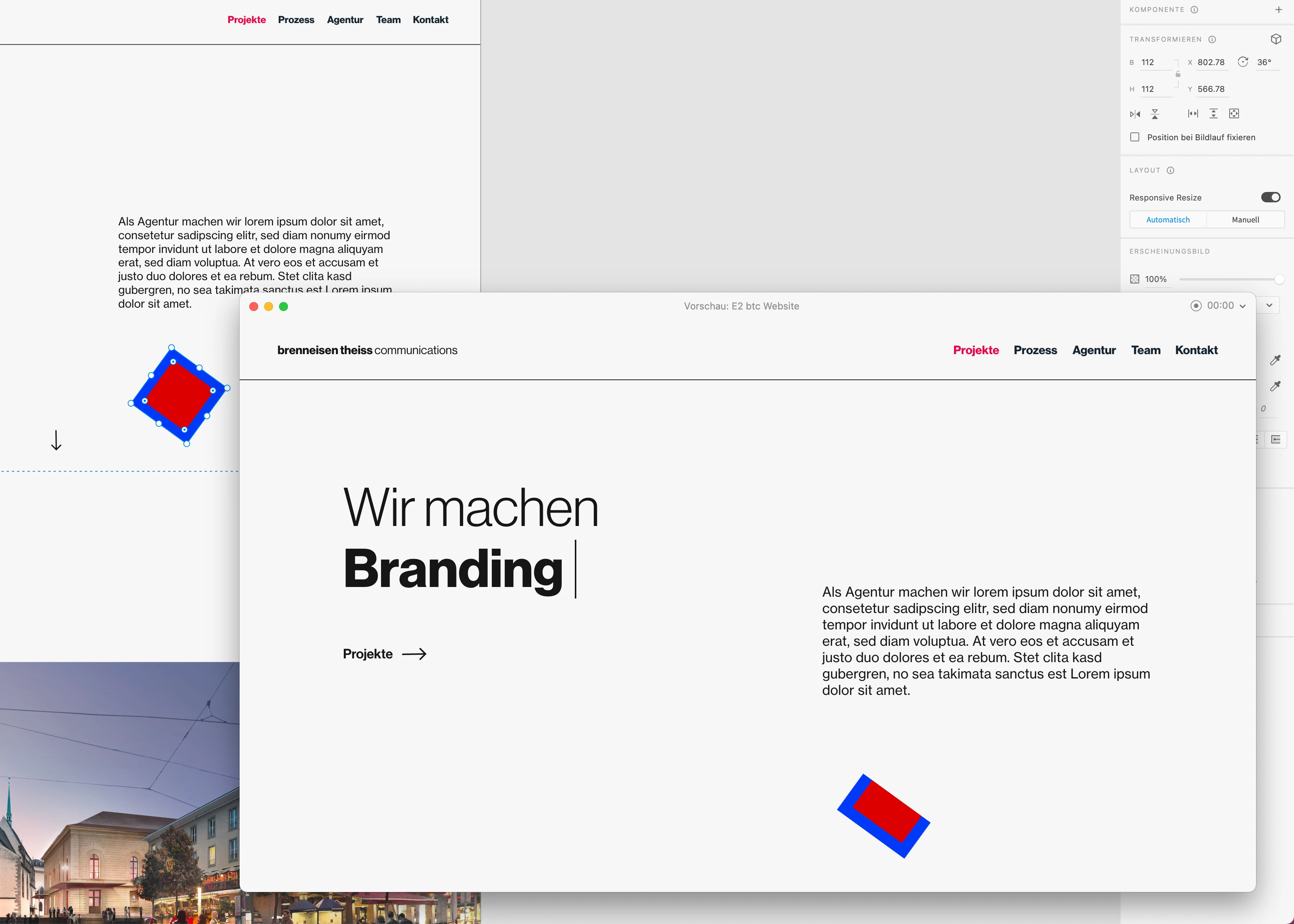
 

Restarting XD didn't help btw..


Can some of you reproduce this bug?


Best regards

Martin

<Title renamed by moderator>

This topic has been closed for replies.

1 reply

martins3632322
Participating Frequently
January 17, 2022

I just found a workaround.

When I group the rotated element it is visible in the preview.


This helps as a workaround but the problem underneath still exists..

italosan
Community Expert
Community Expert
January 17, 2022

Hi, I tried to replicate the error on some of my files, but everything works fine. Does this problem occur with all files? Are you using the latest version of the software?

martins3632322
Participating Frequently
January 17, 2022

Hi

Thank you for your reply.

It also occurs on older version of the file (I have multiple versions of the file like V1, V2, etc.) but now I tried it in a new project and it works fine in the new one.


btw. yes I'm using the latest version (47.0.22.9 x64).


I guess this is a bug related to this one project file only..


So as long as no one else has the same problem its probably a corrupted file or something..