

hendelgohary
Participating Frequently
June 1, 2021
Answered

Unable to select and drag items across artboards in Adobe XD.

  • June 1, 2021
  • 1 reply
  • 2652 views

Hello,


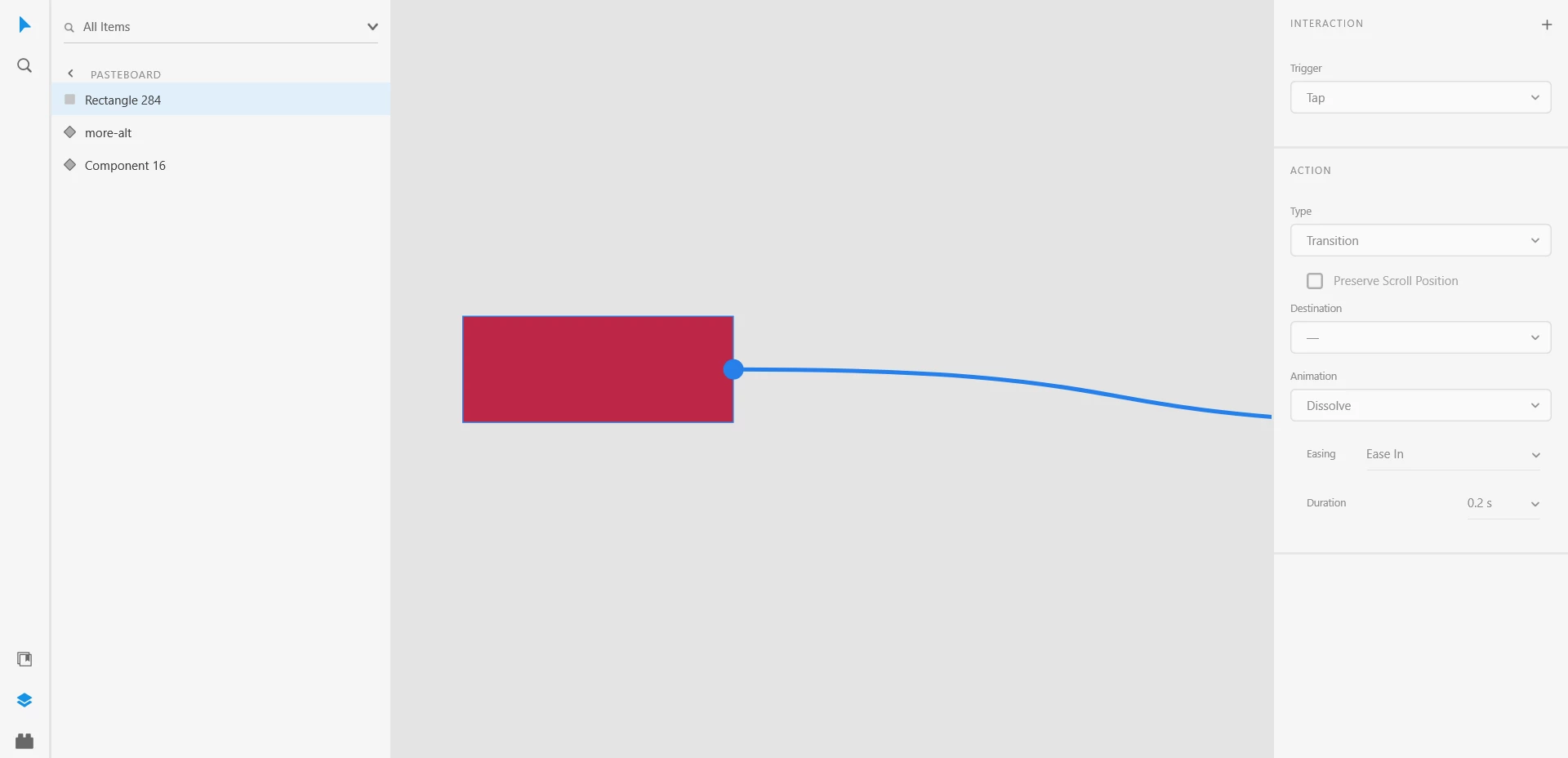
On the latest version of XD, when I select an item and want to move it to an artboard that is not within the active view, the view doesn't move to view the artboard in the direction i'm moving my mouse. Same happens when I try to make an interaction and link it to an artboard that is not in the current view (see screenshot). Any help?
 

<Title was renamed by moderator>

This topic has been closed for replies.
Correct answer HARSHIKA_VERMA

Its not me that asked the question


Oh sorry for the confusion and thanks for sharing your suggestion to this post. 


Hey hendelgohary ,


We would like to follow up on your issue. Are you able to resolve the issue? Please feel free to update the discussion if you need further assistance from us.


We'd be happy to help.


Thanks,

Harshika


1 reply

HARSHIKA_VERMA
Community Manager
Community Manager
June 1, 2021

Hi there,


Thanks for reaching out and sorry to hear you are unable to drag assets across artboards. I am unable to reproduce the issue at my end on my windows machine. I have attached the gif below. 


Could you please share the version of XD and the OS you're using? I would request you to please try signing out of XD, the Creative Cloud desktop app, and then sign back in.


Let us know if that helps.


Thanks,

Harshika

hendelgohary
Participating Frequently
June 2, 2021

Thanks, Harshika.


The interaction in the gif is exactly what I am not able to do. I'm glad you got what I was talking about. When I drag anything, the screen doesn't move the same way it does in your gif.


My Xd version is 40.1.22.3 and I'm on windows 10. I signed out and in again and the issue is not fixed.

HARSHIKA_VERMA
Community Manager
Community Manager
June 3, 2021

That's strange. Does that happen with every file or with this specific file? If with every file, then you can try uninstalling XD from Creative Cloud Desktop app and reinstall it.


If it's happening with a specific file, please copy the content from the prototype mode and paste it into a new file, and then try again.


Let me know if that works. I'll try my best to help. 


Thanks,

Harshika