Participant
January 6, 2023
Answered

Unable to share and sync files in XD 55.2 version
  • January 6, 2023
  • 2 replies
  • 525 views

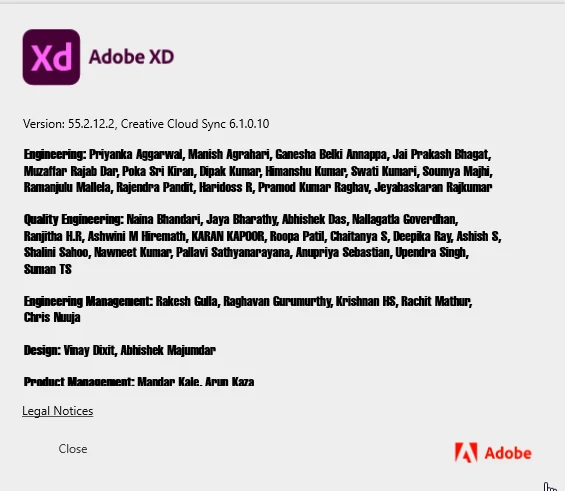
Here's the Adobe XD version and I'm working on Windows 10 (no updates pending)

I tried everything I could find on the forum (reinstalling XD and CC, restarting PC, updating everything, closing processes in the bcg, renaming the OOBE file, etc.)

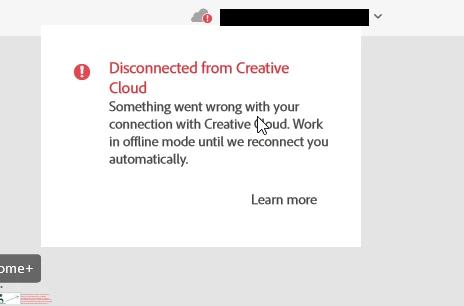
The issue started when I couldn't sync and update one of my XD files. (screenshot #1)
(Updating and saving other files (shared with me, but not created by me) was really slow and turned up multiple errors along the way, and/or making conflict files.)
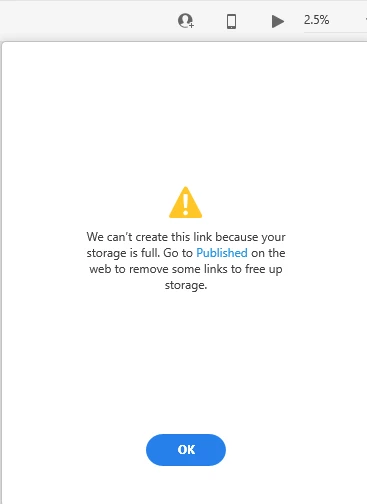
So I created a new one (which synced eventually), but then I couldn't send invitations to others through XD for some reason (screenshot #2). The error I got is "Storage full. Go on Published and delete links", but there's space in storage (2.4 GB of 1 TB used) and barely any links in Published (less then ten and I even deleted some just in case).
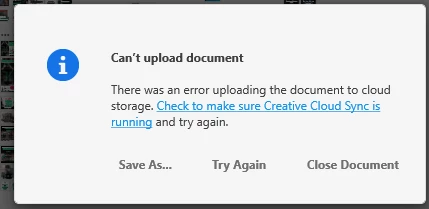
So I found a workaround and invited others through Creative Cloud, but now it won't sync the file again. The error says that it "cant upload a document". (screenshot #3)
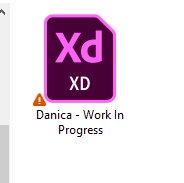
So I tried saving the file locally and uploading it to the Sync folder, but that too is showing some kind of error. (screenshot #4)
 

<Title renamed by moderator>

This topic has been closed for replies.
Correct answer Danica230854290h06

Just an update for this one, I contacted Customer Support and they asked me how many links I have in the Published folder, I said "nine" and they asked me to try inviting people again and it worked
Honestly not sure what the problem was, nor how it was resolved (I personally choose to believe the Customer Support person was magic)

2 replies

Danica230854290h06AuthorCorrect answer
Participant
January 9, 2023

Just an update for this one, I contacted Customer Support and they asked me how many links I have in the Published folder, I said "nine" and they asked me to try inviting people again and it worked
Honestly not sure what the problem was, nor how it was resolved (I personally choose to believe the Customer Support person was magic)

Participant
January 6, 2023

Side note: It seems the screenshots are out of order

HARSHIKA_VERMA
Community Manager
Community Manager
January 6, 2023

Hi @Danica230854290h06,


Thank you for reaching out and sharing the screenshot, and sorry for the trouble. We would request you to please try the steps suggested in this article: How to resolve connection errors with Creative Suite applications, and let us know if that helps.


If it doesn't, we suggest you connect with us directly using our contact us page: Contact Customer Care so that we can help you directly.


Thanks,

Harshika

Participant
January 8, 2023

Hey Harshika,
I tried everything from the page you shared, it didn't help. There were no problems with host file nor were there connection issues, except for one thing - Step 2 of Solution 1 (after checking the two Adobe logos):

This is what comes up for me:

So it's not "port" and it's not "access denied" message. Not sure if that means anything...
If you don't happen to have any other ideas, I'll contact Customer Care tomorrow.

Thanks,
Danica