jade.c.tw
Participant
November 10, 2022
Answered

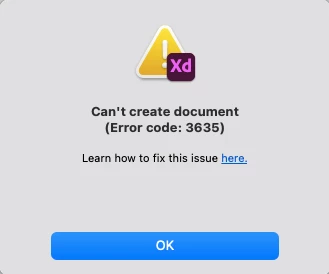
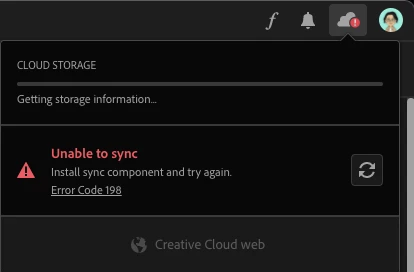
Unable to sync /load and open XD file - Error code 198 and 3635

  • November 10, 2022
  • 2 replies
  • 979 views

Hi there

I have no issues to install both CC and XD desktop on my MacAir, also able to sign-in on the CC desktop.

Somehoe both of the applications are showing 'Unable to sync /load', with error codes: 198 and 3635.
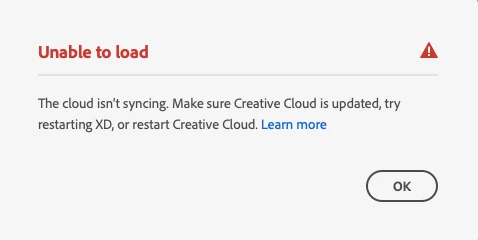
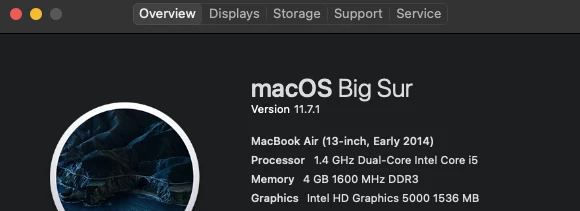
And I've tried reinstall, uninstall(with the CC ininstaller) them, and check my Mac processor has meet the minimum requirement for installing them.
https://helpx.adobe.com/creative-cloud/help/creative-cloud-desktop-app-system-requirements.html

https://helpx.adobe.com/xd/system-requirements.html
But it just does not work! I'm frustrating... Any suggestions or can I use XD OFF-LINE??!

Thank you for helping!

This topic has been closed for replies.
Correct answer jade.c.tw

Adobe customer sevice said this is a technical issue, after an agent remote to my Mac deleted all Adobe files and reinstall them again, now the CC can sync aldo I can creat a XD file. YOU NEED TO WAIT while conecting to an agent and while the remote process. You might do it youself by delete all Adobe file in libarary/chache, then see this instrcution: https://helpx.adobe.com/creative-cloud/kb/cc-cleaner-tool-installation-problems.html

2 replies

jade.c.tw
jade.c.twAuthorCorrect answer
Participant
November 30, 2022

Adobe customer sevice said this is a technical issue, after an agent remote to my Mac deleted all Adobe files and reinstall them again, now the CC can sync aldo I can creat a XD file. YOU NEED TO WAIT while conecting to an agent and while the remote process. You might do it youself by delete all Adobe file in libarary/chache, then see this instrcution: https://helpx.adobe.com/creative-cloud/kb/cc-cleaner-tool-installation-problems.html

kglad
Community Expert
Community Expert
November 10, 2022

reset the cc desktop app: make sure it's in the foreground, then press:

Win: Ctrl + Alt + R
Mac: Cmd + Opt + R

and yes, you can use your adobe apps while offline (for up to 30 days with a monthly pay subscription and 100 days for an annual pay).

jade.c.tw
jade.c.twAuthor
Participant
November 25, 2022

Tried, but doesn't help 😞

HARSHIKA_VERMA
Community Manager
Community Manager
November 25, 2022

Hi @jade.c.tw,


Thanks for trying the steps suggested by our expert. Would you mind also trying the steps suggested in this article and letting us know if that helps?


For error 3635, please try the steps suggested in this article.


Let us know if that helps. We will try our best to help


Thanks,

Harshika