Answered
Unable to Unlink Symbol
I need menu to appear with option to Unlink Symbol as shown here: 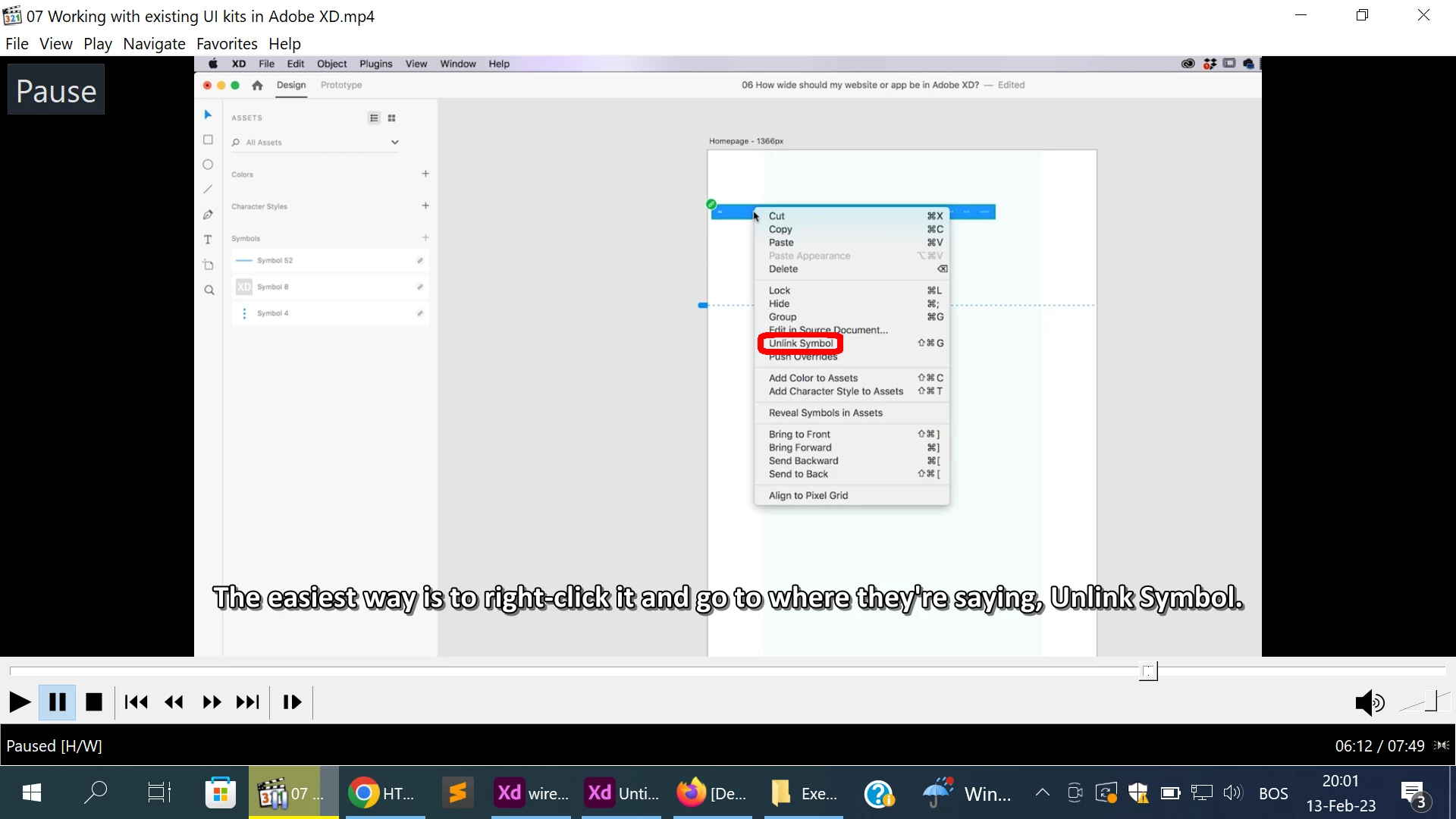
But instead I get this menu with no option to Unlink Symbol: 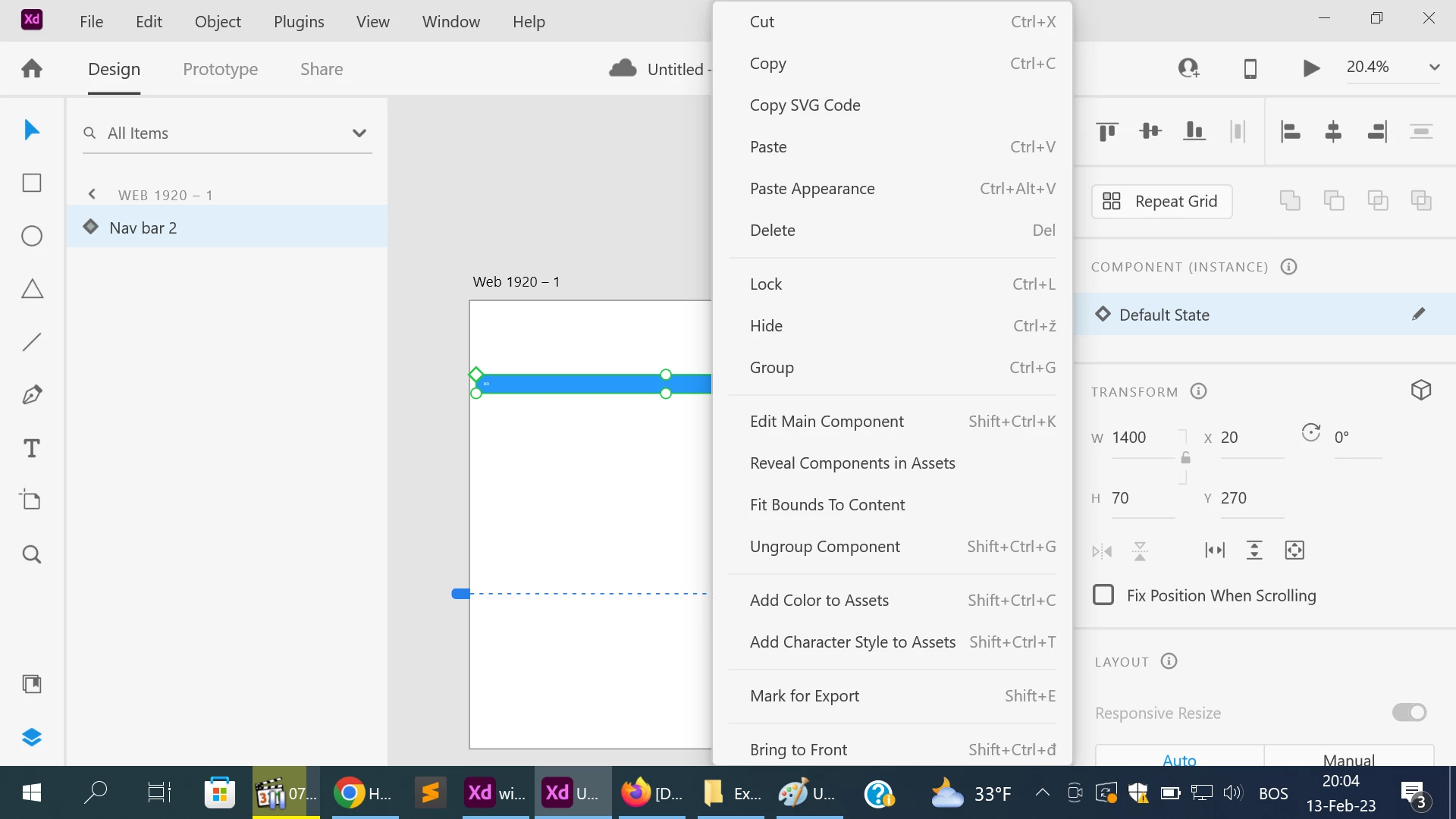
What is solution to this problem?
Thanks.

I need menu to appear with option to Unlink Symbol as shown here:
But instead I get this menu with no option to Unlink Symbol:
What is solution to this problem?
Thanks.
There are many good up to date tutorials, I'd suggest checking those instead of the older ones, this link: https://www.adobe.com/products/xd/learn/view-all-xd-tutorials.html and YouTube (as you know ;), I'd suggest checking newer ones (again as you guess 😉)
Happy designing!
Symbols are now referred to as Components in XD. The video you are referring to seems to be of older versions which is why it shows as Symbol. If you want to unlink a single Component instance, use the Ungroup Component option in the context menu. However, if you want to unlink all instances on canvas, use the delete option in the Assets Panel.
Please check this article for more info: Components.
Hope it helps.
Thanks,
Harshika
Already have an account? Login
No account yet? Create an account
Enter your E-mail address. We'll send you an e-mail with instructions to reset your password.


 AdChoices