


Participant
February 6, 2022
Answered

Unable to use Repeat Grid with SVGs in Adobe XD

  • February 6, 2022
  • 3 replies
  • 2039 views

Hello,


I was trying to use repeat grid with svg files, please check the behaviour

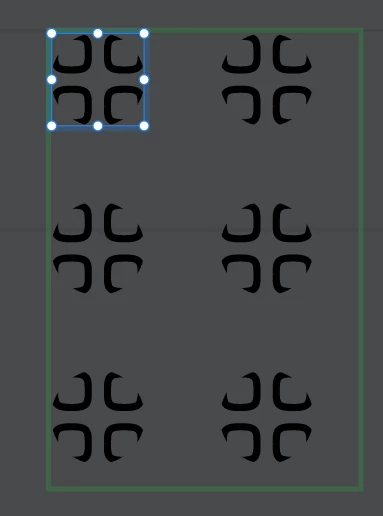
When i drag and drop SVGs from folder into Repeat Grid (shape icon), it transfers only first SVG
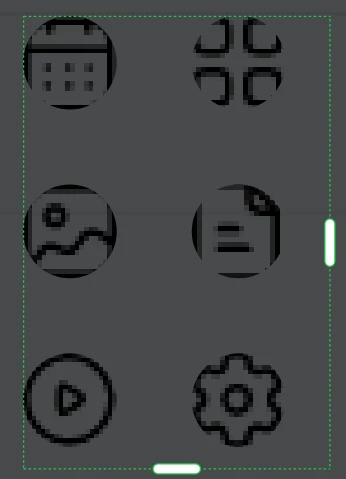
But, when i drag and drop PNG files it woks how it should work
I want to place SVGs' so i modify the colors and details of the SVG later on, but unfortunately, i cannot do it. Is it a bug,or XD specially restricts SVG replacement within GRIDS?
plus, what should be order of the elements in my folder to ensure proper order placement?

{Renamed By MOD}

    This topic has been closed for replies.
    Correct answer Rishabh_Tiwari

    I am on version 57.1.12.2 and I'm still having the same issue.


    Thank you for your patience. I got confirmation from the team that this is a known limitation with SVG drag & Drop. 

    Thanks

    Rishabh

    3 replies

    Participant
    December 21, 2022

    I found this post after I made a similar one regarding SVG images and Repeat Grid. Is this same problem? Back in April 2022 it was indicated this is logged and would be fixed in an upcoming release. Is there an ETA? Thanks!


    https://community.adobe.com/t5/adobe-xd-discussions/cannot-drop-multiple-svg-images-into-repeat-grid-only-first-image-is-repeated/m-p/13437061/thread-id/68653

    juicy_life
    Participating Frequently
    December 21, 2022

    Still waiting to be fixed. No news from Xd team yet.

    Participant
    February 22, 2024

    I am on version 57.1.12.2 and I'm still having the same issue.

    HARSHIKA_VERMA
    Community Manager
    Community Manager
    February 7, 2022

    Hi levank,


    We are sorry for the trouble. In addition to what Ashwini has requested, is it possible for you to share the XD file with us for investigation? If yes, please upload the XD file to a shared location such as CC or Dropbox and share the URL with us.


    If possible, please also record a video of your workflow for better understanding.


    We will try our best to investigate the issue.


    Thanks,

    Harshika

    juicy_life
    Participating Frequently
    April 26, 2022

    URL to sample document -> Repeat Grid SVGs


    Watch the sample video attached

    Community Manager
    April 26, 2022

    Hi juicy_life,

    Sorry for the trouble caused, Bug has been logged from our end, you will able to see the fix in upcoming release.

    Regards,

    Ashwini

    Adobe Employee
    February 7, 2022

    Hi levank,

    Thank you for contacting us,  I tried to reproduce the issue at our end, but couldn't able to reprduce  the issue, In order to check at our end, please answer to the below listed points,
    1. In which version of XD your facing the issue?
    2. In which platform Mac / win?
    3. Draggin and dropping the SVG files onto the component which is made as Repeat GRid OR on object made its as a Repeat Grid
    4. Is it happening with all the files / specific file


    Thanks,
    Ashwini 

    juicy_life
    Participating Frequently
    April 26, 2022

    I have the same problem...


    1. XD version 50.0.12.14 x64.

    2. Mac.

    3. In an object or group of objects made as a repeat grid. If I try to do it in a component made as a repeat grid, then it populates the first instance only, instead of populating automatically all instances in the grid.

    4. It happens in all files.


    See the attached video