
Participant
February 14, 2023
Question

Unable to view the XD design properly on 40 inch Monitor

  • February 14, 2023
  • 1 reply
  • 458 views

Am im the only one with this problem ?

I have a big 40 inch monitor, and when my designers send me preview of their work, they send me an XD link to watch and comment online

But, i have to scroll to see the full image, even there is plenty of space to show the full page

This is how my screen looks like
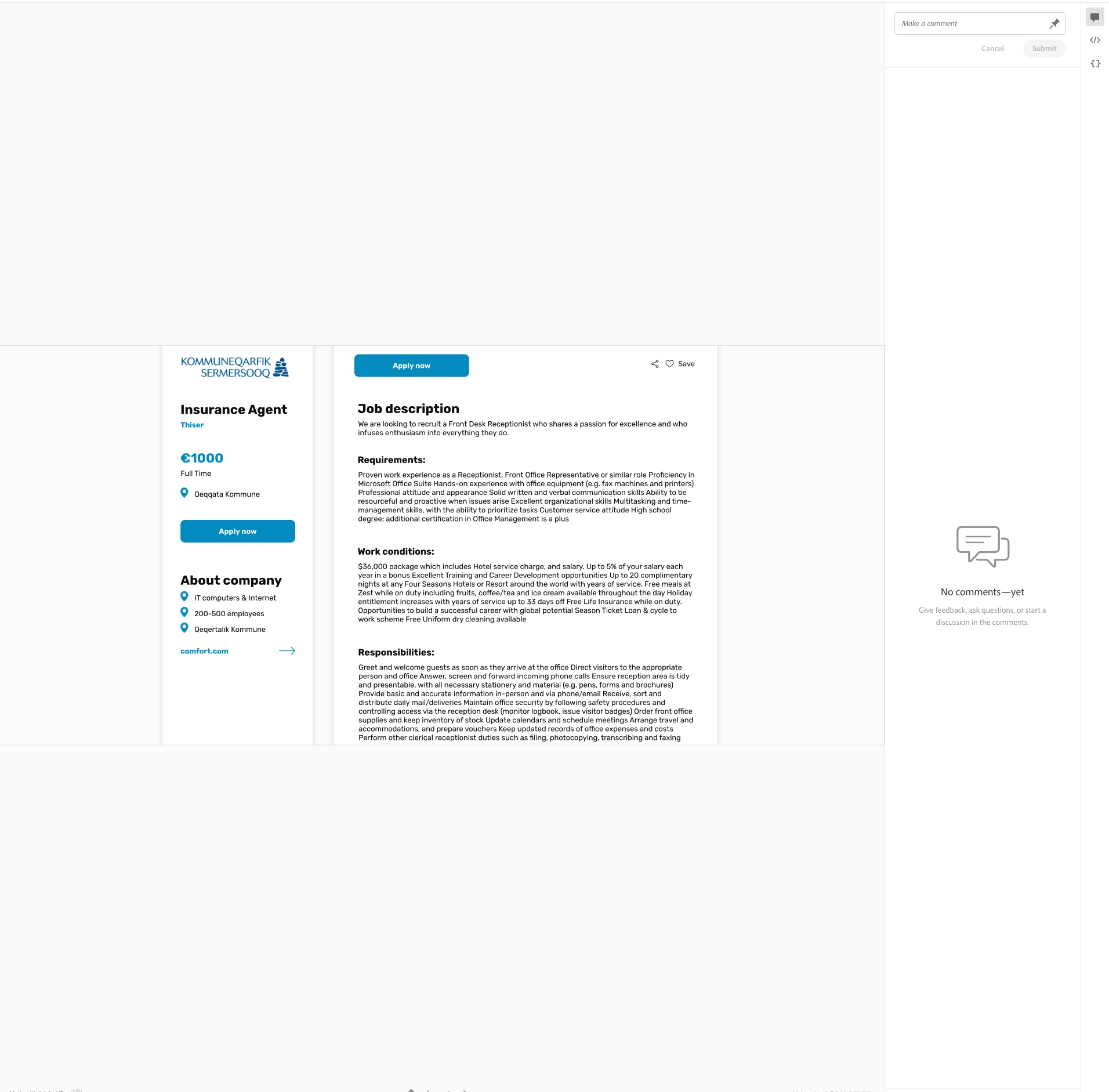
 

If i make page fullscreen, nope nothing changed, now the image is in top of the page, but i still have to scroll

If i change image size to 25% Guess what, yeeees image is just tiny winy but i still have to scroll the damn picture....


Adobe, fix this garbage please, not everyone is using a tiny monitor.


<Title renamed by monitor>

This topic has been closed for replies.

1 reply

Rishabh_Tiwari
Community Manager
Community Manager
February 14, 2023

Hi @Thomas275887094hnf ,


We're sorry to hear about the bad experience you had previewing a link. Would you mind sharing the link with us so that we can test this on our end? You can send the link through DM by clicking on my name. You can also test this on a different browser and see if it's better.


Thanks

Rishabh

Participant
February 17, 2023

It does not matter sharing the link, because its literally every single XD link i get, and it does not matter what browser i use, here is a screenshot of Safari in left side, and Chrome in right side, they are virtually the same without the possibility to actually fit the image to the screen so i dont have to scrool this much. The XD preview is built for support smaller browsers not being "responsive" .....


But if you want a link, sure here is the latest one

https://xd.adobe.com/view/e1ccafd3-3638-435a-9e99-df1b0ee83c02-b49f/screen/e9e1ce43-86fd-4736-9a51-3c6cf1801878/


HARSHIKA_VERMA
Community Manager
Community Manager
February 27, 2023

Hi @Thomas275887094hnf,


Thank you for sharing the link, and apologize for the frustration. I opened the link at my end, and it shows it below on my windows laptop.


I'm sorry to hear that you're experiencing difficulties with viewing the full images in Adobe XD on your large 40-inch monitor.

  • One possible solution could be to adjust the zoom level of the preview window to fit the image to the screen. In the bottom right corner of the XD preview window, there should be a zoom level slider that you can adjust to fit the image to your screen without needing to scroll.
  • Another option is to suggest that the designers export the images at a higher resolution or size to better fit your monitor or provide you with a separate link or file that allows you to view the images in their entirety without having to scroll.


Meanwhile, I will ensure you share your feedback with the team about this issue so they can improve the user experience for those with larger monitors in future updates.


Thanks,

Harshika