
Participant
June 15, 2022
Answered

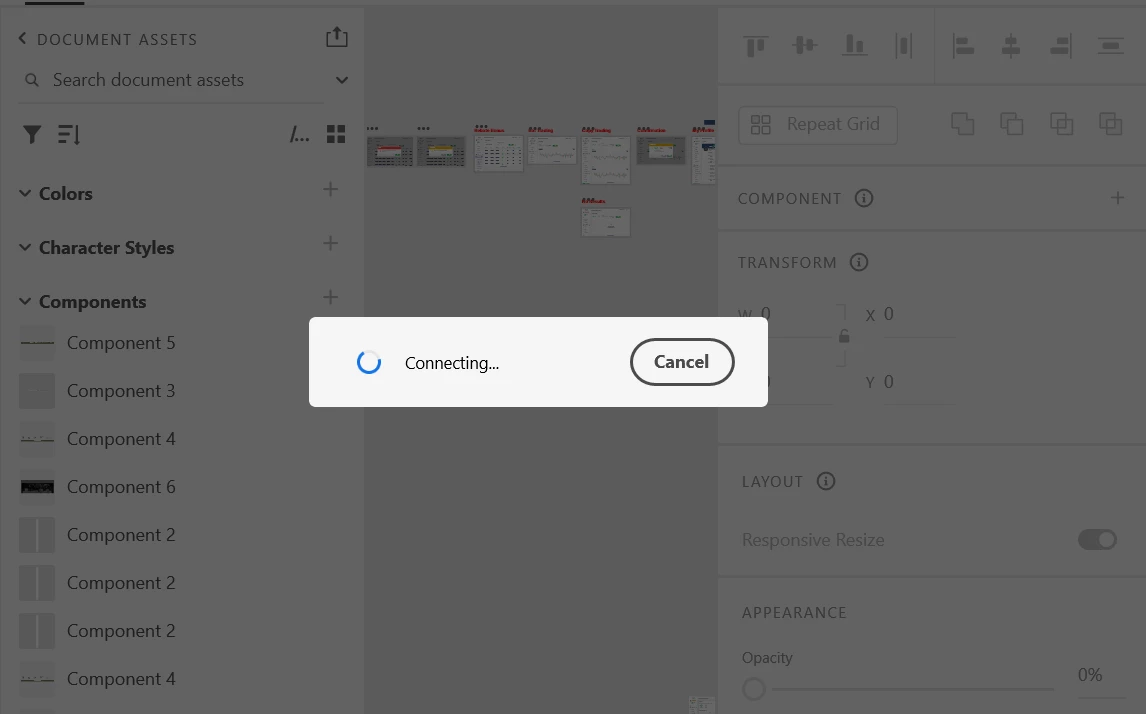
Unable to work on XD file it freezes on "Connecting"

  • June 15, 2022
  • 1 reply
  • 338 views

Hello guys

I need some help. Please tell me how to solve the problem of "connecting" in Adobe XD. I've tried restarting the app and it still doesn't work, I've logout and log back in to Adobe CC and restart the computer but it still doesn't work. However this issue only applies to one of my XD files, my other files have no problem.
 

    This topic has been closed for replies.
    Correct answer HARSHIKA_VERMA

    Hi @Ttwoweb5C56,


    Thank you for reaching out, and sorry to hear that you're having trouble using XD. Could you please try the steps shared below:

    1. Please ensure that your creative cloud and Adobe XD are up to date.
    2. Please ensure that the core sync should be up to date. For more information about core sync and how to update it, please refer to this article: https://helpx.adobe.com/xd/kb/issue-saving-xd-file-creative-cloud.html.
    3. Please try signing out of Adobe XD and Adobe Creative Cloud Desktop app, close all Adobe-related processes from Task Manager on your Windows machine and check again after signing in on the Adobe CC desktop app and launching XD from there.


    If it still doesn't work, please share a screenshot of the About XD and About Creative cloud info page.


    We will try our best to help.


    Thanks,

    Harshika

    1 reply

    HARSHIKA_VERMA
    Community Manager
    HARSHIKA_VERMACommunity ManagerCorrect answer
    Community Manager
    June 21, 2022

    Hi @Ttwoweb5C56,


    Thank you for reaching out, and sorry to hear that you're having trouble using XD. Could you please try the steps shared below:

    1. Please ensure that your creative cloud and Adobe XD are up to date.
    2. Please ensure that the core sync should be up to date. For more information about core sync and how to update it, please refer to this article: https://helpx.adobe.com/xd/kb/issue-saving-xd-file-creative-cloud.html.
    3. Please try signing out of Adobe XD and Adobe Creative Cloud Desktop app, close all Adobe-related processes from Task Manager on your Windows machine and check again after signing in on the Adobe CC desktop app and launching XD from there.


    If it still doesn't work, please share a screenshot of the About XD and About Creative cloud info page.


    We will try our best to help.


    Thanks,

    Harshika