


Very confused on character spacing based on google material UI Kit
- 1 reply
- 915 views
- Translate
From what I understand, the character spacing measurement in XD is using milli-ems which are 1/1000 of ems. I'm still trying to properly understand ems in general, but that's what I know at the moment.
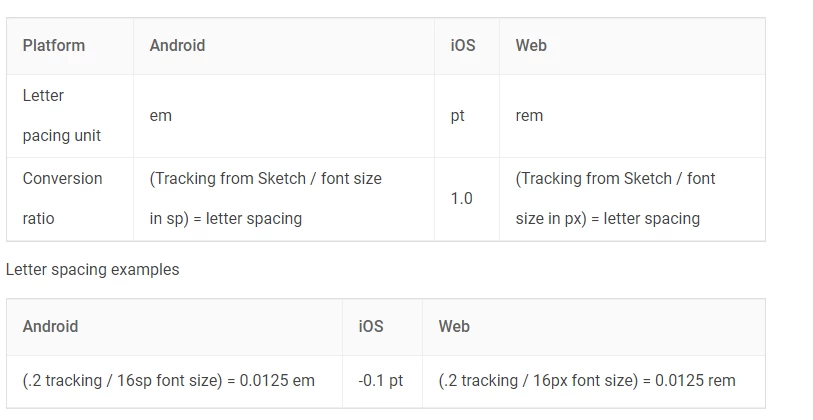
Looking at the google material UI Kit and they have their font hierarchy listed row by row, with the font size followed by the letter spacing. But when I look at the properties for a specific character style (e.g. Header 01), I can' t make heads or tails on how they came up with the numbers in XD.
For example, they have a text label that says "H1 / Roboto Light 96 size/-1.5 letter-spacing". When I click the text to see it's properties, sure enough it's 96 point size, Roboto Light. However, the character spacing is set to -16.1. How does -16.1 translate to -1.5 letter spacing?
I attached an image of what I mean but it seems to not be previewing on here.

 AdChoices