
Known Participant
August 17, 2021
Question

Viewport not moving when dragging an element

  • August 17, 2021
  • 2 replies
  • 1232 views

Hi all.

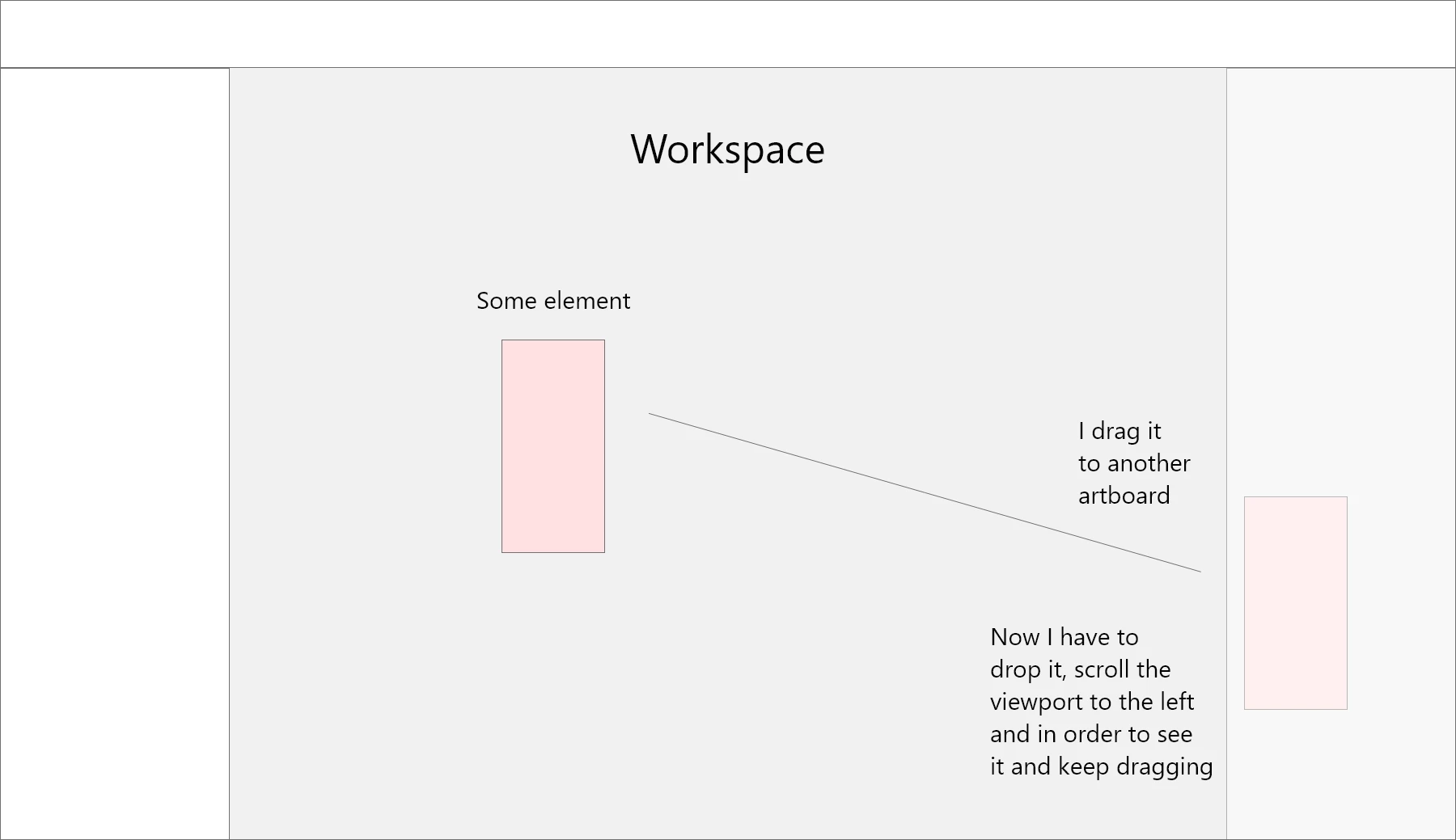
I have a new bug since a few days now - when i drag an element to a position which is outside of my viewport, the screen dosent move with me. Meaning, when the mouse with the element goes out of the viewport, i need to drop it, drag the viewport to a new one where the i can keep dragging the element and so on. I hope it was understood. I added an illustration of it.
My machine is definitely not the problem - i have a very strong one - its the Asus Rog Strix 17, AMD Ryzen 9500, 32 gb of RAM, NVIDIA Geforce RTX3070. Windows 10 - updated to last version.
 

    This topic has been closed for replies.

    2 replies

    Spas K.
    Community Expert
    Community Expert
    September 8, 2021

    I'm pretty sure this is the same issue / bug. Unfortunatelly, the user said it resolved by itself, but you can try the steps we tried in that thread.


    Does restarting Xd fix the issue? I noticed you have multiple Xd windows open, can you try and catch whether it only happens when multiple windows are open, or it has happened with just one as well?

    Yariv.beAuthor
    Known Participant
    September 8, 2021

    @Spas K. Thank you so much for the reply!
    Of course i have tried all - restarting, multi-files, one file - you name it 🙂

    Its a really weird issue and now i see the link you gave here of someone that experiences the same thing.


    A lot of bugs in XD last few month... Really a lot unfortunately.


    I tried the steps in the other issue - none of them helped.

    I appreciate it anyway.
    Thanks you!

    Spas K.
    Community Expert
    Community Expert
    September 8, 2021

    Sorry these suggestions didn't help. It is probably some issue with a particular hardware / software configuration, so it doesn't come up too often. My experience with other UWP apps (Microsoft Store apps) hasn't been very good either, and Xd being built on it has more UI issues than other Adobe software.

    HARSHIKA_VERMA
    Community Manager
    Community Manager
    August 18, 2021

    Hi there,


    Thank you for reaching out and sorry for the trouble. I am unable to reproduce the issue at my end on my windows machine may be I missed some steps. For better understanding, is it possible for you to record a video of your issue and share with us so that we can try replicating the workflow at our end?


    Please share the XD version of your machine.


    We will try our best to help.


    Thanks,

    Harshika

    Yariv.beAuthor
    Known Participant
    August 25, 2021

    Hi Verma.
    Thanks a lot for reaching out.
    I find it hard to believe that you can realy replicate it on your machine - anyway, its comes and goes.

    Now, surprisingly, when i wanted to record my screen to show it, suddenly its gone 🙂 SO the moment it shows up again, i will record and share.
    My XD version is latest - according to now of course - 42.1.22.4.
    I see now there is an update - i'll try to update and see if solves the issue for good - i hope so.

    Thanks a lot.