
Participant
April 29, 2021
Answered

VS Code does not bring the alpha correctly from Adobe XD
  • April 29, 2021
  • 2 replies
  • 568 views


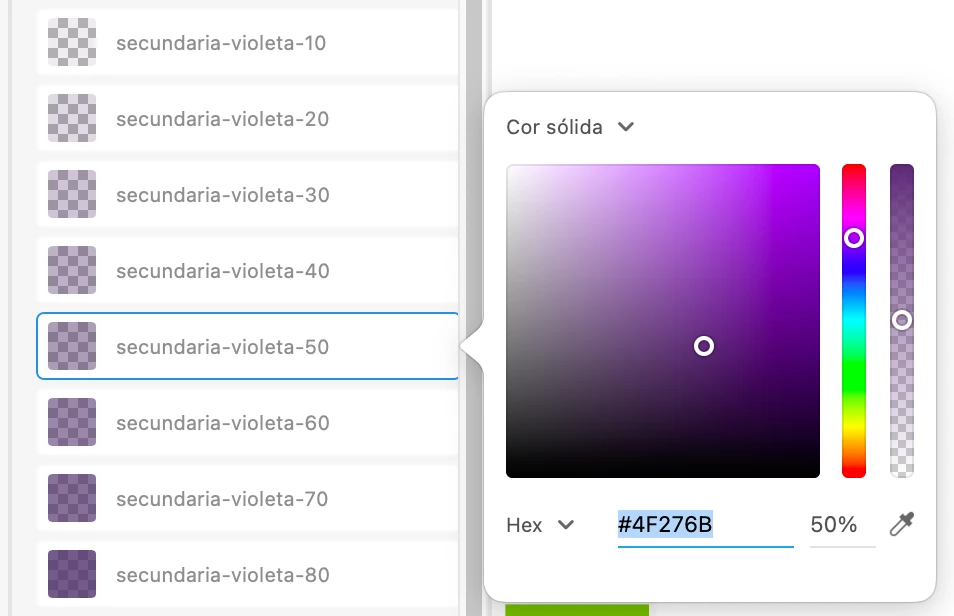
When I create a color in the library with alpha, go up to the cloud, and get it from the Adobe XD plugin inside Visual Studio, the color comes with the wrong alpha.
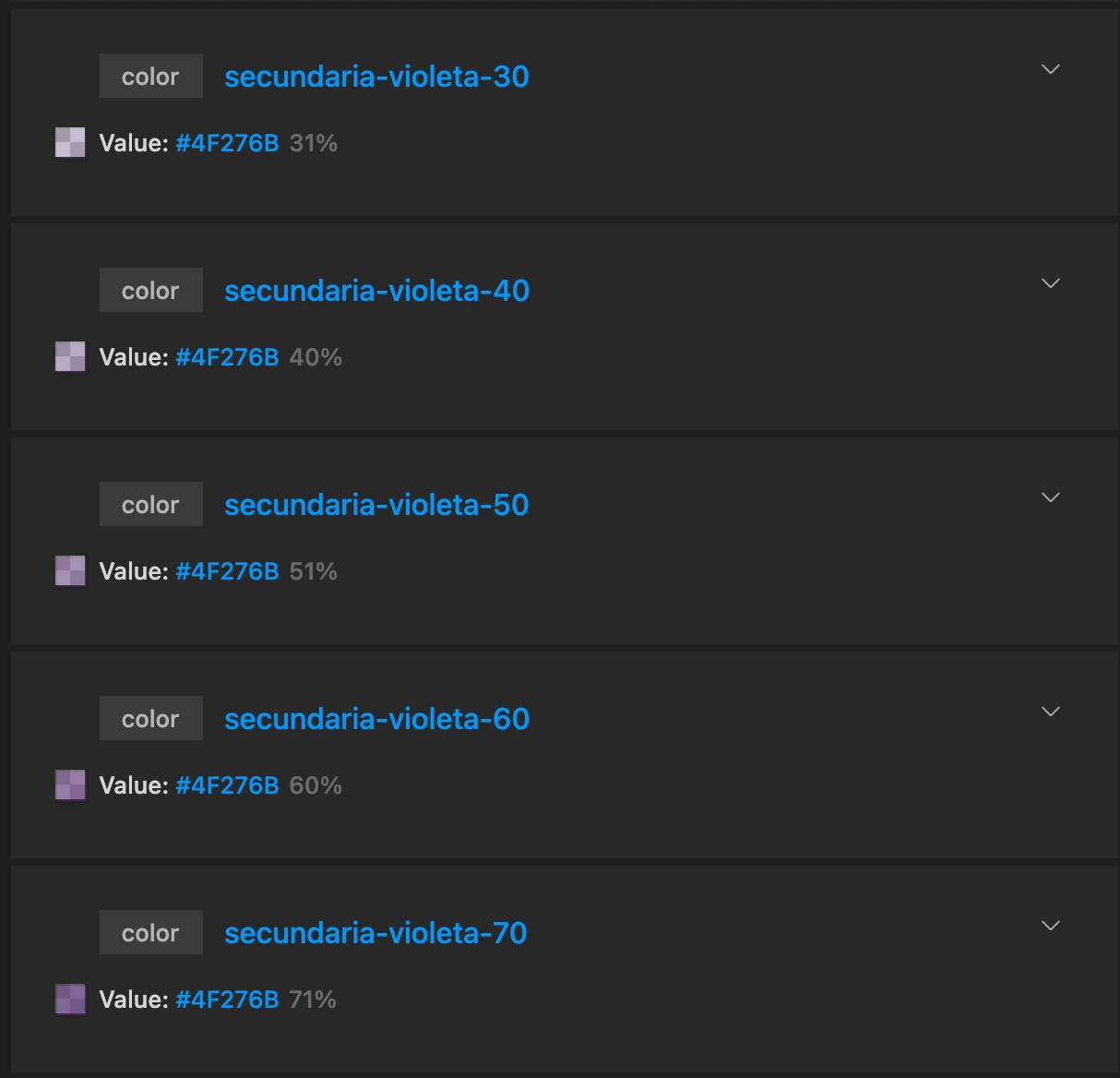
For example, if the color is alpha 20%, in Visual Studio, 1% or 0% appears.
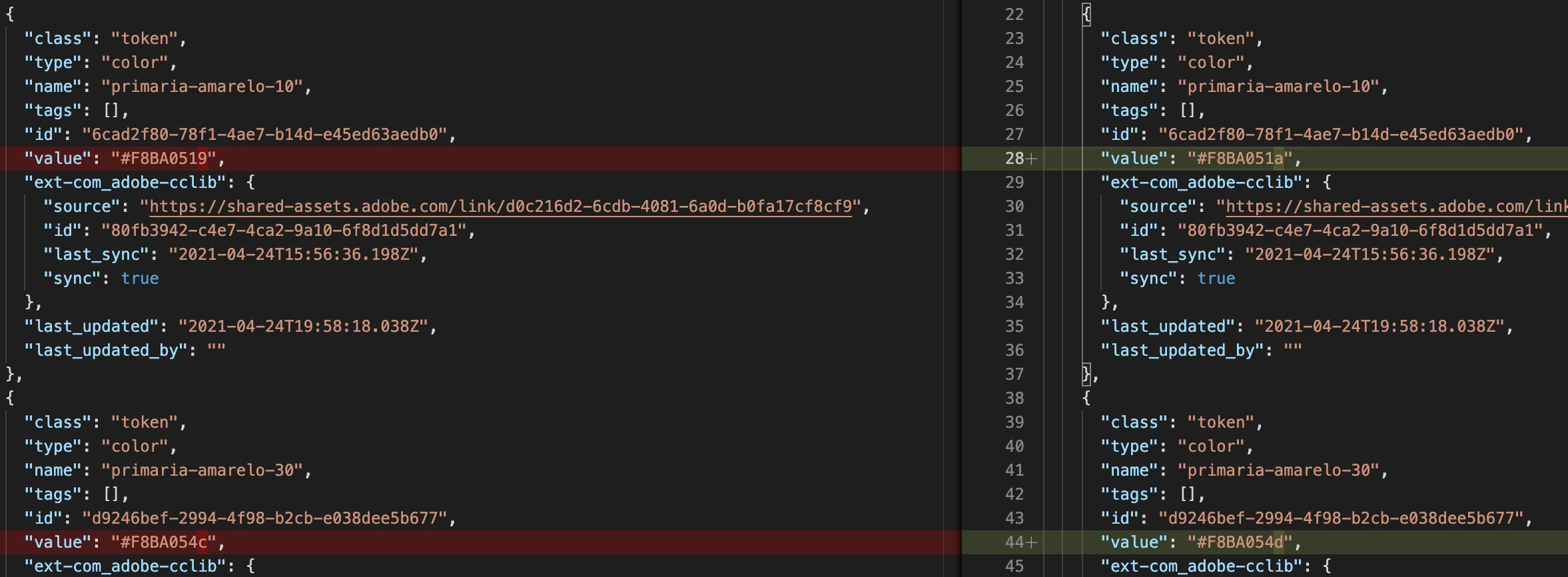
In this case I had to correct the alpha within the VS Code 473 times. Now when I create a new color, and do the re-importation, all my colors undergo a change with + 1%, so I have to discard this change, and make the new update directly in the code.
 

    This topic has been closed for replies.
    Correct answer Harshika Verma

    Hi there,


    Thank you for reaching out. Would you mind submitting your query on XD plugin platform: https://forums.creativeclouddeveloper.com/ wherein the plugin developer can help you with the issue.


    Thanks,

    Harshika

    2 replies

    Participant
    May 3, 2021

    Thanks Harhika!

    Harshika Verma
    Community Manager
    Community Manager
    May 11, 2021

    You're welcome. Please feel free to reach out to us in the future for any query related to XD. 


    We would be happy to help.


    Thanks,

    Harshika

    Harshika Verma
    Community Manager
    Harshika VermaCommunity ManagerCorrect answer
    Community Manager
    April 30, 2021

    Hi there,


    Thank you for reaching out. Would you mind submitting your query on XD plugin platform: https://forums.creativeclouddeveloper.com/ wherein the plugin developer can help you with the issue.


    Thanks,

    Harshika