Inspiring
March 17, 2023
Answered

What Is The Easiest Way to Add Hover to My Drop Down Menu and Keep Links Clickable?

  • March 17, 2023
  • 1 reply
  • 1473 views

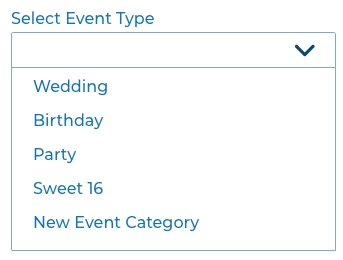
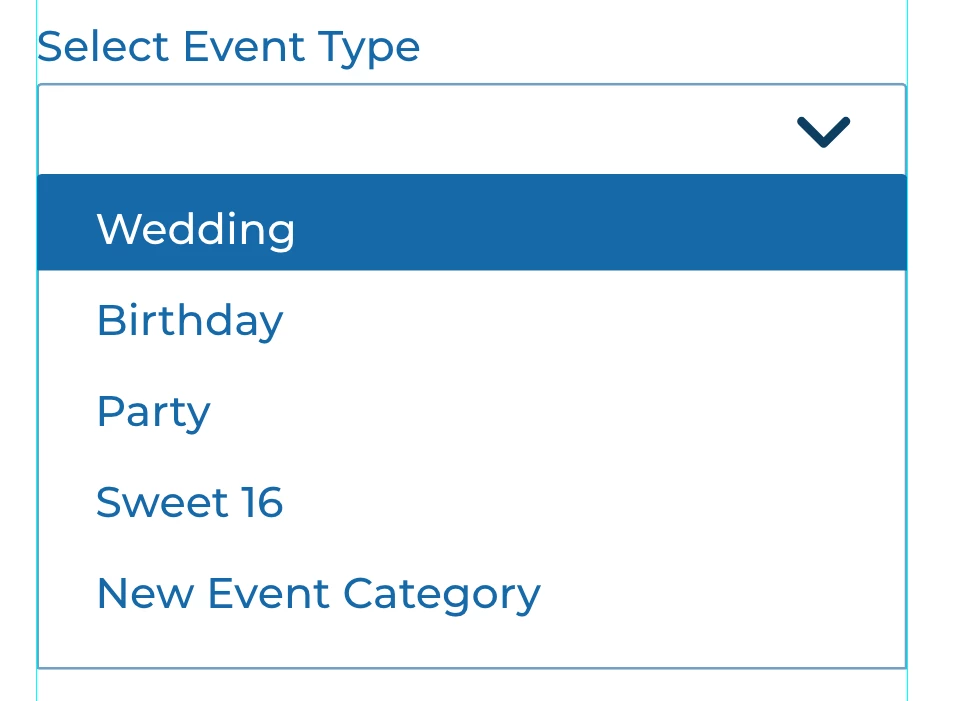
Hello I created a dropdown menu with clickable links. I want add a hover to the drop down menu, on the hover i want the background to be blue and the text turns to white. The problem is my entire dropdown menu is a component already and im using the component for clickable links.


So do I need to create another component outside and add inside to my component? Also, I want add the hover option and still keep the links working. 


You can view the dropdown menu here. https://xd.adobe.com/view/799e199b-0266-4b2b-bf55-2baa546ae30a-2ccd/


As of now when you click on the links it adds the text to the top of menu. Screenshots below.



I want the hover to look like this and still have the dropdown menu function the same way.


Hopefully i explained this correctly where its not confusing.  


This topic has been closed for replies.
Correct answer rubenJr005

Hey, no worries. Perhaps it took like 5 minutes? I've played with that sort of thing a lot though, so I'm used to it. It's a good exercise 🙂


Hi Spas i apologize you can ignore the last two messages below. After messing with it for two hours i finally figured it out. lol Basically i need to set the destination in the dropdown compenent. 


Before i just trying to setup the destination in the dropdown layer while it was in regular default state. 

1 reply

Spas K.
Community Expert
Community Expert
March 18, 2023

Hey Ruben, each item in your dropdown can be represented by a component with a hover state. You can have nested components with hover states within the main's hover state. If you'd like an example, let me know.

Inspiring
March 24, 2023

sure that would be great thank you! 

Spas K.
Community Expert
Community Expert
March 26, 2023

Hey, made that sample for you, hope that's the functionality you were going for.

Here's the link to the .xd file, and here's the prototype.


Pay attention to the following things:

  • For each of the items in the menu, you will have to edit the text for both default and hover states of the instances.
  • When adding links to nested components, always wrap them in a group and add the link to the group itself. You won't be able to see parent component states and other artboards if you try to add the link to the nested component directly.
  • You will have to wire the dropdown field back to the "Select" state for each individual option's state, so you can correct your choice, if that's needed.
  • It's best to have the hover states transition with "None" for animation, so it can be instant. Easing and other slower transitions make the hover states a bit less responsive and laggy - Xd waits for the hover transition to finish before you can click on the item.


If you got other questions - let me know.