


Participant
Aug 3, 2020 8:21 AM UTC
Answered

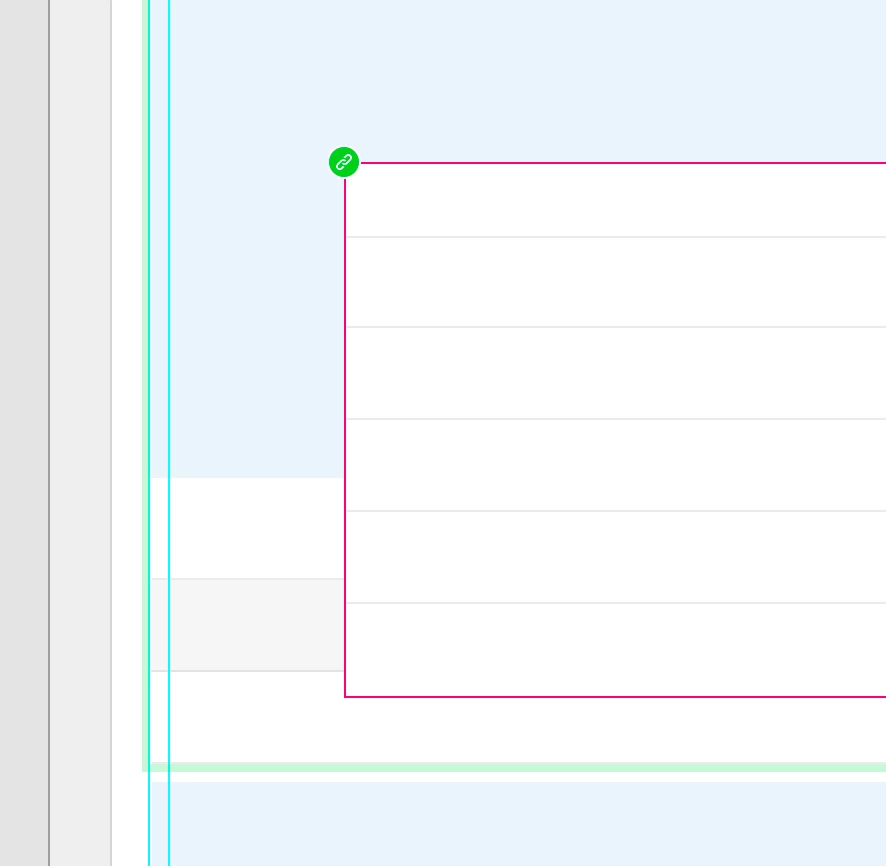
what is this red border??

Hi everyone,

I wanted to add this component to another component to make a hover clicked. But, after I add it, it seems that it is locked and can't accept any actions or events.

Could you please help me how can I solve it?

Thanks in advance

Zara
    This topic is closed to new replies. Start a new post to keep the conversation going.
    hallokaiCorrect answer
    Inspiring
    Aug 3, 2020 9:14 AM UTC

    This is a linked master component. The origin component is in a seperate xd file and you have to make the changes there. Right click on component > "Edit main in source document"


    Hope it helped you.

    5 replies

    Participant
    May 25, 2021 3:30 PM UTC

    This component is inside another component which is in another component (cascade level 3). Therefore it is displayed but interactions won't work.

    Translate
    Participant
    Sep 9, 2020 8:21 PM UTC

    Hi! I have the same problem but when I try to edit the main component nothing happens, I don´t know how to solve it, the easy way would be do the component again, but I want to know what happened,  Is there another way to solve it? 

    Translate
    mdversion01
    Participant
    Oct 23, 2020 12:35 AM UTC

    Yeah, I have the same thing as you. Not sure how to edit it.

    Translate
    monterxz
    Inspiring
    Oct 23, 2020 1:31 AM UTC

    I saw a red border around a component when by mistake I pasted a copy of a component in it's master state - I immediately noticed it and made Ctrl+Z, so I'm not sure what to do when you already have it. Currently I'm struggling with components and new Libraries in v34 update - for now it looks like half of my linked assets are broken. So, this may be something new, not the case I had with red border. Hope I was somehow helpful

    Translate
    hallokaiCorrect answer
    Inspiring
    Aug 3, 2020 9:14 AM UTC

    This is a linked master component. The origin component is in a seperate xd file and you have to make the changes there. Right click on component > "Edit main in source document"


    Hope it helped you.

    Translate