
robertom94448838
Participant
April 11, 2019
Answered

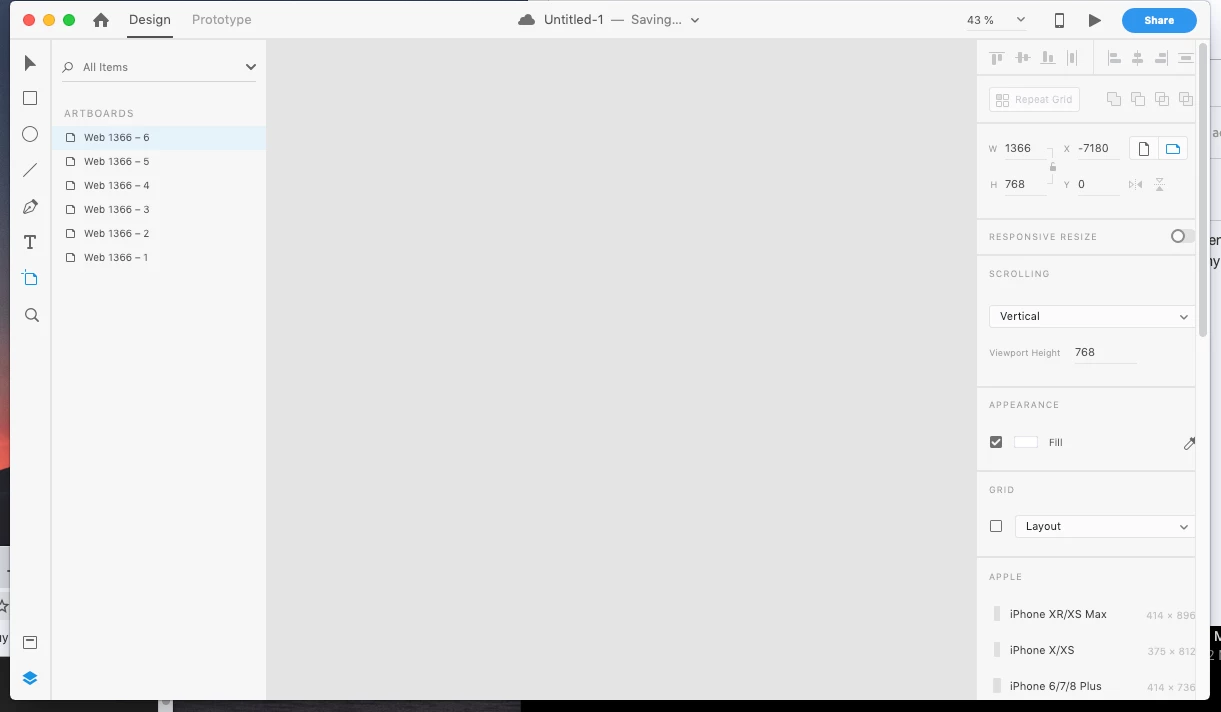
When I open XD artboards not showing

  • April 11, 2019
  • 6 replies
  • 2405 views

I have a 2009 iMac and recently upgrade to MacOS Mojave version 10.14.4 and whenever I try to open a file or even when I create one, the artboards doesn't show. I've try uninstall and install everything again, 3 times now, but nothing and I can't do my work!.
This topic has been closed for replies.
Correct answer ardasatata

ahh looks like its because of graphic driver issue ( nvidia GT 330M ) because
right now I'm running Mojave on unsupported machine.

I found workaround with this issue, just download GFX card status https://gfx.io/
and switch ur GPU to integrated only, now my workspace showing my artboard!

6 replies

ardasatata
ardasatataCorrect answer
Participant
August 16, 2019

ahh looks like its because of graphic driver issue ( nvidia GT 330M ) because
right now I'm running Mojave on unsupported machine.

I found workaround with this issue, just download GFX card status https://gfx.io/
and switch ur GPU to integrated only, now my workspace showing my artboard!

ardasatata
Participant
August 16, 2019

Hello I have exact same issue,

Im using macbook pro 6,2 (mid 2010) os mojave 10.4.4 nvidia gt 330m gpu

the workspace not showing anything but if I add some artboard it showed on the left panel.

Community Expert
August 16, 2019

If you press Cmd + 0 would that show your artboards?

Preran
Community Manager
Community Manager
April 25, 2019

Thank you, Italo for taking care of the initial troubleshooting. This is the first I am hearing of this issue.

To all those of you that are facing this issue, please send me your Adobe ID, location, and phone number over a private message. We will get in touch with you for investigation. To send a private message, click my picture and use the Message button.

Thanks,

Preran

Participant
April 25, 2019

its not necessary, i think that problem is cause a mac is older and is running an incompatible mojave, i tried in safe mode and the XD run without problem, i think that problem is my graphics, thank you. I realice that Robertom's mac is 2009, the same case that me.

thank you

Preran
Community Manager
Community Manager
April 25, 2019

Thank you for sharing your solution here. Appreciate it.

robertom: Can you try the proposed solution and let us know if it helped you?

Thanks,

Preran

Participant
April 24, 2019

im the same problem, any solution? i cant go back the previous version, im use xcode

italosan
Community Expert
Community Expert
April 15, 2019

Hi, could you tell me the technical specifications of your iMac?

robertom94448838
Participant
April 15, 2019

Sure!

italosan
Community Expert
Community Expert
April 15, 2019

The technical specifications of your iMac are sufficient to make Adobe XD work. Have you tried updating the software?

Participant
April 13, 2019

I have exactly same problem (MacBook Pro mid 2009 with Mojave 10.14.4)