


Participant
Jan 29, 2021 11:25 AM UTC
Question

Why Adobe XD UI-controls are not visible and not accesible sometimes?
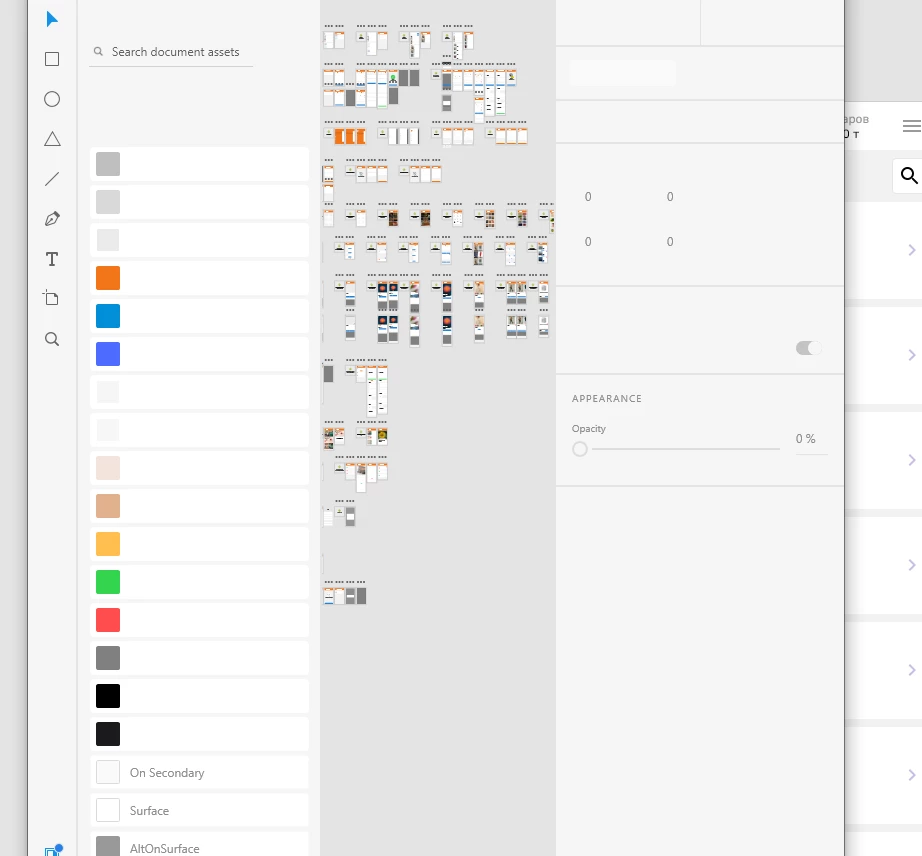
It is case when I opened a new window. Similar problem was in normal workflow - some sontrols just become invisible or change own state, I don't know why.

And second problem that I face frequently is Adobe XD close all windows when I am just working. And that cases stress and bored and knock off the working spirit.

So guy's, solve the optimization problem with adobe xd app. I think, this is happens when operative memory is not enough.


When it happened I send reports through special windows after app crashes and you must get them.


Thank you for you work. I like your app and I will use them again, but this cases hurt me and upset me. I hope you will solve this problems.

    This topic is closed to new replies. Start a new post to keep the conversation going.

    2 replies

    Rishabh_Tiwari
    Legend
    Jan 30, 2021 12:25 PM UTC

    Hi there,


    Sorry to hear about the trouble. Regarding the first issue, that generally happens when there is no selection or no artboard has been selected. Regarding the second issue, please share a few more details like:


    1. The version of XD and OS.
    2. Have you noticed any specific pattern for the crash? Like does it crash while performing any specific task?
    3. Does this happen on a specific file or multiple files?


    Regards

    Rishabh

    Translate
    ITERA5CCFAuthor
    Participant
    Feb 1, 2021 6:26 AM UTC

    Hi, Rishabh.


    1. Adobe XD version is 36.2.32

    2. Crahes happened in different situations and haven;t some specific pattern. I think I have a file with many variables and components and file size is too big - 30-40 Mb sometimes. Sometimes crashes happened when I switch-on my desktop from sleep, sometimes when I just worked.

    3. It is not specific file. It was all different files.


    So first issue happens when file was loaded and I haven't worked with him yet.


    Thank you for your answer and reaction.

    Translate