Participant
November 26, 2022
Question

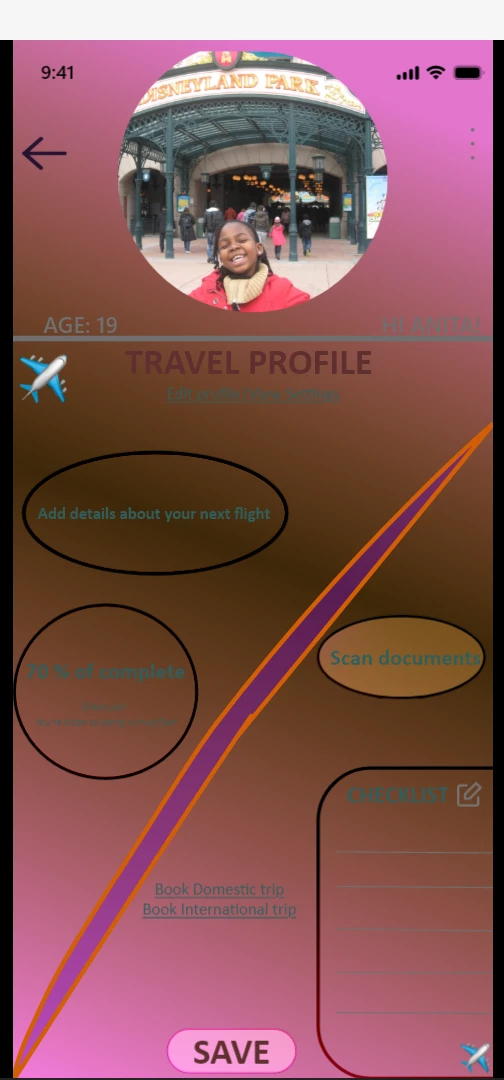
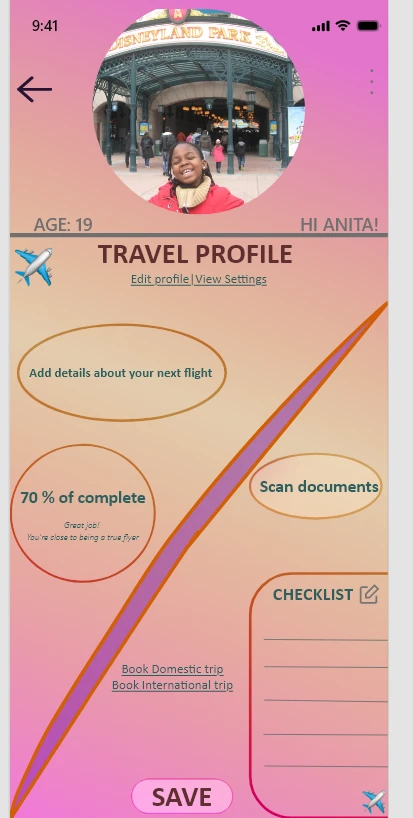
Why is preview (within Adobe XD mobile app) showing different shades

  • November 26, 2022
  • 1 reply
  • 882 views

My artboard has a lighter shade of purple and oraange as the fill but when I look at the preview those colors become darker. This happens when I look at the preview on my desktop 9 (Windows) and my iPad (7th gen). I haven't tried other devices from those ones. The picture on the left is the color I want and have and the one on the right is the preview of the prototype. Please how can I fix/get rid of this.


I have version Adobe XD version 55.2.12. 
    This topic has been closed for replies.

    1 reply

    Spas K.
    Community Expert
    Community Expert
    November 27, 2022

    Add a fill to the artboard. When you don't have a fill on the actual artboard, it shows with a black background when previewing. At the same time, while in design mode, the background is light gray (the default in Xd). Your gradient is likely transparent, so when you open it up on the prototype it shows some of the black background behind it, making it look darker.

    NitaCAuthor
    Participant
    November 27, 2022

    The fill to the artboard "user_profile" is the current color that's being displayed, right (so the purple and orange color) ? When I click on the artboard in my layers panel, the fill that's displayed is the orange and purple gradient. 

    AkinGn
    Community Expert
    Community Expert
    November 28, 2022

    Hi @NitaC, could you please check if the fill of the artboard, the gradient has 100% opacity by clicking the fill on the right side panel under "Appearance"? That's the only issue that I can think of. Hope this helps!