


Inspiring
Nov 10, 2020 12:44 AM UTC
Answered

Will not let me customize aspect ratio of image ( Possible photoshop predit before using?

No matter if I lock, unlock the image use responsive resize or not I can never  get an asset (image) to resize to a certain dimension.
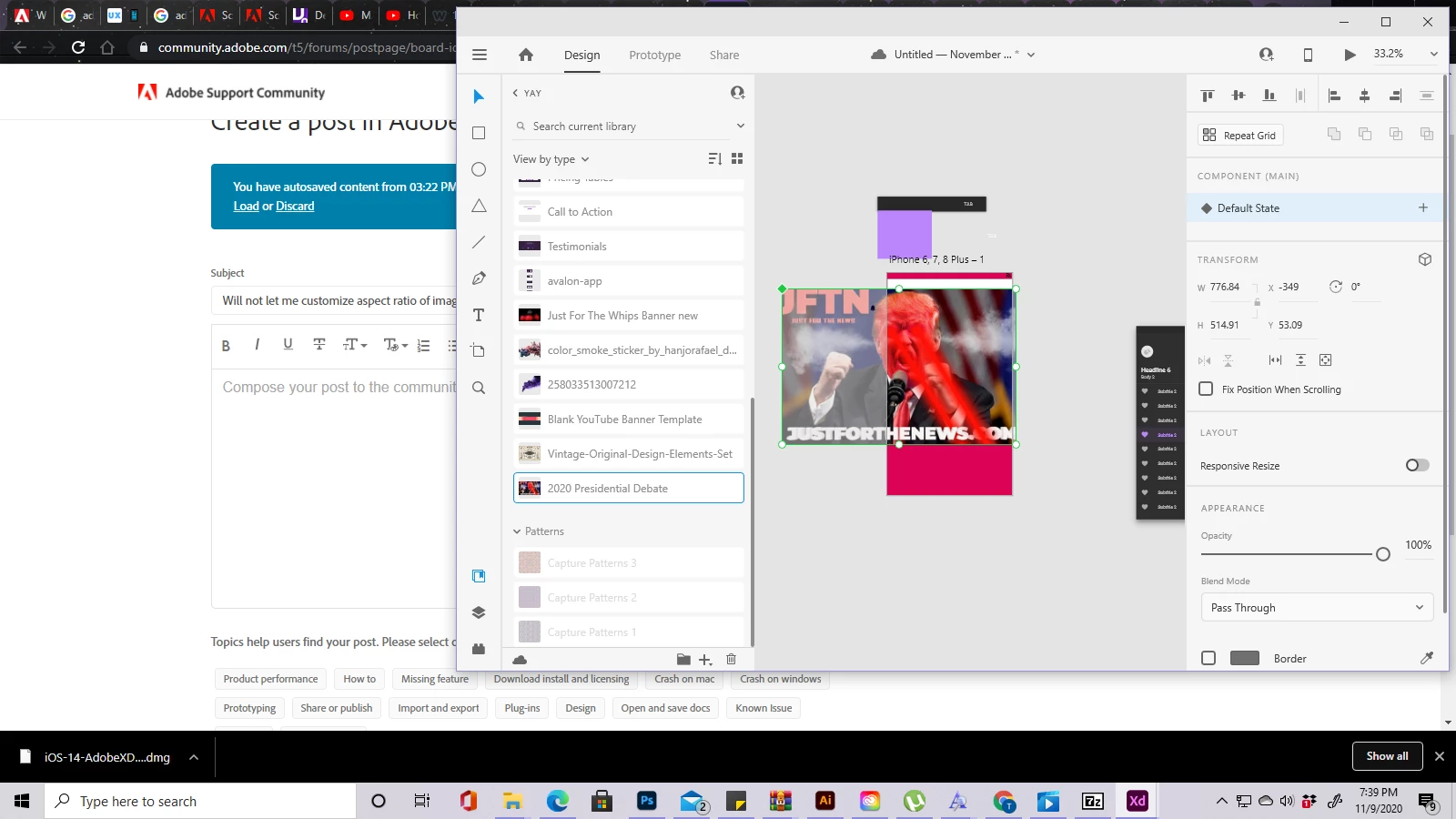
 

Below is how I want to resize the image to that dimension but not have adobe xd start resizing with its AI smart stuff going.
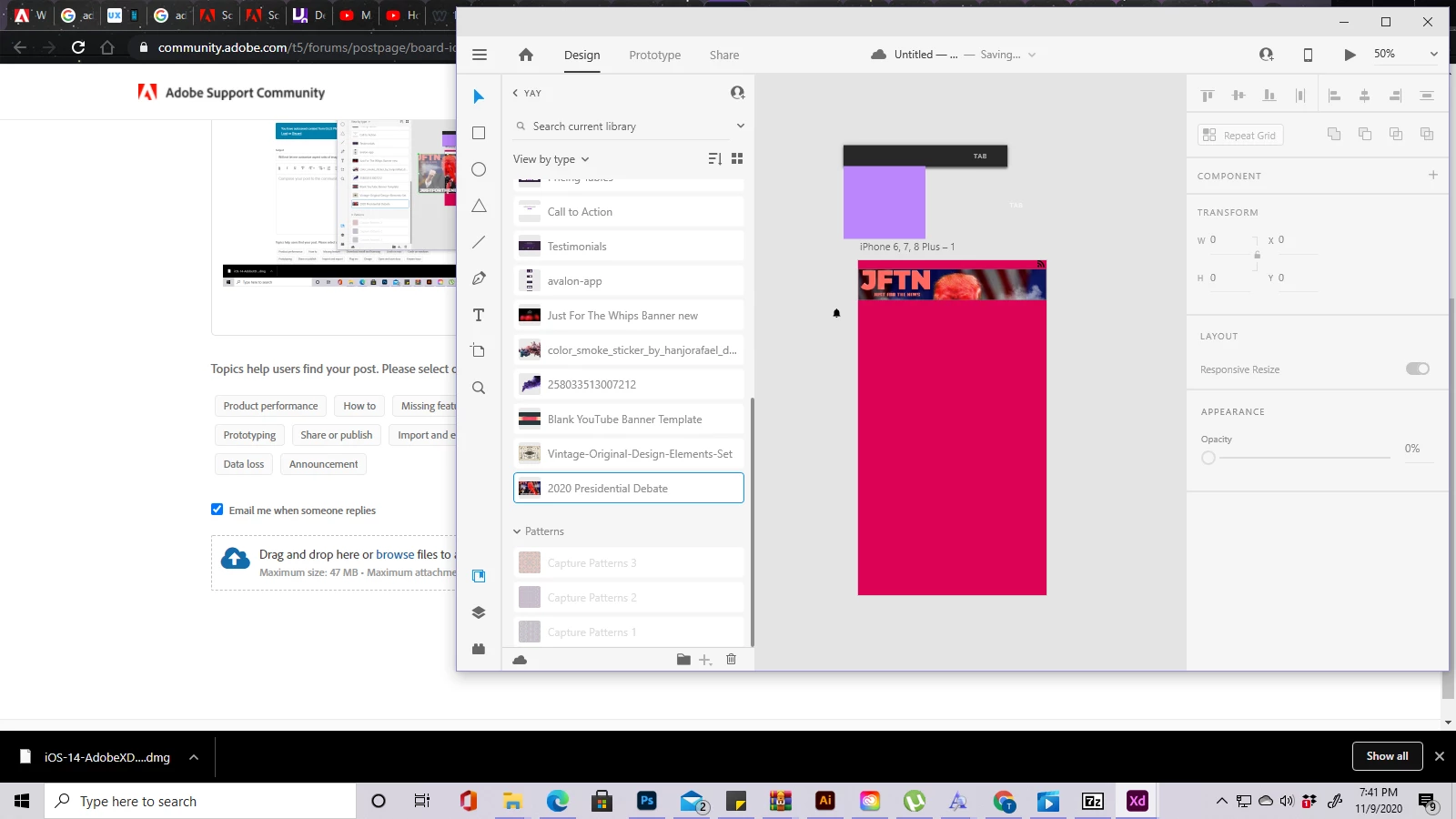


How no matter how I slice it will not let me minimize the aspect ratio of that image for the box, as staty


I wanted to shrink down to a square then stretch out horizontally, but keeps resizing even with everything checked off. How do I go about doing this?

    This topic is closed to new replies. Start a new post to keep the conversation going.
    Atul_Saini
    Atul_SainiCorrect answer
    Legend
    Dec 1, 2020 4:11 PM UTC

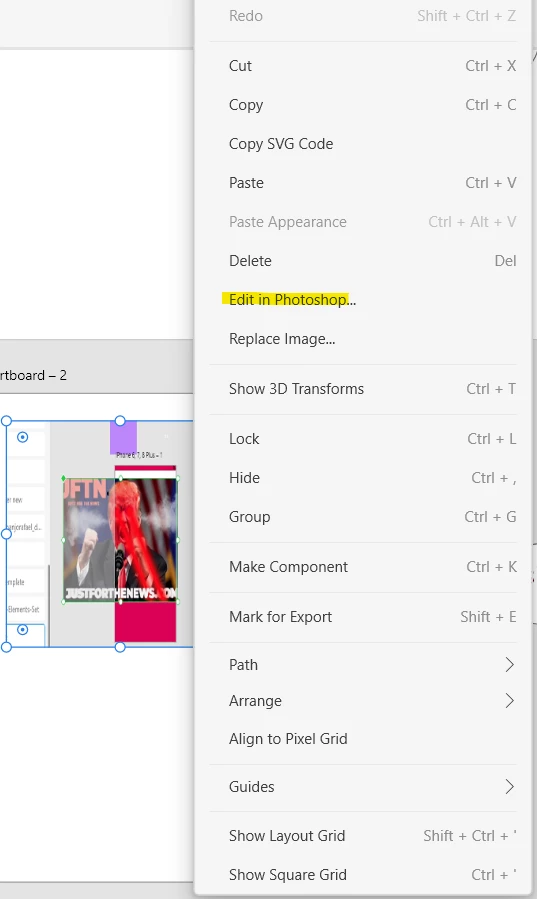
    Hi Robastian, sorry for the trouble and delay. I'd recommend using the "Edit in photoshop" feature for such images. You have to right-click on the image and you would see "Edit in photoshop" as per the screenshot below. 


    Thanks,

    Autl_Saini


    1 reply

    Atul_Saini
    Atul_SainiCorrect answer
    Legend
    Dec 1, 2020 4:11 PM UTC

    Hi Robastian, sorry for the trouble and delay. I'd recommend using the "Edit in photoshop" feature for such images. You have to right-click on the image and you would see "Edit in photoshop" as per the screenshot below. 


    Thanks,

    Autl_Saini


    Translate