

ImAlexStorey
Participant
September 8, 2021
Answered

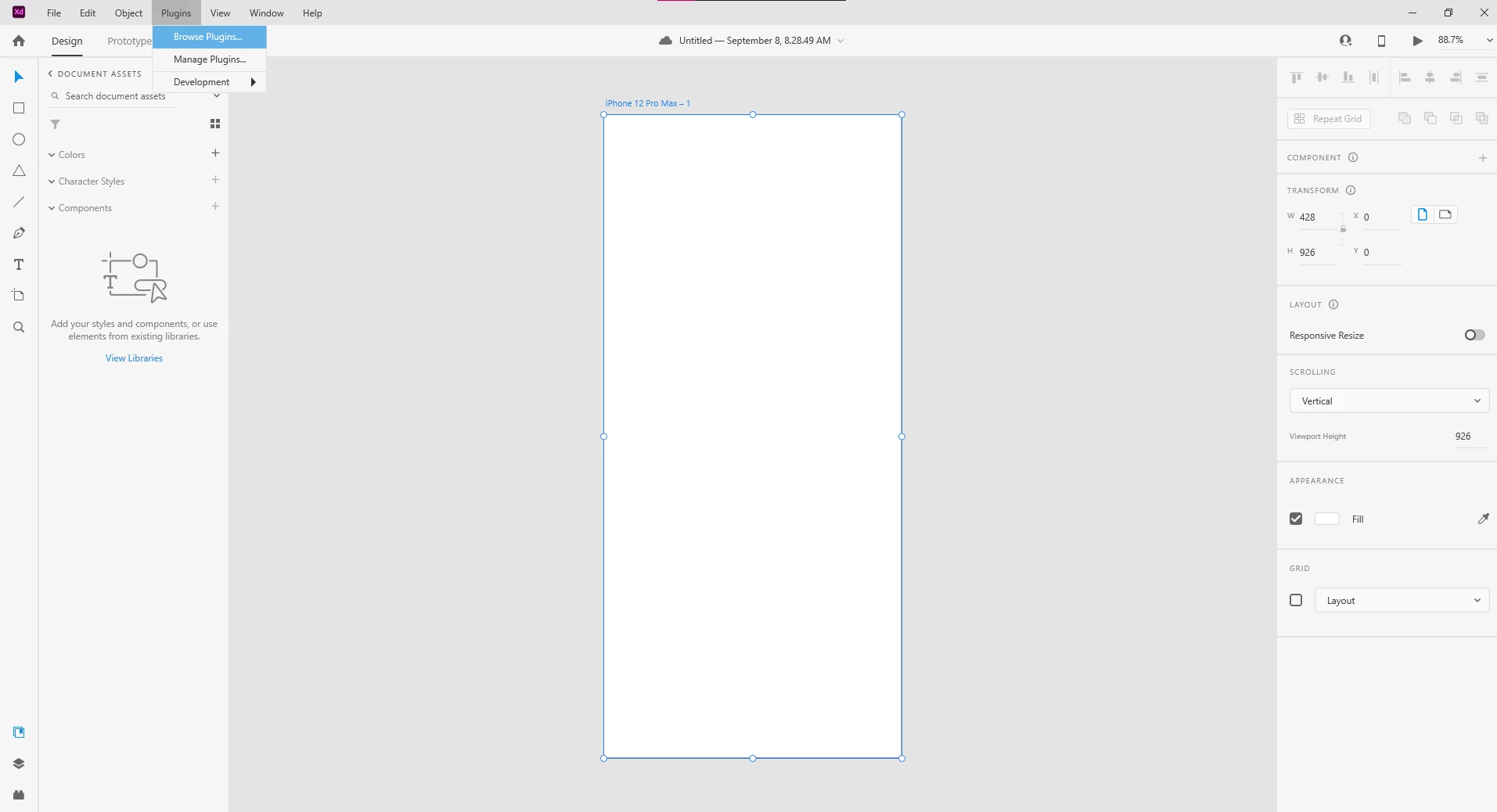
XD 43 freezes when clicking on "Browse Plugins" on windows machine

  • September 8, 2021
  • 1 reply
  • 618 views

Hey folks! Looking to use some plugins and integrations with Adobe XD. However, When I click on Browse Plugins or Manage Plugins, the app freezes.


The screenshot shows it hung up at the Browse Plugins button.
This topic has been closed for replies.
Correct answer HARSHIKA_VERMA

Hi ImAlexStorey,


Thanks for sharing the information. We would request you to please check if you operating system has any pending updates


If it still doesn't help and you're on enterprise network please ask your system admin to initiate a chat from the Admin Console's support tab using this link: https://helpx.adobe.com/contact/enterprise-support.cc.html so that our support team can help you directly.


Thanks,

Harshika

1 reply

Rishabh_Tiwari
Community Manager
Community Manager
September 8, 2021

Hi there,


We're so sorry to hear about the trouble. Could you please share a screenshot of the About XD info page which is under the Help menu options. We'll also need the version of Windows OS so that we can test this on our end. In case if you have the latest version which is 43, please collect and share system logs by following the steps shared here https://helpx.adobe.com/creative-cloud/kb/cc-log-collector.html


Please add the logs to a shared location like Google Drive or DropBox and share the link through DM.


Regards

Rishabh

ImAlexStorey
Participant
September 9, 2021

At the moment, I can't use the log collector tool because it requires admin permissions, and it will probably take a few days to get my sysadmin to log in for me. In the meantime, I'll shoot over the screenshot of the version. I have  43.0.12.14 and Windows 20H2

HARSHIKA_VERMA
Community Manager
HARSHIKA_VERMACommunity ManagerCorrect answer
Community Manager
September 10, 2021

Hi ImAlexStorey,


Thanks for sharing the information. We would request you to please check if you operating system has any pending updates


If it still doesn't help and you're on enterprise network please ask your system admin to initiate a chat from the Admin Console's support tab using this link: https://helpx.adobe.com/contact/enterprise-support.cc.html so that our support team can help you directly.


Thanks,

Harshika