
Inspiring
October 19, 2022
Answered

XD 55 not launching and shows error "you have been signed out".

  • October 19, 2022
  • 2 replies
  • 1647 views

Hello


All of a sudden my Adobe XD is not working anymore. I keep getting the same mssage that I have been signed out and then i can't do nothing, because it disables everything and the program freezes. I already tried to uninstall and reinstall latest Creative Cloud. I did the same with Adobe XD but the problem is still there. Every other app works without any problems.
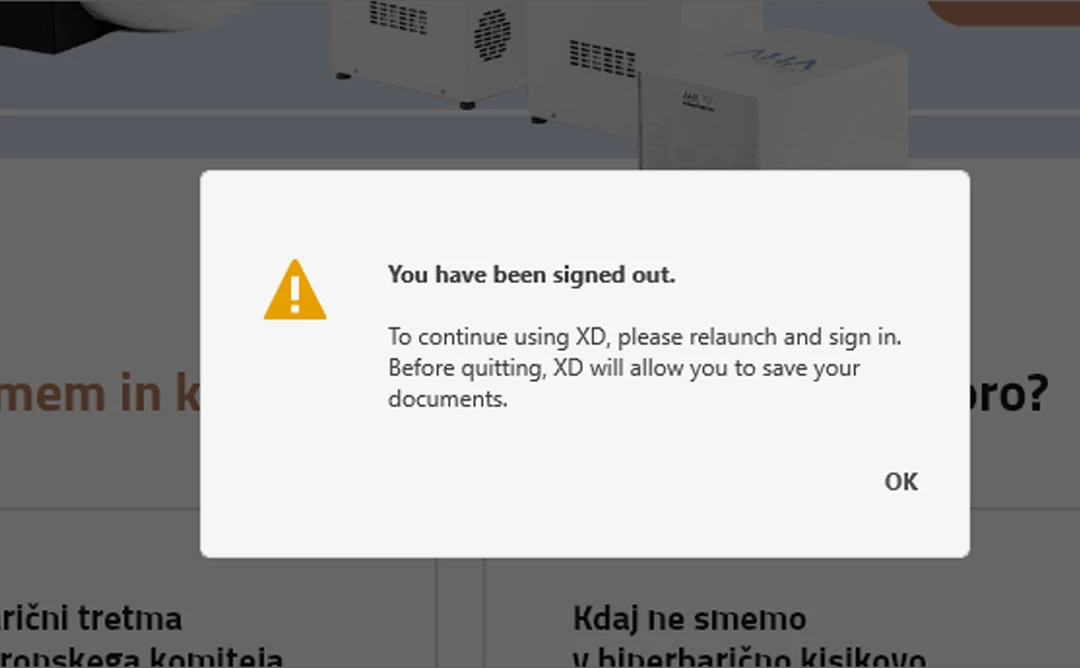


How to solve this problem?


Thank you and best regards,

Toni


<Title renamed by moderator>
This topic has been closed for replies.
Correct answer ToniBG

Hi @ToniBG,


Would you mind also trying the steps suggested in this post; https://community.adobe.com/t5/enterprise-teams-discussions/enable-the-apps-tab-in-creative-cloud-desktop-app/m-p/11768129#M30950?


Let us know if that helps.


Thanks,

Harshika 


Hello


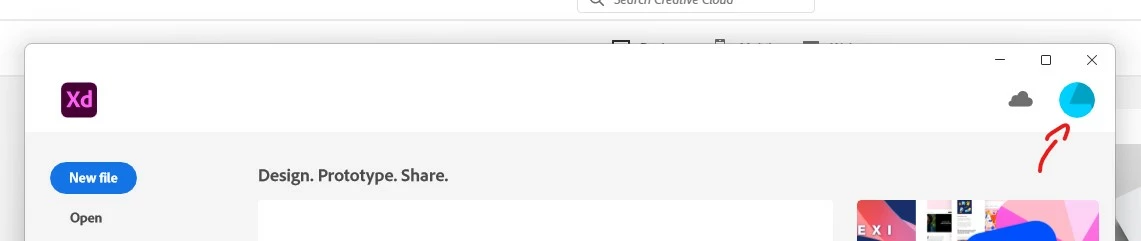
I can see the apps tab in Creative Cloud and login works there without any problems. It could be some weird bug I guess. Today for example XD works again. I know because I can see this icon again (screenshot attached below). And also if I go under Help Tab in XD, I can see that I am logged. I am also not getting "signed out" error message anymore.


When it is not working, this blue circle dissapears and I know immediately that XD won't work. Why it is not connecting is really a mistery. And it is quite annoying, especially if you have deadlines.


Hope this information helps.


Best regards,

Toni

2 replies

ToniBGAuthor
Inspiring
January 12, 2023

Hello


I have the same problem today. Don't know why this is happening. Can't work at all. Even if I start XD from CC, where I am obviously logged in, XD for some reason has a problem to login. I don't know how to fix this problem and it is really annoying, especially if you have deadlines and the program doesn't work properly. As I already mentioned, I don't have this problem with other Adobe programs.

Hope you can fix this bug/problem asap.


Best regards,

Toni

HARSHIKA_VERMA
Community Manager
Community Manager
October 19, 2022

Hi @ToniBG,


We are sorry to hear you're having trouble using XD. Would you mind telling us the version of XD installed on your machine and the details of your operating system?


Please try the below steps in sequence-


  • Quit XD from Task manager/ Activity Monitor.
  • Close all related XD and Creative cloud processes.
  • Sign out of the Creative Cloud Desktop app and XD
  • Restart the machine
  • Sign back in and launch XD from the Creative Cloud Desktop app.


Let us know if that helps. We're here to help.


Thanks,

Harshika


ToniBGAuthor
Inspiring
October 20, 2022

Hello


Yesterday it worked for a while again but today I am not able to do anything in XD. I get the same "signed out" message.


INFO

- XD version: 55.0.12.9

- Windows 11 Home / version 22H2 / OS build 22621.674

- Processor: AMD Ryzen 7 5800H with Radeon Graphics 3.20 GHz

- Nvidia GeForce RTX 3070 Laptop GPU / Studio Driver Version 522.30

- 32GB ram


Also when I try to sign into XD, I get stuck with the loading window. It keeps loading and nothing happens. If I close the window, I get the "signed out" message.