Answered
Xd addin padding to symbols
I use to drop symbols from my adobe library to boxes. But now suddenly xd seems to add extra paddings, making my symbols really tiny. Is this some new cool feature or am I doing something wrong?

I use to drop symbols from my adobe library to boxes. But now suddenly xd seems to add extra paddings, making my symbols really tiny. Is this some new cool feature or am I doing something wrong?
Yes, no problem just dropping them to an artboard. But I drop them into a drawn rectangle. As I find this easier to get icons equal size when resizing them. And this used to work fine until last updateof xd. I did this gif: 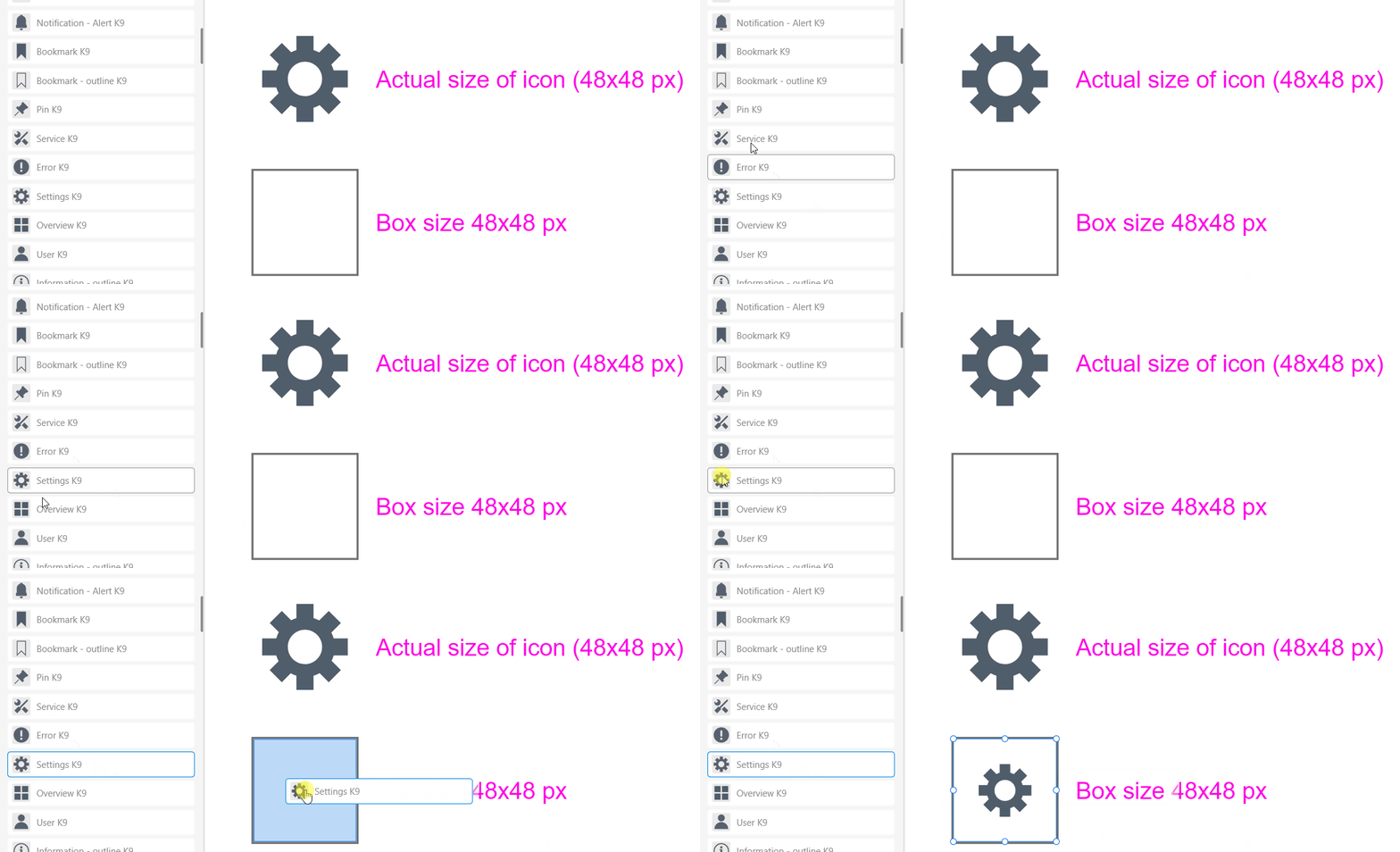
When you drag object from library into rectangle it do "Mask with Shape". If you will ungroup that object you will see original object borders behind the rectangle. The workaround is to drag "object 1" from library then draw a rectangle up do size of "object 1" and make "Mask with Shape". No padding will happen.
I can't find any info about adding padding to clipped objects. So may be it depends on original object and rectangle relative size and how xd interpolate that.
Already have an account? Login
Enter your E-mail address. We'll send you an e-mail with instructions to reset your password.


 AdChoices