
Participant
February 18, 2023
Answered

XD documents when disconnected from Creative Cloud

  • February 18, 2023
  • 1 reply
  • 1927 views

One of the my documenthas gotten a Disconnected error and cannot be opened, I get a pop up that says:

"Disconnected Editing isn't supported on shared XD documents when disconnected from Creative Cloud. Save as a new document to keep working offline."
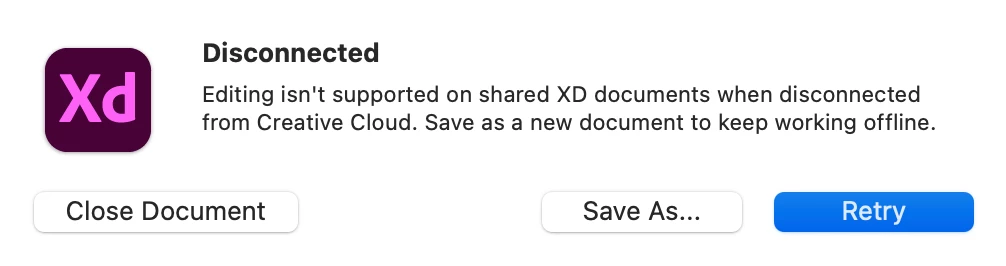
 

I'm not disconnected from CC, and other cloud files open fine. It can be save as another doument but saving a new document is annoying. I want to updated in same document. I removed all the other members form the document and tried to open but again getting same error.


What can be done to recover this document? 


MacBook Pro, Ventura 13.1, XD 56.1.12

This topic has been closed for replies.
Correct answer Jithin.S

Hi @Jithin.S ,


Sorry to hear about the trouble. Please share a few more details like:


  1. Is this happening with other collaborators on the document, or is it only happening with you?
  2. Are you the owner of the file? If someone else is the owner, please ask the owner to reshare the document?
  3. Will it be possible for you to share the file with us for testing? You can add the file to a shared location and shared the link through DM by clicking on my name.


Thanks

Rishabh


I'm the owner file, Form today I can acces to the file. Thanks for the support 


1 reply

Nancy OShea
Community Expert
Community Expert
February 18, 2023

[Moderator moved from Dreamweaver BUGS to Adobe XD.]


Try reconnecting to Creative Cloud.

1. Open CC Desktop App.
2. Click your Avatar (top right image) > Preferences > General tab > Settings. Select "Always keep Creative Cloud up to date."
3. Click on your Avatar again.
4. Sign-out of Creative Cloud.
5. Close all apps.
6. Restart your computer.
7. Open CC Desktop app.
8. Click your Avatar.
9. Sign-in with your paid ID and password.


Nancy O'Shea— Product User & Community Expert
Jithin.SAuthor
Participant
February 19, 2023

It was connected "Always keep Creative Cloud updated." I am facing a problem with ONLY ONE DOCUMENT Other  document dosent has. 


I sign out from XD, restarted my device. Also I tried to uninstall xd and reinstall.

What can be done to recover this document?

Ares Hovhannesyan
Community Expert
Community Expert
February 19, 2023

Does your document have history? Are you able to access them?

Document History | Adobe XD - YouTube