Participant
September 9, 2017
Answered

XD (Experience Design Beta) Manage: assets vs. links to assets

  • September 9, 2017
  • 1 reply
  • 709 views
  1. I shared a link to an XD prototype.
  2. I would like to keep the prototype, but make the link go away.
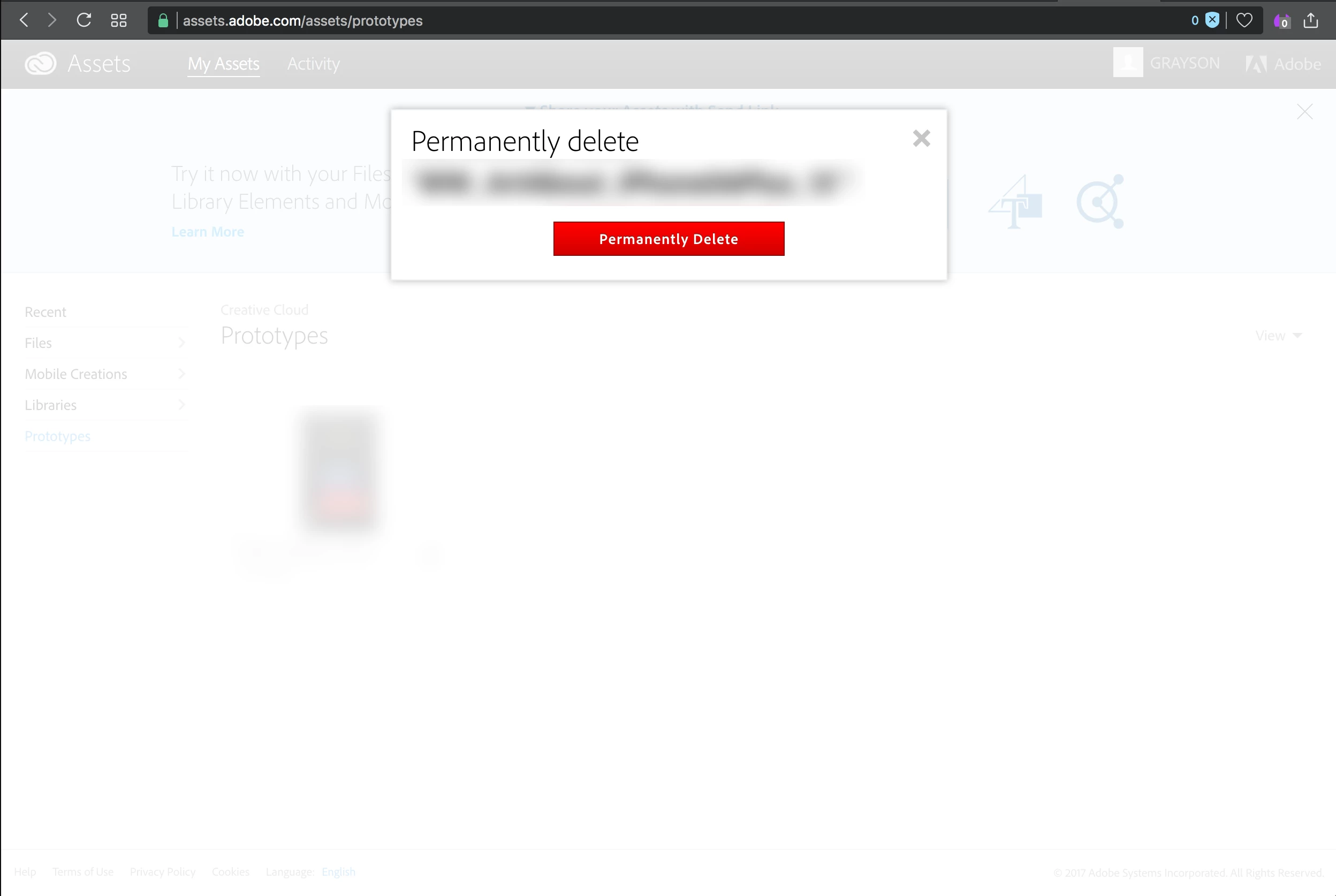
  3. Going to assets to delete what I **think** is the link gives me this dialog (below).
  4. Given the nature of files on the cloud, I'm not sure if I'm going to delete my file (the prototype), or the link to the file.
  5. Is a copy of the file referenced by the link stored in a separate, temporary location from the file I want to work with?
  6. If yes, why is this poorly worded? Shouldn't it say "Permanently delete the reference file [TK]? Your original file will still be available to you," or some such?
  7. If no, what the hell?! and how do you get rid of a link you've shared, other than by getting rid of the file, or moving it, and causing all kinds of other directory/linking problems?
  8. I did check the other answers on the forum. The answer to a similar question (I think) on this last point wasn't clear to me.

Danke!
This topic has been closed for replies.
Correct answer joan_lafferty

Thank you for this feedback. You are totally right in pointing out that this text is very unclear and I will make a request to get this changed.

This is to delete just the link, not your file in the cloud. On the left side options, it looks like you are on "Prototypes" which is all the prototype links you have.  If you were under "Files", then, you'd be managing all the files you have in Creative Cloud Files which could include the XD document itself.

Joan Lafferty

Product Manager

1 reply

joan_laffertyCorrect answer
Inspiring
September 14, 2017

Thank you for this feedback. You are totally right in pointing out that this text is very unclear and I will make a request to get this changed.

This is to delete just the link, not your file in the cloud. On the left side options, it looks like you are on "Prototypes" which is all the prototype links you have.  If you were under "Files", then, you'd be managing all the files you have in Creative Cloud Files which could include the XD document itself.

Joan Lafferty

Product Manager