


Participant
January 18, 2021
Answered

XD file not able to save

  • January 18, 2021
  • 1 reply
  • 1362 views

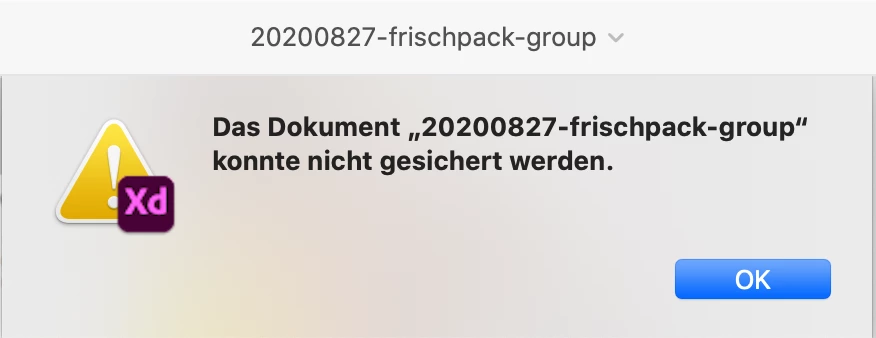
Since the latest update I can not save my XD files anymore. They are stored on Google Drive. I can open and edit them like usual. But then I get the error message "the document "xy" could not be saved". I can save it on my desktop or into the Adobe Cloud, but then I loose the preview links that I already published and gave to everyone involved in the project.


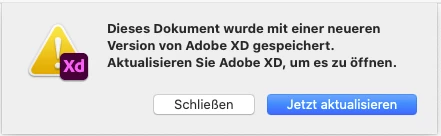
I tried going back to the former XD version, but then I can't open the files I worked on recently because "it was saved by a newer version of XD" and it tells me to update again.


This is hindering my work a greatly, so I would really appreciate some quick help.

This topic has been closed for replies.
Correct answer katjas58323955

It seems that the problems is in workaround with Adobe Creative Cloud and Google. In past some users also report about this bug. May be it depend on changes that are in updates of this servers. 


I ended up erasing the Google Drive File Stream cache data, so far I am not having this problem anymore. So figers crossed, that it stays that way, and if anybody else is facing the same trouble, that might be a way to fix it. 

1 reply

Ares Hovhannesyan
Community Expert
Community Expert
January 18, 2021

Does it happens only with the project files that has been stored at Google Drive? Can you open new scratch project save and share it with others?

Participant
January 19, 2021

Yes, it seems to only happen on projects stored on Google Drive. I can save them on either the desktop or Adobe Cloud, but then need to generate new links. Once these are saved on e.g. Adobe Cloud I had no problem anymore with resaving the file and updating the links, so far. 


I can change the files stored on Google Drive and update the links, but then can't save the files. I can however save them with a new name on Google Drive (just then I do loose the preview links again, and can't update the current links from the new file).


This morning I was even able to change and save a file stored on Google Drive that I could not save yesterday, and it worked...so I am really unsure where the Problem lies, but the uncertainty, of wether I weill be able to save the file or not, is a bit nervewreking.

Ares Hovhannesyan
Community Expert
Community Expert
January 19, 2021

It seems that the problems is in workaround with Adobe Creative Cloud and Google. In past some users also report about this bug. May be it depend on changes that are in updates of this servers.