

XD FILES DISAPPEARED
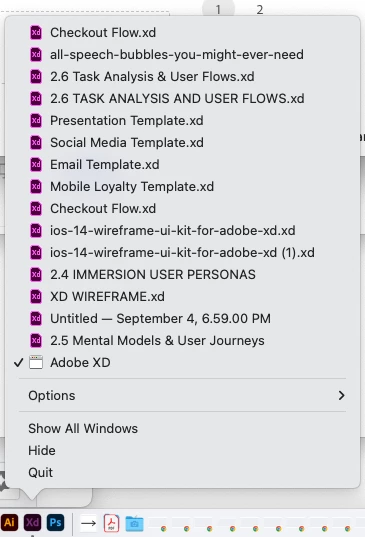
My XD document disappeared after I restarted my computer. I can't locate the doc anywhere, the frustrating part is that I was very conscious about saving as I was working on my project. I have no idea where it is, any tips of what to do would be helpful, i've been working on this for weeks. The weird part is that if I click onth XD app icon on my dock , I can see it there, but it doens't open when I click on it. I tried to log out and log back in and that didn't help, some adobe dude suggested this:
- Sign out of XD and Adobe CC Desktop app.
- Close CoreSync and all Adobe related processes from Task Manager/Activity Monitor.
- Sign back in on Adobe CC Desktop app and launch Adobe XD from there and check again if it works or not.
But how in the hell do I close coresync? I turned it off and on in my System Preference and I wasnt sure about how to do the same in Activity Monitor, super sketch.
Any tips help, I am going to cancel this subscription if I don't get this doc back, not reliable, waste of time trying to figure this out, I should of stuck to Figma and or Miro (which are usually my go-tos) but wanted to learn/explore XD and this is what I get for doing that. Adobe just keeps disappoing.
Thanks Ya'll!


 AdChoices