netgain-andrew
Participant
April 13, 2022
Question

XD menu fonts problem on Windows 10

  • April 13, 2022
  • 2 replies
  • 453 views

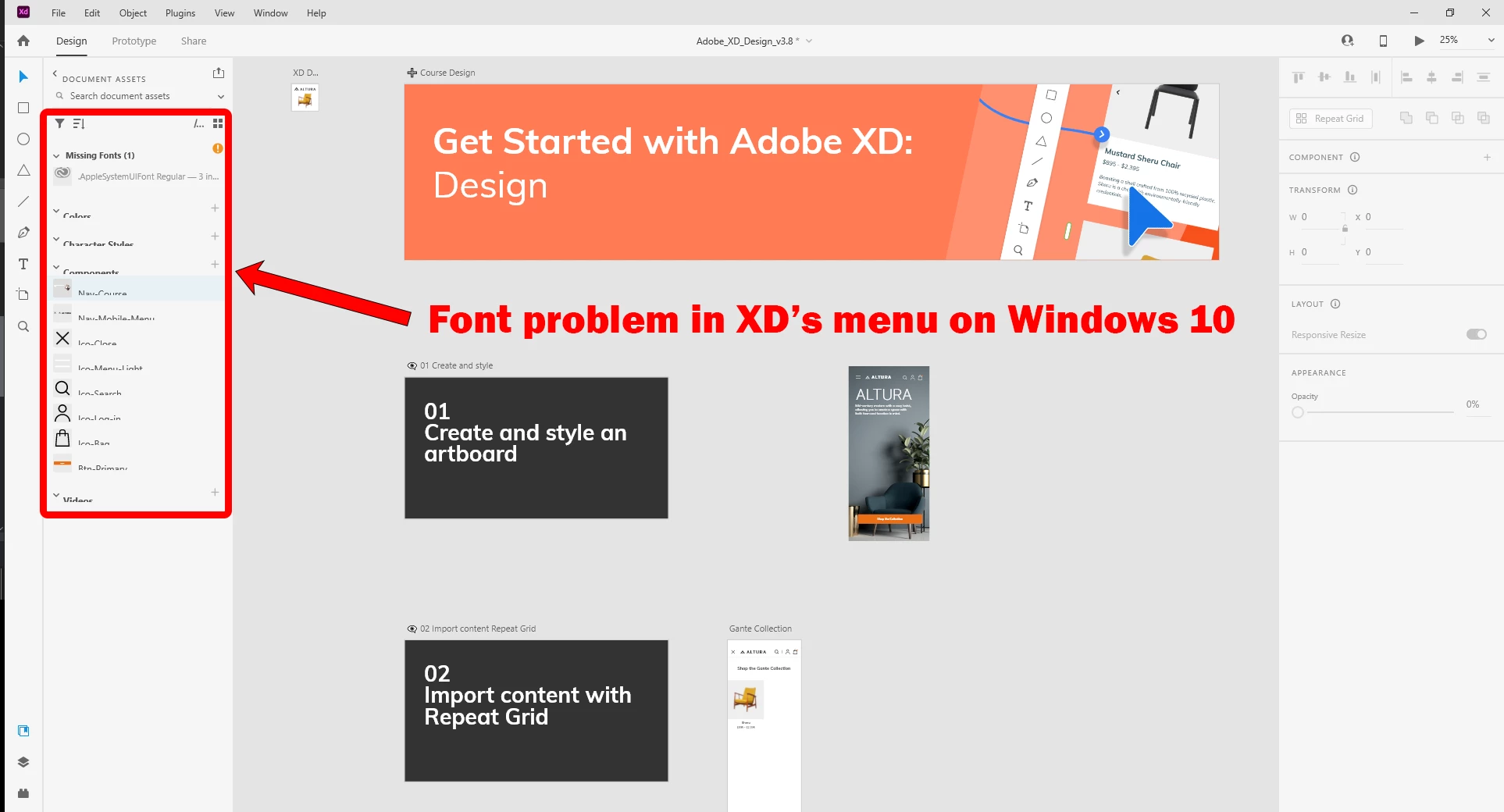
The line spacing of the menu fonts in XD has problem on my Windows 10. All of the latest updates are installed. Any ideas?

 

    This topic has been closed for replies.

    2 replies

    netgain-andrew
    Participant
    April 17, 2022

    The menu shows "AppleSystermUIFont" (Regular and Bold) are missing. I've been searching for that online, but don't see any fonts by that name. I found and installed "SF UI Display" fonts and restarted SD, but nothing changed.


    I can't read or click XD's submenus under Document Assets. So far, I'm on Step 3 of the tutorial, but am not seeing the same items in the left menu.


    netgain-andrew
    Participant
    April 17, 2022

    Right after posting, I noticed the layers icon at the bottom left. Clicking that, the menu looks normal. It's only the submenus under Document Assets that have misaligned labels.

    Ares Hovhannesyan
    Community Expert
    Community Expert
    April 13, 2022

    I have one idea. Please try to calibrate you display color from display properties. During calibration please choose  the text that is best for your screen. May be that can help but I am not sure.

    netgain-andrew
    Participant
    April 13, 2022

    Thanks for the suggestion. The color calibration allows for adjusting gamma, color, and contrast, but I'm not seeing an option to change the default fonts used by software apps. My guess is that Adobe XD is set to use Mac / Apple system fonts that are not installed on Windows PCs. If that's the case, other Windows users would be having the same problem. This is the first time I've seen this happen.