
Participant
December 12, 2017
Answered

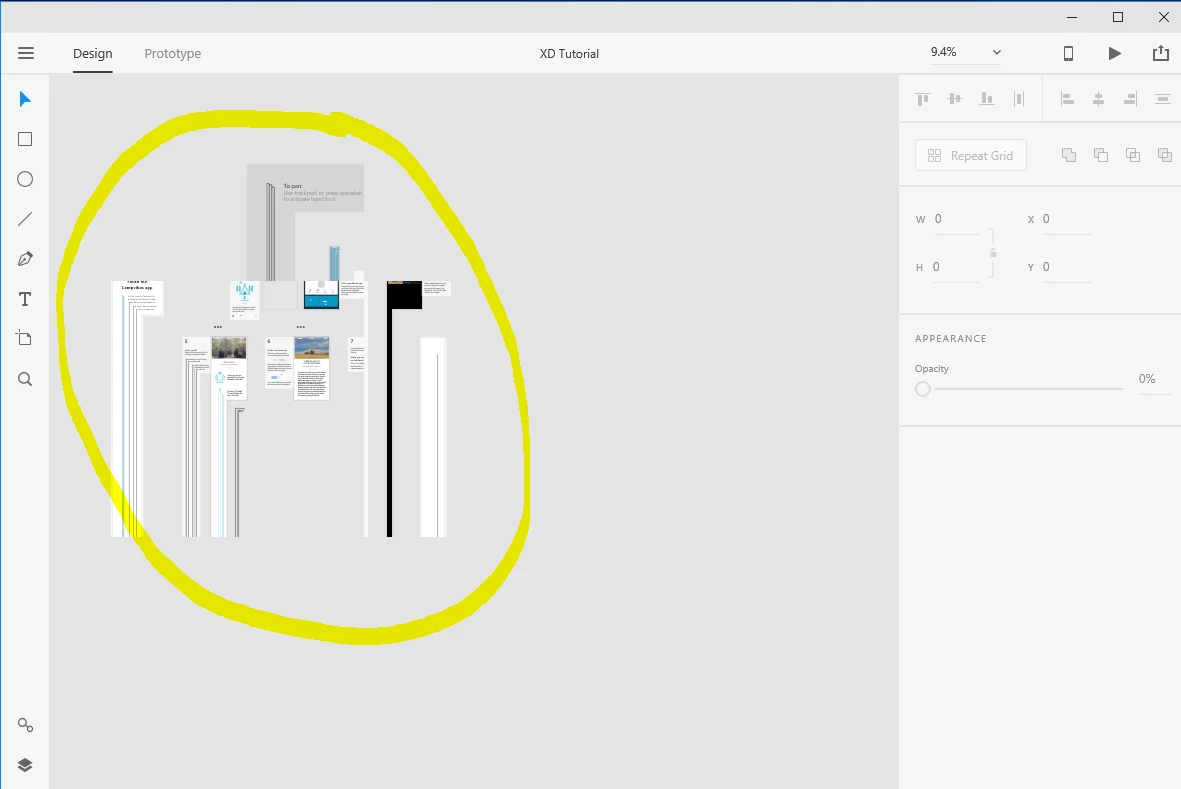
XD prototyping screen is cut and distorted

  • December 12, 2017
  • 1 reply
  • 696 views

Hi, i am new to Adobe XD,

Just installed it. Tried to run a tutorial and got this distorted prototype (picture below). Same happens when i try to add anything new - rectangle, circle, anything - it just gets cut .

restarted the computer, uninstalled & intalled the XD , get the same view on the prototyping screen...

anyone have encountered this issue?

thanks!
This topic has been closed for replies.
Correct answer stuart__k

Hi, this is because of outdated GPU drivers. See the answer and comments here: Artboards act very funnily, looking distorted – Adobe XD Feedback : Feature Requests & Bugs

1 reply

stuart__kCorrect answer
Adobe Employee
December 12, 2017

Hi, this is because of outdated GPU drivers. See the answer and comments here: Artboards act very funnily, looking distorted – Adobe XD Feedback : Feature Requests & Bugs