

zigmas
Known Participant
February 12, 2021
Answered

XD Shared developer link with assets has a JS error, doesn't download multiple assets.

  • February 12, 2021
  • 1 reply
  • 1377 views

Hi,
My developers are trying to download multiple assets from one of my XD developer links, but there seems to be a js error on the page that makes it impossible.


Is there a way to fix this? I could manually export all the assets for my team manually, but we daily implement new icons to the project, so that would make the process pretty complicated. (XD assets sharing is one of the main reasons to use it for now)
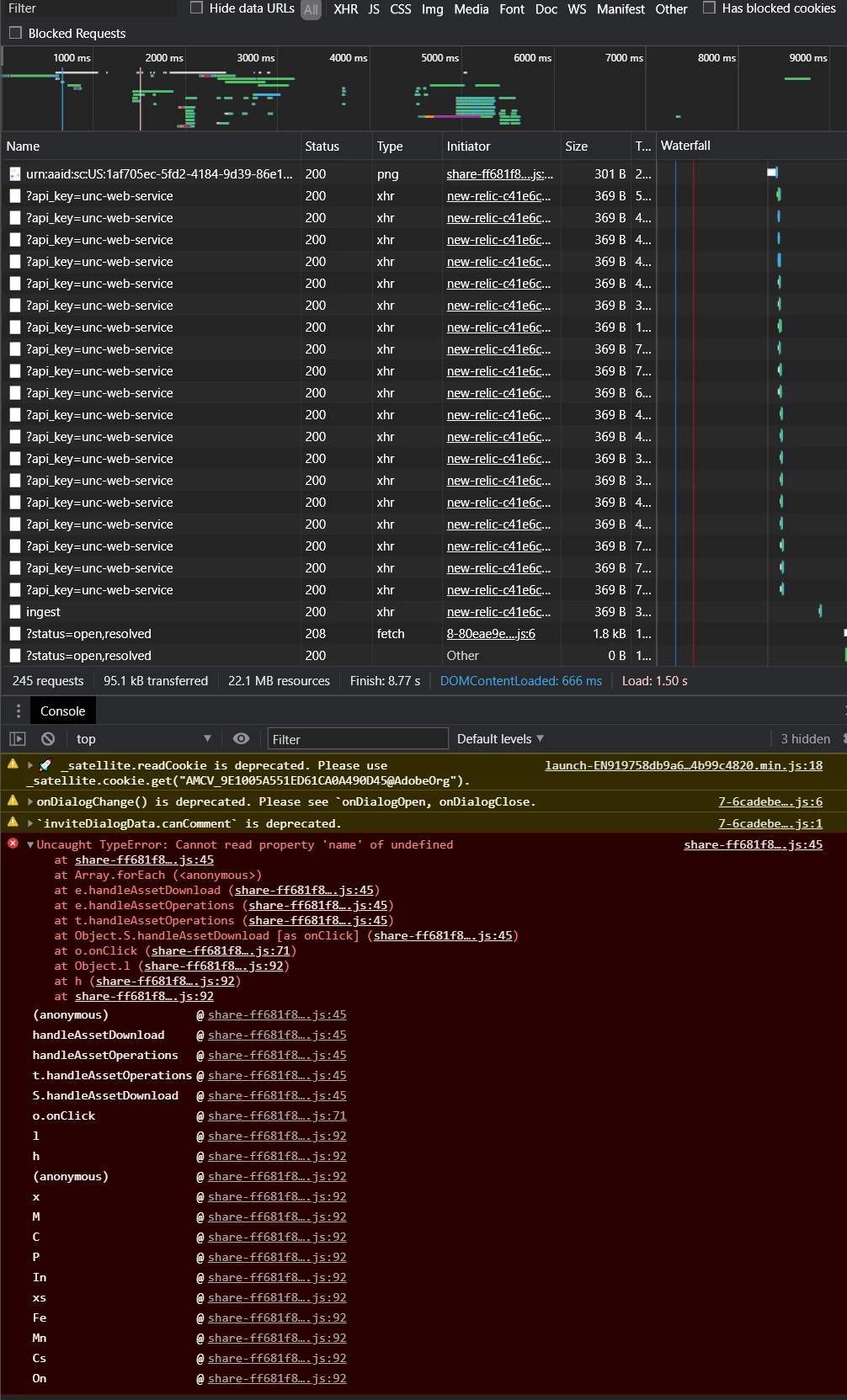


I hope you can help us with this, thanks!

    This topic has been closed for replies.
    Correct answer Rishabh_Tiwari

    The XD file.
    https://drive.google.com/file/d/1nJEQuVVi9Wghys8RhtIYohSiCiXytRiv/view?usp=sharing 


    Hi there,


    Thank you for your patience, the issue stands resolved, so please check and let us know if you are still getting the error.


    Regards

    Rishabh

    1 reply

    Rishabh_Tiwari
    Legend
    February 12, 2021

    Hi there,


    Sorry to hear about the trouble. Please share a few more details like:


    1. The version of XD and OS.
    2. Is this happening with a specific file or multiple files?
    3. Will it be possible for you to share the link with us? If yes, you can either share here or you can DM me by clicking on my name and then send the message.


    Note: While sending DM, please add this discussion link in the subject.


    Regards

    Rishabh

    zigmas
    zigmasAuthor
    Known Participant
    February 14, 2021
    • We are all using the last version of XD, on multiple OS and multiple browsers. On all of them, the same error.
    • It's happening on multiple files when selecting multiple assets to download. It may have to do with the format´s you select.
    • https://xd.adobe.com/view/1af705ec-5fd2-4184-9d39-86e18622678d-4fa4/specs/
      On that link, try selecting multiple or all the assets and then download as SVG, for example. I've been testing it around and sometimes it works, sometimes it doesn´t. It works when you select two or three assets, but for example, if you select the following ones:
       

      It will break, and then it's not possible to download any other asset.

    • I attached the original file if you want to take a look at the construction of the assets.

    hope this help, thanks.


    zigmas
    zigmasAuthor
    Known Participant
    February 14, 2021