
Participating Frequently
March 31, 2021
Question

XD Sync Error

  • March 31, 2021
  • 1 reply
  • 704 views

Hey,

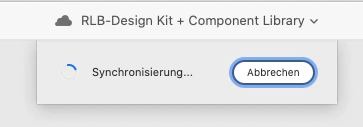
After opening cloud-based file this dialog goes on for 2-3 minutes and then tells me "co-editing files cannot be opened offline"
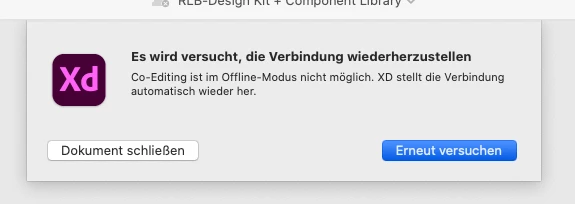


Obviously my WLAN is ON and working perfectly. I've encountered this issue before and I just used a backup-file. But now it is especially troublesome b/c this file is the base library for my UI-kit - which means I can't do global changes to other files linked to the kit!!! 


Maybe someone has a workaround for that?


I already contacted support without success on this issue, now I am turning to the community.

(their response: “We want to tell you, that file-based issues are not supported by Adobe”). Wow.

Tried and failed:

- unlink any user invited to file

- change WLAN
- create backup file and try to use that (obviously not feasible for a library)

- create a whole new account on Mac and try to acces file from there


Honestly, I have to add (and I read it in other comments as well) that Adobe XD is NOT suited for professional production at this point. It's notoriously unstable when working across several files and if you encounter an issue like mine,where your core UI-Kit file is corrupted, you are basically left alone.


Nobody needs 3D-Transforms - get real user-centricity right!

    This topic has been closed for replies.

    1 reply

    Rishabh_Tiwari
    Community Manager
    Community Manager
    April 1, 2021

    Hi there,


    Sorry to hear about the trouble. Please try the steps shared below:


    1. Please ensure that all the collaborators are on the latest version of XD which is 38.1.
    2. If you are already on the latest version, please try the steps shared below:
    • Sign out of XD and CC desktop app.
    • Close CoreSync and all Adobe-related processes from the Task Manager.
    • Reboot the computer.
    • Sign back in on the CC Desktop app and launch XD from there and check if you are able to open the file or not.


    If it still doesn't work, please share a screenshot of the About XD info page.


    Regards

    Rishabh

    alxreinAuthor
    Participating Frequently
    April 1, 2021

    Hey Rishabh, thanks for the answer.


    Unfortunately I have tried it before, tried it again now and it's still not working. I already removed the collaborators as part of a bugfix, which was recommended in another posting here in the community. Also I want to add, that I have numerous files with the exact same collaborators, and there it works fine.

    Rishabh_Tiwari
    Community Manager
    Community Manager
    April 1, 2021

    Thanks for confirming, could you please try opening that file from a different machine and check if you are able to open it or not?