


radekj
Known Participant
January 20, 2021
Answered

XD : Unable to add components to library as a graphic

  • January 20, 2021
  • 2 replies
  • 2069 views

Hello,

I'm unable to add a component to a CC library as a compoment, only as a graphic. At this video, it's clearly possible to add a compoment and not a graphic: https://youtu.be/GWuA1y79AT8?t=87

Whenever I try to add a component, all I can add is a graphic as per screenshot below
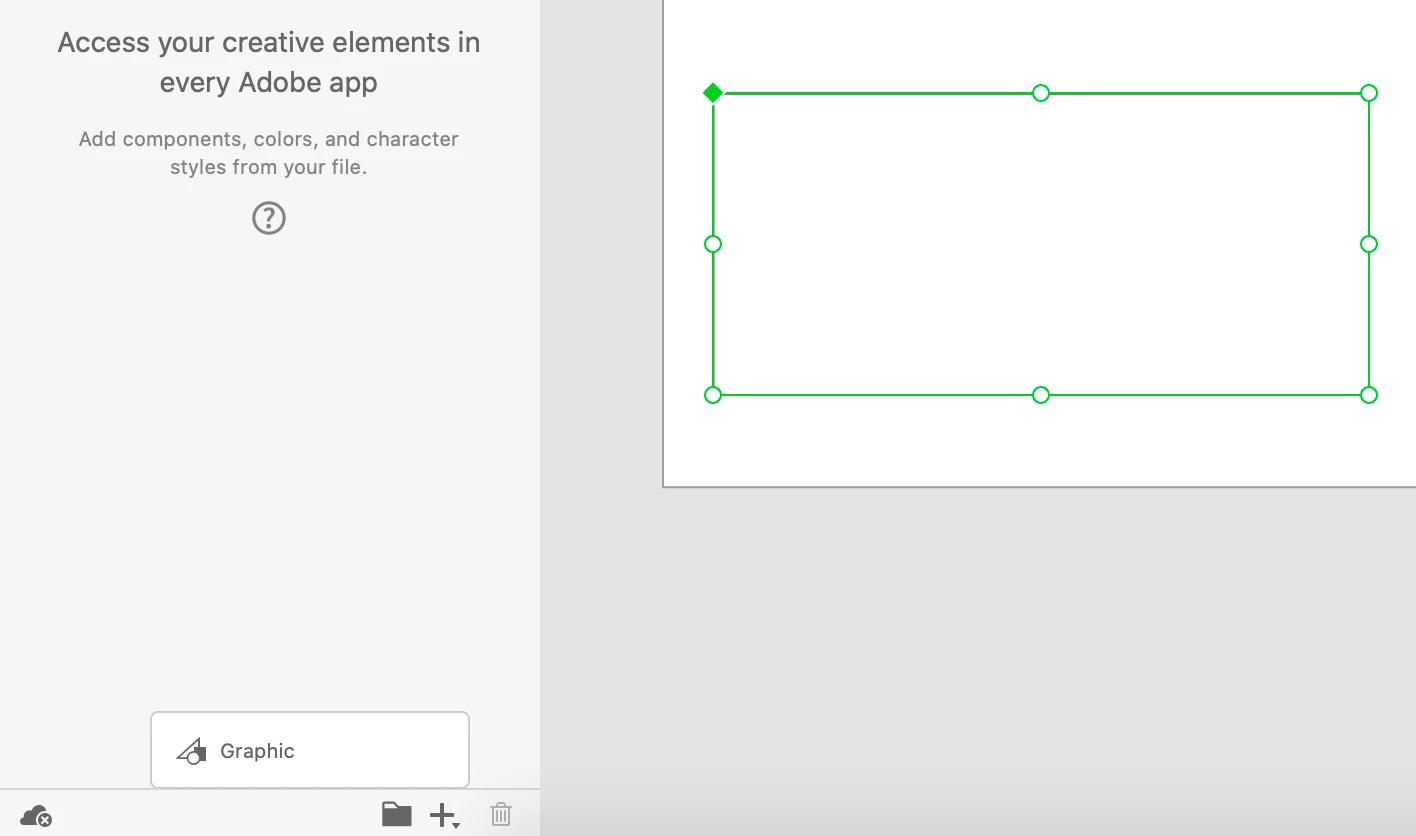
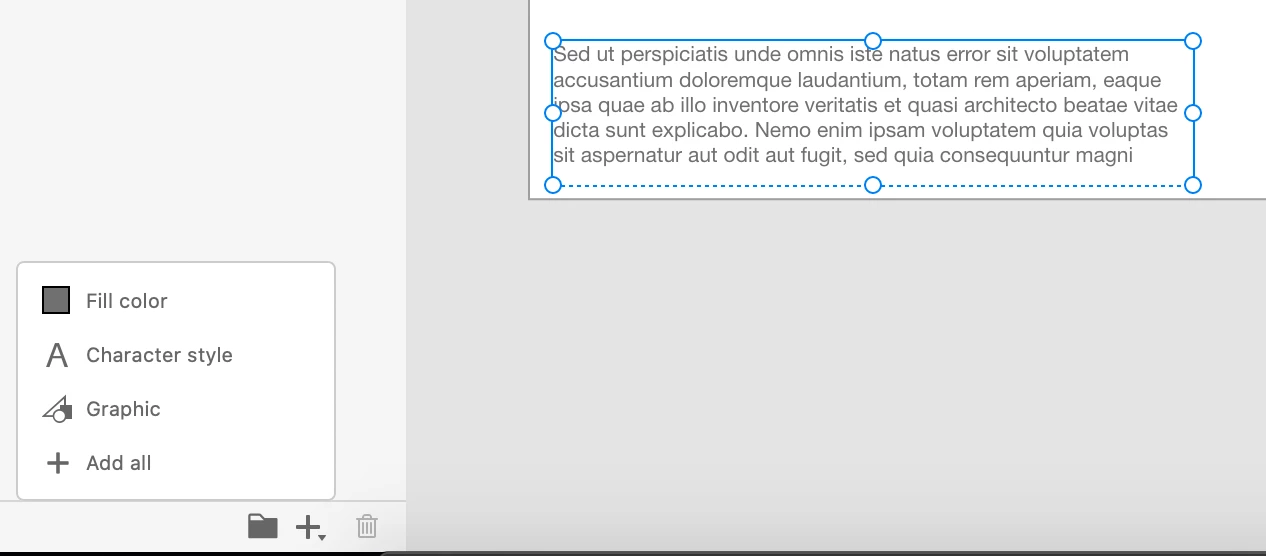
I can add any other type asset: Fill Color, Character style or graphic, when I select non-component object (see below). So why not a component? 


{Title renamed by MOD}

This topic has been closed for replies.
Correct answer HARSHIKA_VERMA

Hi Rade,


Thank you for reaching out. Components cannot be added from any XD document to a Creative Cloud Library, they must be part of the source document published to a library. Once an Adobe XD file is shared as a library, the source file can be edited and components can be added and edited as is done in any Adobe XD document. For more details, please see this article: https://letsxd.com/guides/creative-cloud-libraries


Hope it helps.


Thanks,

Harshika

2 replies

Participant
April 12, 2024

ggg

Rishabh_Tiwari
Community Manager
Community Manager
April 15, 2024

Hi,


Thank you for reaching out. Are you experiencing this similar issue? If yes, can you confirm the version of XD & OS along with a small video of the issue. We'll try our best to assist you.


Thanks

Rishabh

HARSHIKA_VERMA
Community Manager
HARSHIKA_VERMACommunity ManagerCorrect answer
Community Manager
January 20, 2021

Hi Rade,


Thank you for reaching out. Components cannot be added from any XD document to a Creative Cloud Library, they must be part of the source document published to a library. Once an Adobe XD file is shared as a library, the source file can be edited and components can be added and edited as is done in any Adobe XD document. For more details, please see this article: https://letsxd.com/guides/creative-cloud-libraries


Hope it helps.


Thanks,

Harshika

Participating Frequently
April 25, 2021

I have to say i find this behaviour, basically the whole behaviour around shared libraries highly confusing in Adobe XD. There are use-cases completely not covered imho. Usually is start developing the first designs and styles, components etc. in a single file. This allows me to experiment without committing to everything 100%. Changes are quickly done, no need to jump back and forth between library and design doc. Then, when the whole system gets more mature and stable, i want to transfer the local styles and components to a shared library, but keep the design artboards. Ideally all component instances and formerly local styles are linked to the new shared library (semi-)automatically.


I don't see how this works in XD, which makes to whole process of building a design system iteratively incredibly cumbersome. Maybe i'm not using the preferred workflow, but then documentation is lacking, as i could not find any of the above mentioned restrictions in the docs.