


Participant
January 5, 2021
Answered

XD : Unable to export all assets to a development link

  • January 5, 2021
  • 1 reply
  • 2111 views

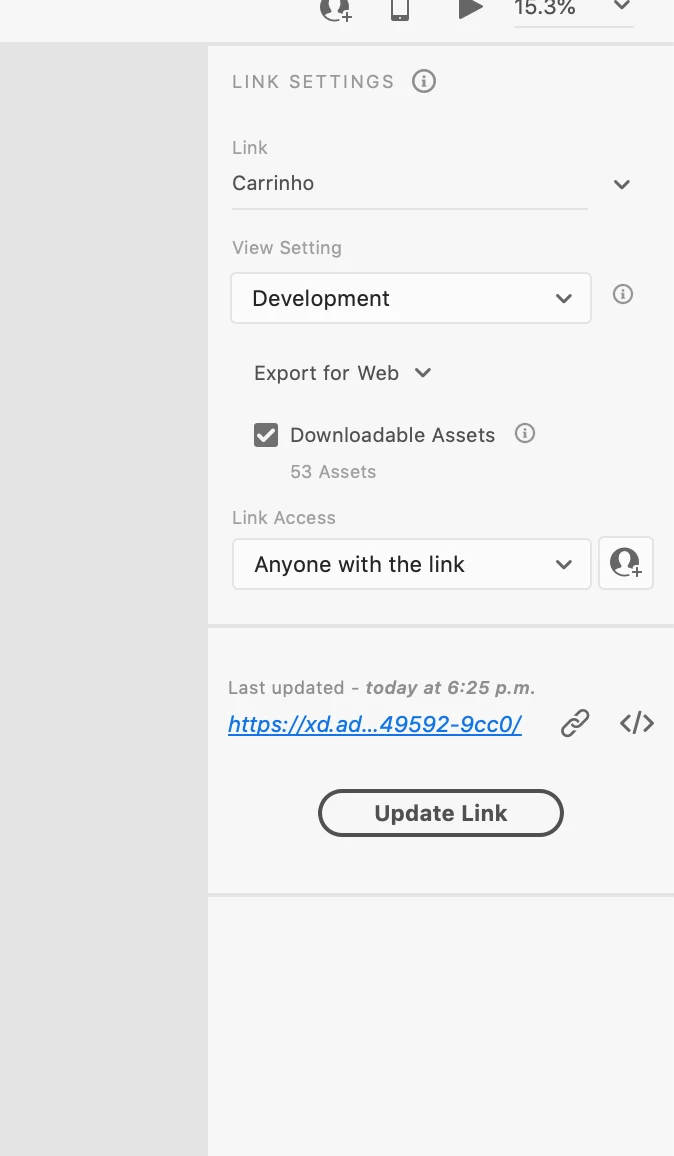
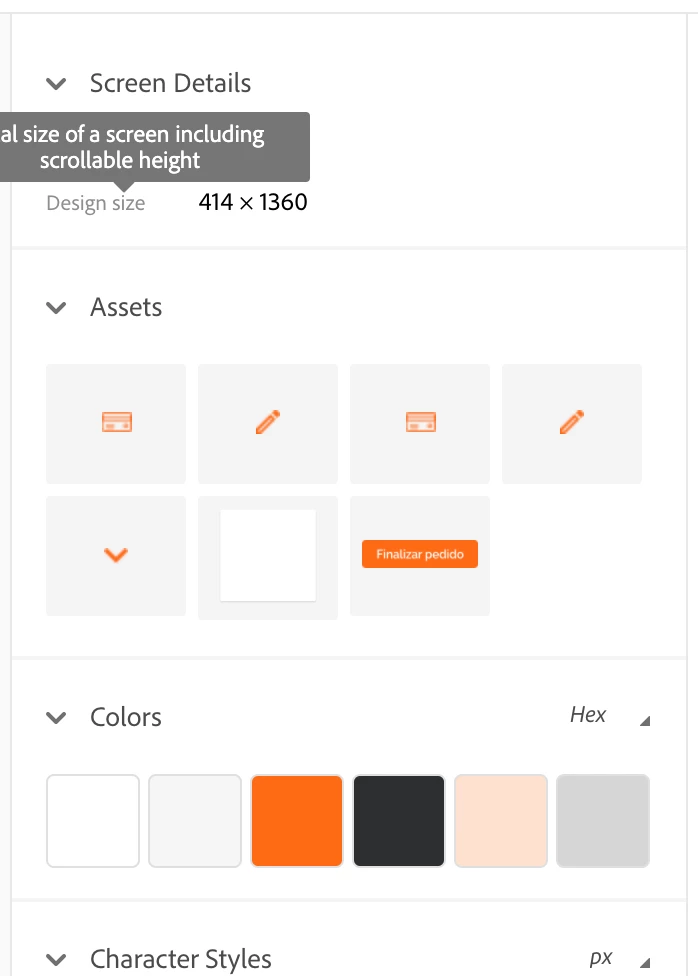
Hi, I am working on a project which has 53 assets (icons, colors, fonts and etc), but when I export it to the development link it shows just a few components (7). I tried to restart the Adobe XD, tried to clean my cookies, tried to export it again and nothing is working. I attached the screenshots.


{Title Renamed by MOD}

This topic has been closed for replies.
Correct answer Spas K.

Those are just the assets from the screen you are currently on. You have 53 assets in total, accross all screens (colors and fonts don't count towards that number, that's just the layers you marked for export). On this screen, however, you only have 7. If you go to another screen, you will see different assets.


You cannot download all the assets from all screens with one click through the web prototype, only from the screen you are currently on.


If you want to export all assets from the whole document in one go, you can do that in Xd. From the menu, you can go to Export > Batch, and it will export all assets from all artboards marked for export.

1 reply

Spas K.
Community Expert
Spas K.Community ExpertCorrect answer
Community Expert
January 5, 2021

Those are just the assets from the screen you are currently on. You have 53 assets in total, accross all screens (colors and fonts don't count towards that number, that's just the layers you marked for export). On this screen, however, you only have 7. If you go to another screen, you will see different assets.


You cannot download all the assets from all screens with one click through the web prototype, only from the screen you are currently on.


If you want to export all assets from the whole document in one go, you can do that in Xd. From the menu, you can go to Export > Batch, and it will export all assets from all artboards marked for export.

Participant
January 5, 2021

Omg, I feel so dumb hahahahahaha
Thank you so much 🙂