
ilx2
Participating Frequently
June 30, 2019
Answered

XD zoom usability

  • June 30, 2019
  • 1 reply
  • 676 views

hi,

how can I change the XD zoom preferences to be like Illustrator:
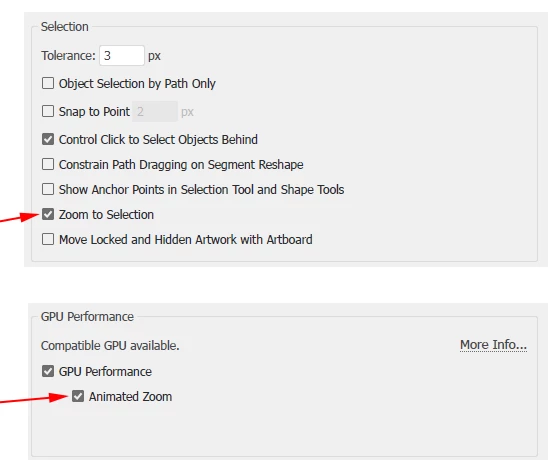
or Photoshop:
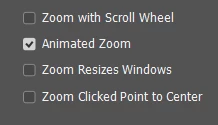
XD Zoom causes me to loose screen orientation constantly.

it is disturbing my work flow.

XD is targeted to create 'usability flows prototypes' meaning- to use many artboards to demonstrate a flow. it is unthinkable that every zoom will make me loose my place in the flow!

and one more thing: We buy the best high-res screens to enable GPU zoom, so why does the XD goes back to the beginning of zoom days and gives us such a poor solution which ends up to be a low grade user experience?

where can I find the XD application preferences to change it?

I'll appreciate help regarding this subject

ilil

This topic has been closed for replies.
Correct answer Ares Hovhannesyan

Thank you for using Adobe Xd.

Change zoom shortcuts to be like Photoshop's – Adobe XD Feedback : Feature Requests & Bugs  Please add your idea to Adobe XD Feedback : Feature Requests & Bugs

From my side I think that possibility to save View like in Ai can solve this problem

1 reply

Ares Hovhannesyan
Community Expert
Ares HovhannesyanCommunity ExpertCorrect answer
Community Expert
June 30, 2019

Thank you for using Adobe Xd.

Change zoom shortcuts to be like Photoshop's – Adobe XD Feedback : Feature Requests & Bugs  Please add your idea to Adobe XD Feedback : Feature Requests & Bugs

From my side I think that possibility to save View like in Ai can solve this problem