
Participant
June 9, 2016
Answered

A problem with Adobe Air

  • June 9, 2016
  • 1 reply
  • 1069 views

I've dowloaded a game which required Adobe Air. I went to the official Adobe site do download it. Downloading went nice and well but when I clicked the game it said that it needed Adobe Air to work. So I clicked the same file to download Adobe Air and few seconds later it told me that it's already on my computer. I looked for it everywhere on my computer but I couldn't find it. I checked the game twice and it just showed the same message over and over again. I've downloaded this Adobe Air installation again and it keeps showing the same message. I've also searched for it in Creative Cloud but it doesn't do a thing, unfortunately. I don't really know where can I find the Adobe Air I've downloaded. I have all the time in the world so I don't urgently need an answer.
This topic has been closed for replies.
Correct answer kglad

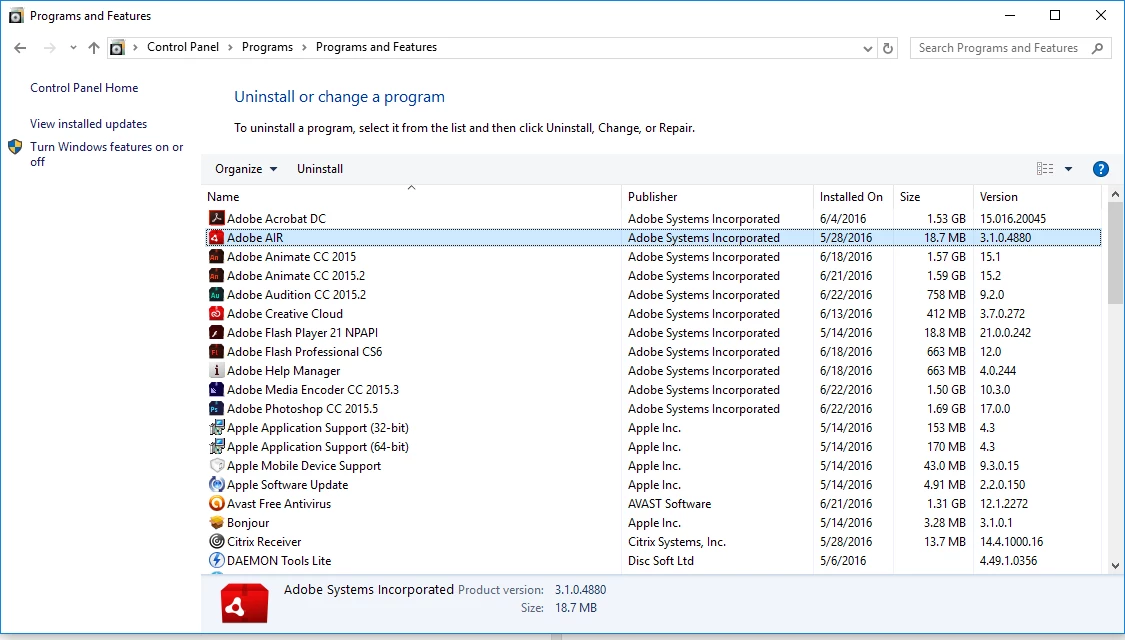
right click your win start button>click control panel>programs>uninstall program and see if adobe air is installed.

if it is, the problem is probably that game.  you could test that by trying some other game/app the needs adobe air.

1 reply

kglad
Community Expert
Community Expert
June 22, 2016

what's your os?

Participant
June 25, 2016

I'm using Windows 10. Sorry for a late reply.

kglad
Community Expert
kgladCommunity ExpertCorrect answer
Community Expert
June 25, 2016

right click your win start button>click control panel>programs>uninstall program and see if adobe air is installed.

if it is, the problem is probably that game.  you could test that by trying some other game/app the needs adobe air.