
natural_criticB837
Legend
July 24, 2017
Question

Adobe Air 26: Image artifacts

  • July 24, 2017
  • 1 reply
  • 564 views

Hello,

in the latest Adobe Air 26.0.0.118 and Air 26.0.0.119 we see a weird render artifact at the bottom of our content. The table background is a simple image that is stretched to the stageHeight of the device. When the gamelist is loaded, the artifact pops up half the length and then comes to full length as seen in the screenshot and stays static on the position. I have circled the artifact because it's hard to spot otherwise, but very visible when used on a device with black outline. Device is an Android S7 with Android 6.
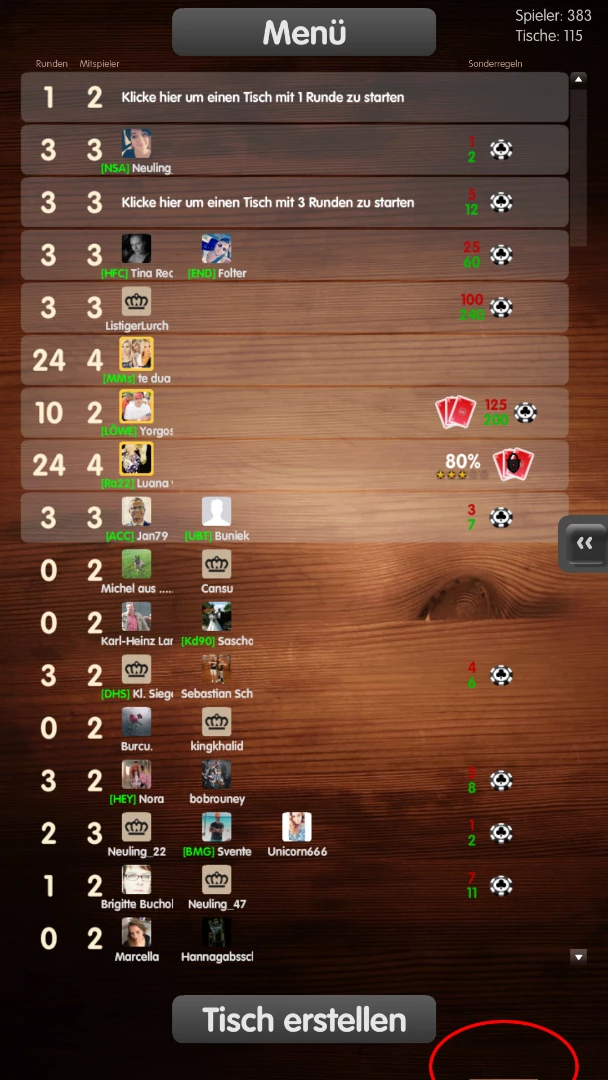
Older versions do not show this behavior, I have tested Air 25.0.0.134 and Air 22:
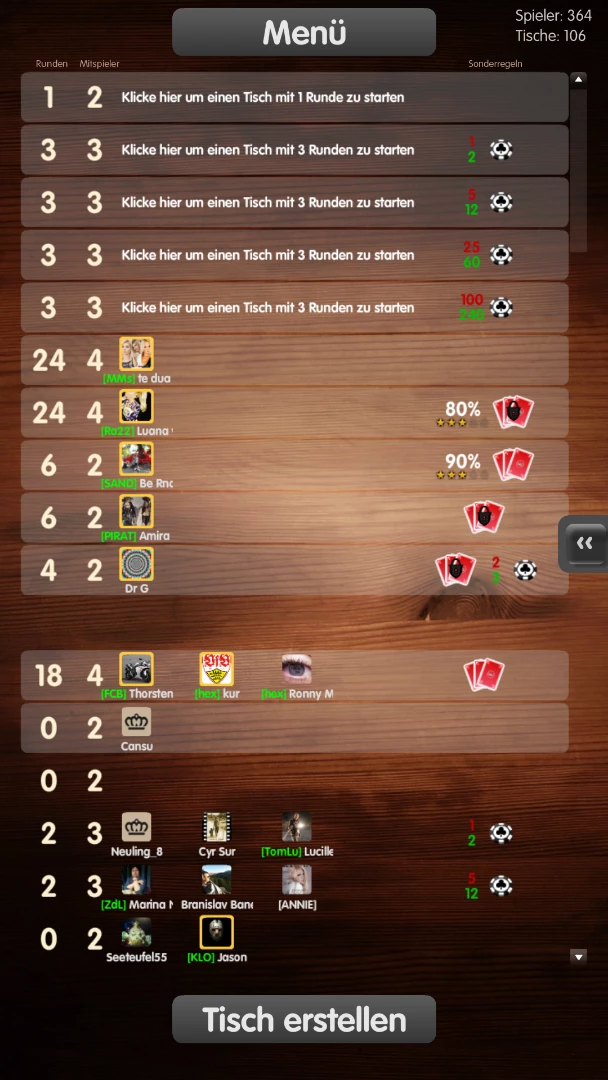
Is this a known issue? Does anyone know whats happening there?

Thanks in advance, Ruben

This topic has been closed for replies.

1 reply

Community Manager
July 24, 2017

Hi,

We are able to spot the artifact from your image but it would be great if you can share the same background image so that we can go ahead to reproduce the issue at our end. You can directly send it to me at krguptaATadobeDOTcom.

Is this issue device specific?

Thanks,

Krati | Adobe AIR Engineering

natural_criticB837
Legend
July 24, 2017

Thank you, email is out. I also tested on an Amazon Kindle Fire HD 7 (4th Gen), and the artifact is shortly visible when the list is loaded and then disappears, so it's not device specific, but the behavior is different.

I should also add that the background image is added in the main menu, but the artifact is only visible when we go to the gamelist, so it might have to do with overlaying content over the background image. All of this is displaylist, i.e. no Stage3D.

Community Manager
July 27, 2017

Hi,

As you have mentioned that the issue is reproducible only when the gamelist is loaded we would need a small sample project for the same. You can send it to me on the same email id.

Thanks,

Krati | Adobe AIR Engineering