
November 10, 2015
Question

Adobe air apps won't install

  • November 10, 2015
  • 1 reply
  • 1159 views

For whatever reason some apps that operate on Adobe Air won't install or update on my computer. I tried to open it today and it seem to hangup on Adobe Air. So I uninstalled Adobe Air and re-installed the latest version. I then downloaded the latest version of my app. When I installed Adobe Air everything seemed to go fine,.....when I tried to install my app the application install stated "(Not Responding)". See  jpeg file.

I have gone through and cleaned cache and have run all virus and malware apps to clean things up but still have the same issue.
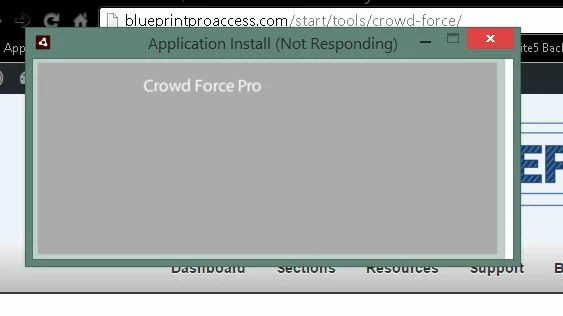
Any ideas?? I have never had a problem with this before.

This topic has been closed for replies.

1 reply

November 13, 2015

I have the same issue, please Adobe respond!

I tried to uninstall and reinstall AIR but that does nothing – some apps already installed don't run and they won't reinstall either, the installation window freezes.

It seems it's since the last AIR auto-update, I think I remember giving the permission to auto-update a few days ago...

I'm on Windows 10 - 64bit

November 13, 2015

OK well, After closing many programs, doing a CCleaner and uninstalling all AIR apps, now it work again!

Not sure where the problem was...

EDIT: Nope, some apps still won't run. If I un-tick the "run after installation" check-box the install windows finishes and doesn't freeze, but the app will not run when double-clicking it – nothing happen at all.