
Adobe AIR HTML Native Full Screen on Mac OS X
I am building an application in Adobe AIR for Mac in HTML/JavaScript.
What I want to do is when the application loads, make the application go into full-screen mode using the correct native full-screen found in OS X Lion and above.
e.g.
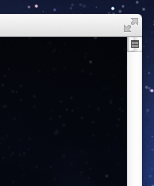
This is NOT using the displayState that Flash/Flex uses.
If the users decides to exit full screen mode they will see the app in a native window and can re-enter full screen mode using the icon you get in the top-right of a window.
I've found some information about an extension here: http://forums.adobe.com/thread/1209193
FREObject _EnableFullScreenMode(FREContext ctx, void* functionData, uint32_t argc, FREObject argv[])
     {
        //We should be okay to do this, even on 10.6, according to this post:
        //http://www.cocoabuilder.com/archive/cocoa/311124-implementing-full-screen-for-10-7-but-app-should-also-run-on-10-6.html
        //We can't use [NSApp mainWindow] - didn't appear to work
        //This seems to though:
        NSArray * allWindows = [NSApp windows];
        if (allWindows.count > 0)
        {
            NSWindow *mainWindow = [allWindows  objectAtIndex: 0];
            NSWindowCollectionBehavior behavior = [mainWindow collectionBehavior];
            behavior |= NSWindowCollectionBehaviorFullScreenPrimary;
            [mainWindow setCollectionBehavior:behavior];
        }

        //TODO: Return a boolean instead depending on if we found the main window
        return NULL;
     }
That looks to do what I want! But after reading the Adobe AIR docs I can't get my head around where this code should live in my app directory and how I can call it on app load.
So in my index.html I have:
$(document).ready(function() { // Make window full-screen // CALL THE EXTENSION TO MAKE THE APPLICATION FULL_SCREEN // Make window active window.nativeWindow.activate(); // Make it visible window.nativeWindow.visible = true; });The initialWindow is not visible by default using <visible>false</false> in the application descriptor XML file. And is made visible and active on the document ready as shown above.
The missing piece is loading in the extension and making the window go native full-screen.
To break this question up:
- Where does the extension code go? E.g. do I create an extension file and put it in any particular location in the app directory?
- How do I then load the extension into the application
- Finally how do I then do the full-screen on document ready
- What happens in OS X below Lion? How did full-screen work before it was introduced?
Hopefully I can get pointed in the right direction as the docs have totally baffled me and don't explain how the extension file is created (to me at least).


 AdChoices