Known Participant
December 18, 2012
Answered

Adobe AIR runtime silent install

  • December 18, 2012
  • 1 reply
  • 30993 views

Hi,

I know this question is asked often but I haven't found a solution for current release.

I've downloaded this version :

http://airdownload.adobe.com/air/win/download/3.5/AdobeAIRInstaller.exe

which is the lastest one.

I can run it and install it on a clean system.

But I can't find a switch to do it silently. I'm always having on the prompt the same result 'too many arguments'

Why can't we update like other programs ?

Thanks,

Vincent

This topic has been closed for replies.
Correct answer chris.campbell

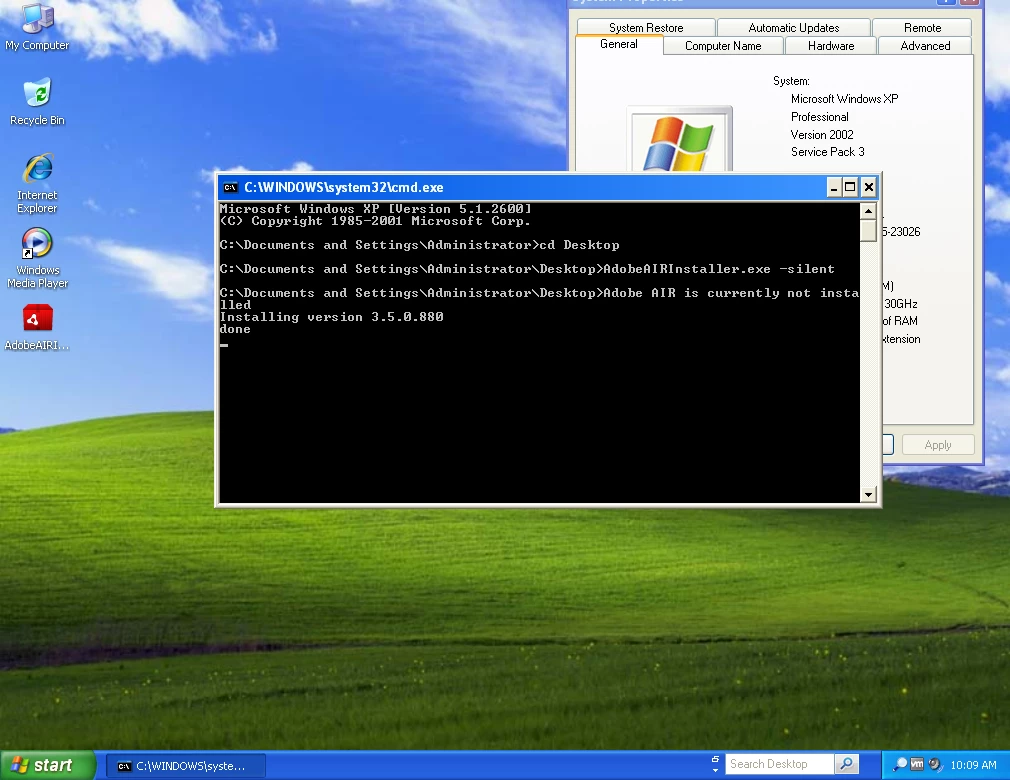
No problems for me when running on XP.  Are you passing more than just the -silent argument?

1 reply

chris.campbell
Community Manager
Community Manager
December 18, 2012

Hi Vincent,

I was able to install silently using the following steps:

1. Open a command window, elevated as administrator

2. Navigate to the AdobeAIRInstaller.exe file

3. Run the command "AdobeAIRInstaller.exe -silent"

nolmeAuthor
Known Participant
December 19, 2012

Hi,

it doesn't work on Windows XP SP3 Fr x86.

I've got the same result (too many arguments)

chris.campbell
Community Manager
chris.campbellCommunity ManagerCorrect answer
Community Manager
December 19, 2012

No problems for me when running on XP.  Are you passing more than just the -silent argument?