


Question
After Adobe AIR installation, when the application run, License Agreement window is appear.
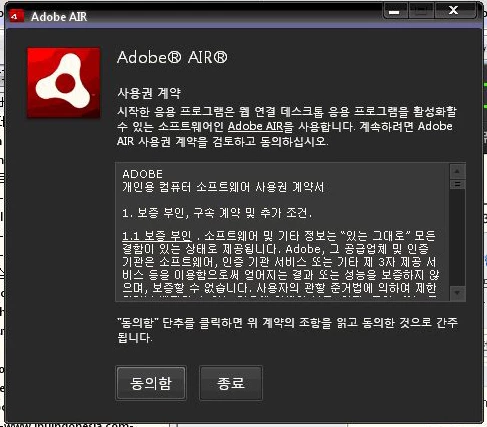
Adobe AIR is installed properly, but when you run the application, License Agreement window appears as shown in the picture.
The environment is Windows XP sp3.
I try this -> http://support.microsoft.com/mats/Program_Install_and_Uninstall/en-us
and try this -> http://www.winhelponline.com/blog/reset-the-registry-and-the-file-permissions-in-windows-xp/
and try this too -> http://www.microsoft.com/downloads/ko-kr/details.aspx?familyid=5A58B56F-60B6-4412-95B9-54D056D6F9F4&displaylang=ko
But has not been resolved. T.T
Please find a way to solve~
 AdChoices