
Known Participant
April 23, 2015
Question

AIR iOS - Soft Keyboard is different from native apps!

  • April 23, 2015
  • 5 replies
  • 1358 views

Hi,

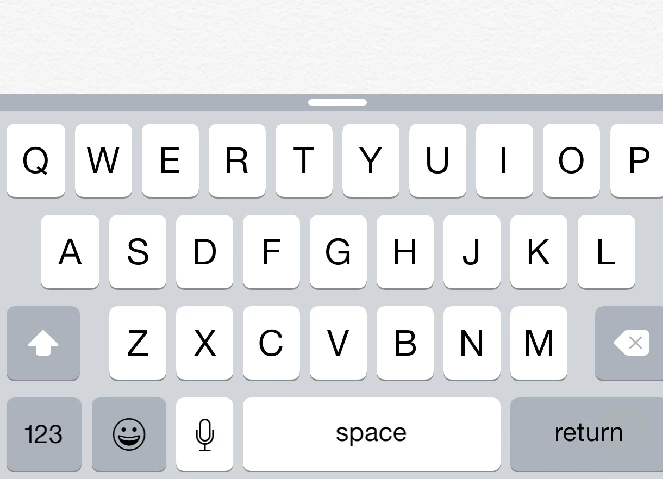
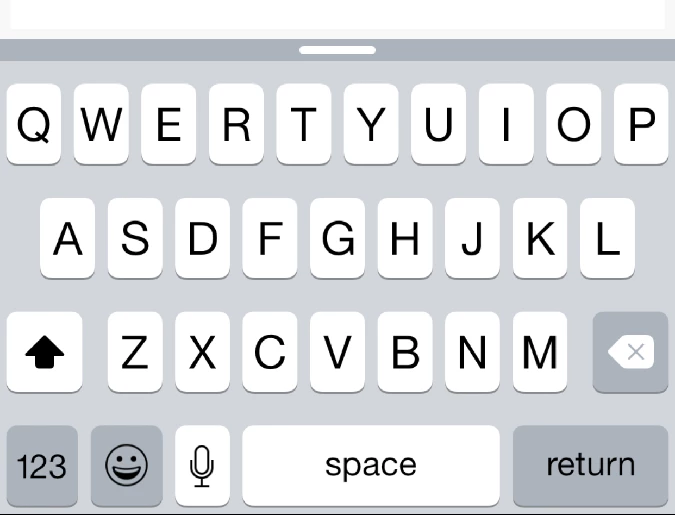
I'm working on an iOS 8 app with AIR 17 and after testing it on a device the soft keyboard looks different in my app than in the native iOS apps (e.g. Apple Notes app)

It looks scaled and bigger than the native one and the uppercase/lowercase button is different.

How to get the native keyboard?

Any ideas welcome!

I attached 2 pics:

Normal keyboard:
AIR keyboard:
    

This topic has been closed for replies.

5 replies

Known Participant
November 16, 2016

Thanks argupta​, no problem in using the launch images!

I think it's just surprising that the launch image presence is a ruling factor on what kind of soft keyboard gets used in the final app! But as long as it works, no problem for me.

Known Participant
November 15, 2016

I've noticed the same and I found the answer to be the launch images. Strange but true...

If the iOS package doesn't include proper launch images, all the native dialogs look enlarged and slightly "old fashioned". But if the launch images are there, the keyboard and all look like they usually do on iOS.

Maybe Adobe cares to explain why...?

sharp_idea16B8
Adobe Employee
Adobe Employee
November 16, 2016

Hi, launch images of proper dimensions are required by iOS to scale the applications accordingly. This is a mandatory requirement from Apple. Also the applications which does not include launch images are rejected by Apple when uploaded to App Store.

Follow this: Launch Images on iOS with Adobe AIR

blogtomAuthor
Known Participant
June 10, 2015

I'm still looking for answer too! I think PhoneGap and other apps run into the same problem with the keyboard - it's not AIR only. Is the standard keyboard Apple apps only?

Participating Frequently
June 10, 2015

I'm having the same problem. We're using StageText and StageWebView, and whereever you launch the iOS keyboard, it appears in a taller version than the "original" one, i.e. as it is displayed in all other apps. The user feedback is that "it's the wrong keyboard" which isn't good at all. Does anyone know what's causing this and if there is any setting to apply somewhere to correct the issue?

tdwivedi
Adobe Employee
Adobe Employee
April 23, 2015

Hi,

Are you using TextField or StageText ?

-Tushar

blogtomAuthor
Known Participant
April 23, 2015

I'm using StageText.