
Participant
June 5, 2018
Question

Android Round Icons?

  • June 5, 2018
  • 2 replies
  • 2214 views

Hi,

After updating our Android app manifest XML to use targetSDK=27, the app icon looks like this after installing on a device with Android 8:
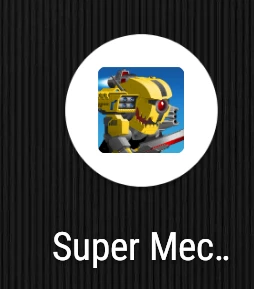
While if the targetSDK is 24, we see the full icon in a rounded rectangle.

We can create a round icon, but we don't know where to put it when packaging the app with Adobe Animate.

Is there a solution for this? What can we do if we want to target SDK 27?

We are building with Air SDK 29 (triggered from adobe animate)

This topic has been closed for replies.

2 replies

Oldes
Inspiring
September 13, 2018

Have anybody found solution? It seems to be serious issue now.

Douglas McCarroll
Inspiring
February 9, 2019

If you're concerned about this, please vote for this Tracker

Flipline
Inspiring
June 18, 2018

I have the same issue after switching targetSdkVersion to 26 (which will be a requirement for all new apps on Google Play starting August 1st, 2018).

Google has guidelines here for adaptive icons, though I don't think we have the ability to manually add content to the res/mipmap directories while packaging for AIR, and just have to rely on what the compiler does for us right now. 

Other app development tools have similar issues (I have countless games on my phone that were built in Unity that also have that default small-icon-in-a-circle look), but it would be great if Adobe gave us the ability to handle adaptive icons -- at least giving us the ability to define items to send to the res color/mipmap/drawable directories for the app.  I can't find anything proving we can do this already, but if anyone has any tips I'd love to hear them.